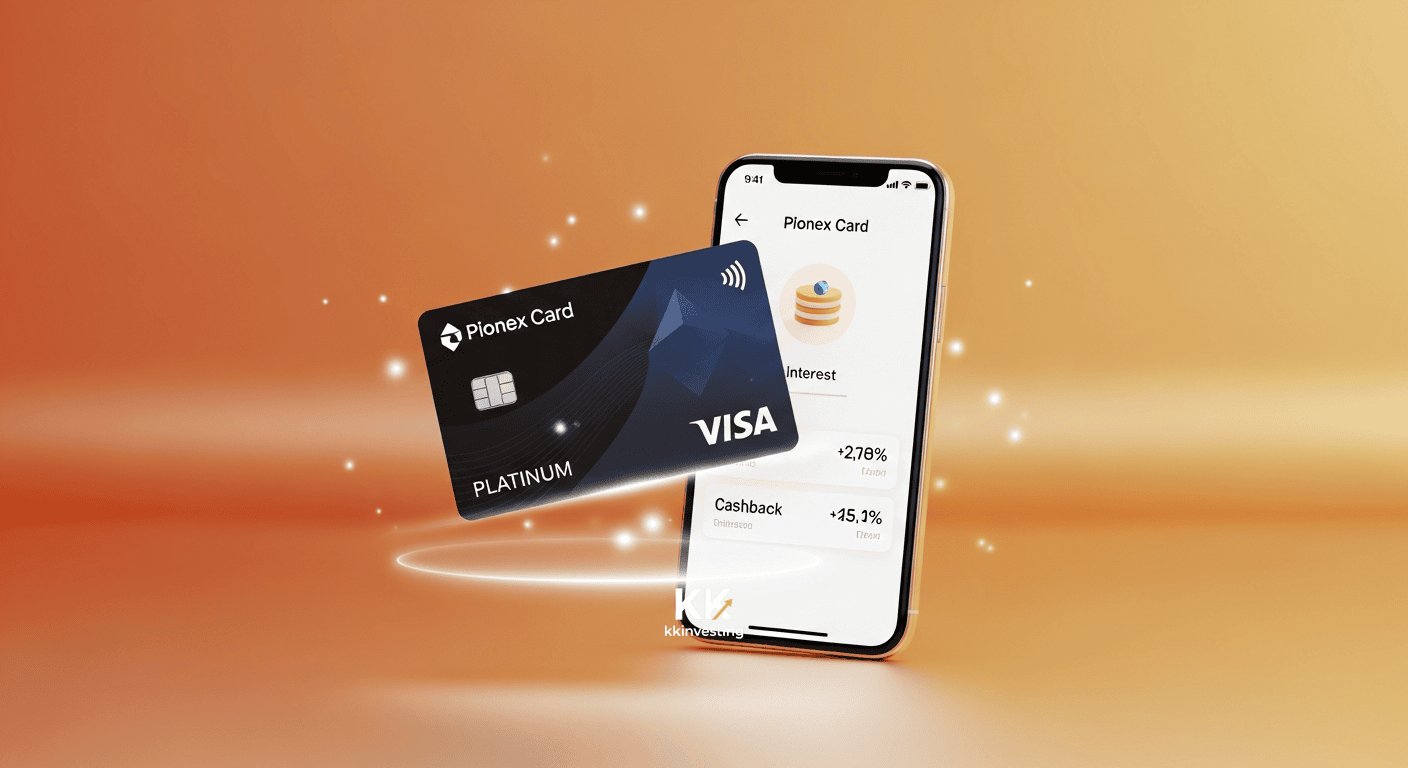
Pionex Card Review 2026: Fees, Visa vs Mastercard and Who Can Apply
Key points · updated 25 Oct 2026
- What it is: a USDT-funded debit card from the Pionex exchange. No credit, no overdraft: if the card balance is empty, the payment fails. Cards are virtual only and physical card applications are closed.
- Who can get it: Pionex blocks registration and KYC in the US, UK, Canada, Singapore, Japan, France, the Netherlands, China and Hong Kong. If your country is not on that list, KYC is open, but the application page in the app still decides whether you get a card.
- Visa or Mastercard is not your choice: the card brand follows your KYC country. Visa charges 1% per transaction, Mastercard up to 3.5%.
- Cashback and yield: Visa pays 1% back on purchases, which roughly cancels its 1% fee. Mastercard pays 0.1% to 1%. The card balance earns 5% APY, paid hourly.
- Wallets: Apple Pay, Google Pay and LINE Pay work on both cards, PayPal, Alipay and WeChat Pay on Visa only, and the card cannot pay Apple ID subscriptions.
- Watch for: inactive cards are cancelled in bulk and cannot be restored, disputes need 650 USDT on the main account plus a 50 USDT fee, and merchants registered in eight sanctioned regions are blocked.
What the Pionex Card is, and who it suits
You move USDT from your main Pionex account into a separate card account. When you pay, the card account is debited in USDT, with USD and USDT fixed at 1:1 and no conversion fee. There is no IBAN and no fiat deposit, so this is a tool for spending USDT you already hold, not a bank account substitute.

| Situation | Fit | Why |
|---|---|---|
| You hold USDT and want to pay online or in shops abroad | Good | On Visa the 1% fee is roughly offset by 1% cashback, and the balance earns 5% APY |
| Subscriptions such as ChatGPT, Claude or TradingView | Good | Pionex documents paying them through Apple Pay, Google Pay or LINE Pay; it cannot pay Apple ID subscriptions |
| You were given Mastercard and spend often | Do the maths first | Up to 3.5% fee against 0.1% to 1% cashback leaves about 2.5% to 3.4% lost per purchase |
| You want a physical card or ATM cash | No | Physical applications are closed and the virtual card has no ATM access or PIN |
| You want to cash out to a bank account | No | The card only receives USDT; getting local currency means selling USDT on an exchange |
For comparison, read our guides to Bybit Card, OKX Card and ether.fi Cash. What sets the Pionex Card apart is interest on the card balance and the lack of a separate card app: eligibility is simply Pionex KYC2 plus an asset threshold.
Where you can and cannot apply
Pionex treats three questions separately: can you register and pass KYC, will you be offered a card, and where can the card be spent.
| Question | Answer from Pionex (checked 25 Oct 2026) |
|---|---|
| Registration and KYC blocked | Iran, North Korea, Cuba, Syria (phone binding only), Crimea, Donetsk, Luhansk, Venezuela, Afghanistan, Sudan, South Sudan, Somalia, Yemen, Libya, Lebanon, Zimbabwe, Central African Republic, DR Congo, plus Singapore, China, Hong Kong, the US (including Guam, Puerto Rico, Hawaii), Canada, the UK, France, the Netherlands and Japan. Austria can complete KYC but cannot bind a phone number. |
| Countries not on that list | Registration and KYC are available, but this does not guarantee a card. The application page in the app shows the card offered for your KYC country. |
| Card brand | Visa in most regions. Where Visa is closed to new applicants the page offers Mastercard. Since 14 Aug 2026 that includes Belarus (Pionex restricted-regions page). |
| Merchants that decline the card | Businesses registered or operating in Afghanistan, Venezuela, Russia, Myanmar, Ukraine, North Korea, Iran and Belarus. A separate channel restriction stops one Mastercard channel from paying South African merchants. |
If you already passed KYC2 and then travel to a restricted country, Pionex does not restrict your account, but local networks may block the app. Your country of residence and documents must be accurate in KYC. The card brand is tied to your KYC country and cannot be changed afterwards, so I do not cover workarounds.
Visa or Mastercard: your KYC country decides
Only one card is shown on the application page, the one available to you. You cannot hold both, and an issued card cannot be switched. Visa is issued from Singapore and Mastercard from Hong Kong or the US.
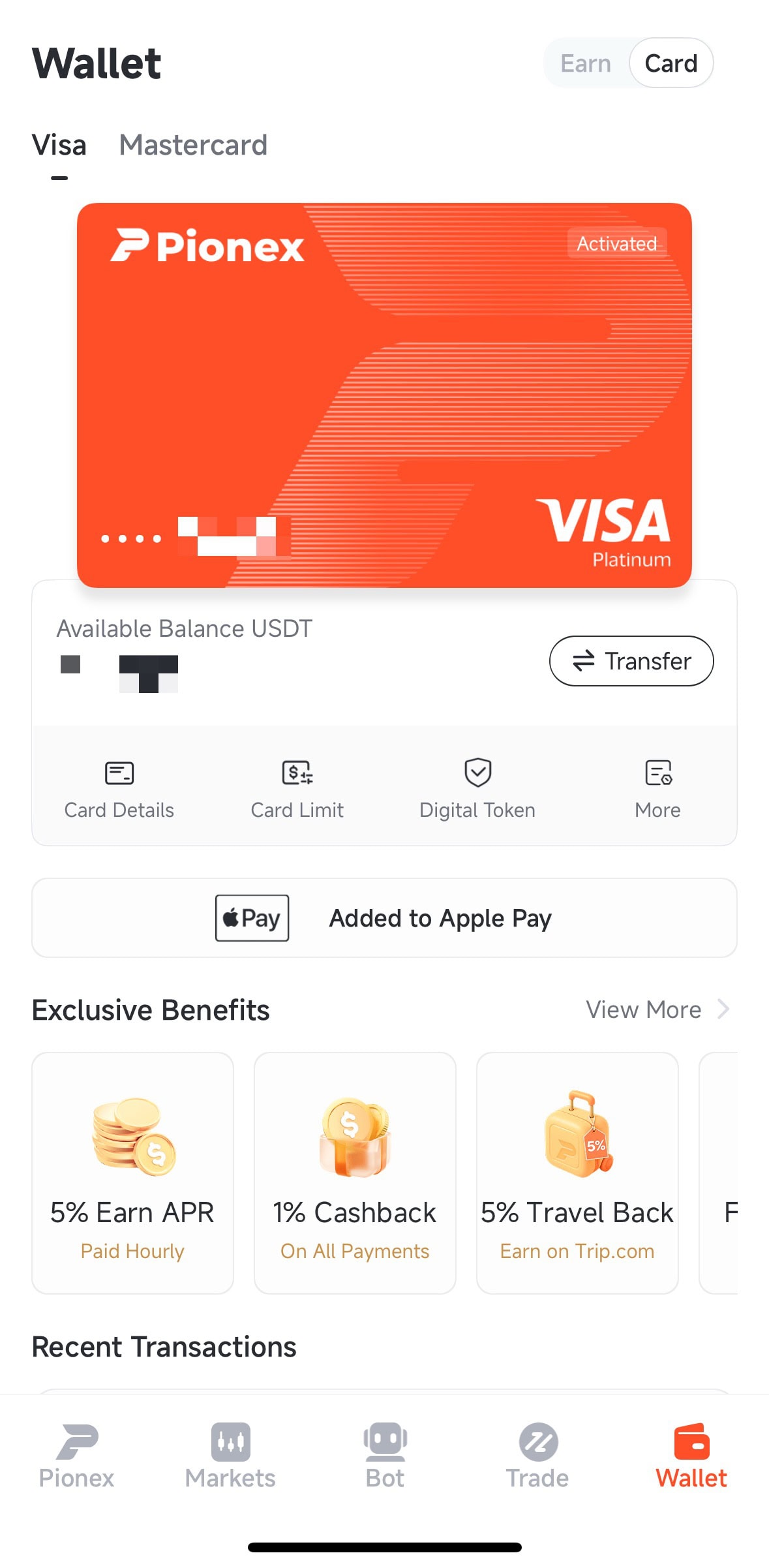
| Item | Visa | Mastercard |
|---|---|---|
| Transaction fee | 1% | Up to 3.5% (raised from 2% on 29 Apr 2026) |
| Cashback | 1% on USD and non-USD spending | 0.1% to 1% |
| Limit per transaction / day / month | 10,000 / 10,000 / 50,000 USDT | 20,000 / 20,000 / 100,000 USD |
| Temporary limit increase | Balance of 16,000 USDT or more, 14 days | Not supported |
| Address at application | Required (use — if you have no house number) | Not required |
| Cardholder name length | Up to 25 characters | Up to 32 characters |
| PayPal, Alipay, WeChat Pay | Supported | Not supported |
| Where the 5% yield is paid | Card account | Primary or card account, depending on the card |
In my view Visa is far better value. If you get Mastercard, treat it as a card for occasional payments: top up, pay, and move the rest back to the main account.
Fees, cashback and limits: official figures, October 2026
| Item | Visa | Mastercard |
|---|---|---|
| Issuance, annual and inactivity fees | 0 / 0 / 0 | 0 / 0 / 0 |
| USD to USDT conversion | Free, fixed 1:1 | Free, fixed 1:1 |
| Transaction fee | 1% | Up to 3.5% |
| Payment of 5 USD or less | First each month free, then 0.2 USDT | Same (threshold raised from 1 to 5 USD on 19 Oct 2026) |
| Failed payment | Timeouts and maintenance free; unsupported merchant 0.5 USDT (first per merchant free); other failures first each month free, then 0.5 USDT | Same |
| ATM withdrawal | 2%, physical card only (applications closed) | Not supported |
| Chargeback | 650 USDT held on the main account, plus a 50 USDT fee per case whatever the outcome | None listed |
Worked examples
- A 100 USD purchase on Visa: fee 1 USD, cashback 1 USD, net cost about zero. On Mastercard the fee is up to 3.50 USD against 0.10 to 1 USD back, so you lose 2.50 to 3.40 USD.
- A 300 USD purchase on Mastercard: roughly 7.50 to 10.20 USD lost. On Visa it is still about zero.
- Pionex’s own example: a 101 MYR clothing purchase at 1 USDT = 4.1822 MYR is 24.15 USDT, plus a 1% fee of 0.2415 USDT, for 24.39 USDT in total.
- Small payments: the second payment of 5 USD or less in a month costs 0.2 USDT, which is 5% on a 4 USD purchase. Combine small buys where you can.
- Yield: 1,000 USDT left in the card account earns about 50 USDT a year at 5% APY, roughly 4 USDT a month, and stays spendable.
Cashback is credited instantly with the transaction. It does not apply to cash withdrawals, and some merchant categories such as eToro, TikTok and Wise are excluded. Partner offers such as Trip.com’s extra cashback of up to 5% are tracked per order and can take 1 to 3 months after the trip.
You can check the numbers on the official pages: Visa fees, Mastercard fees, Visa cashback rules and Mastercard cashback rules, which also list the merchant categories that earn no cashback.
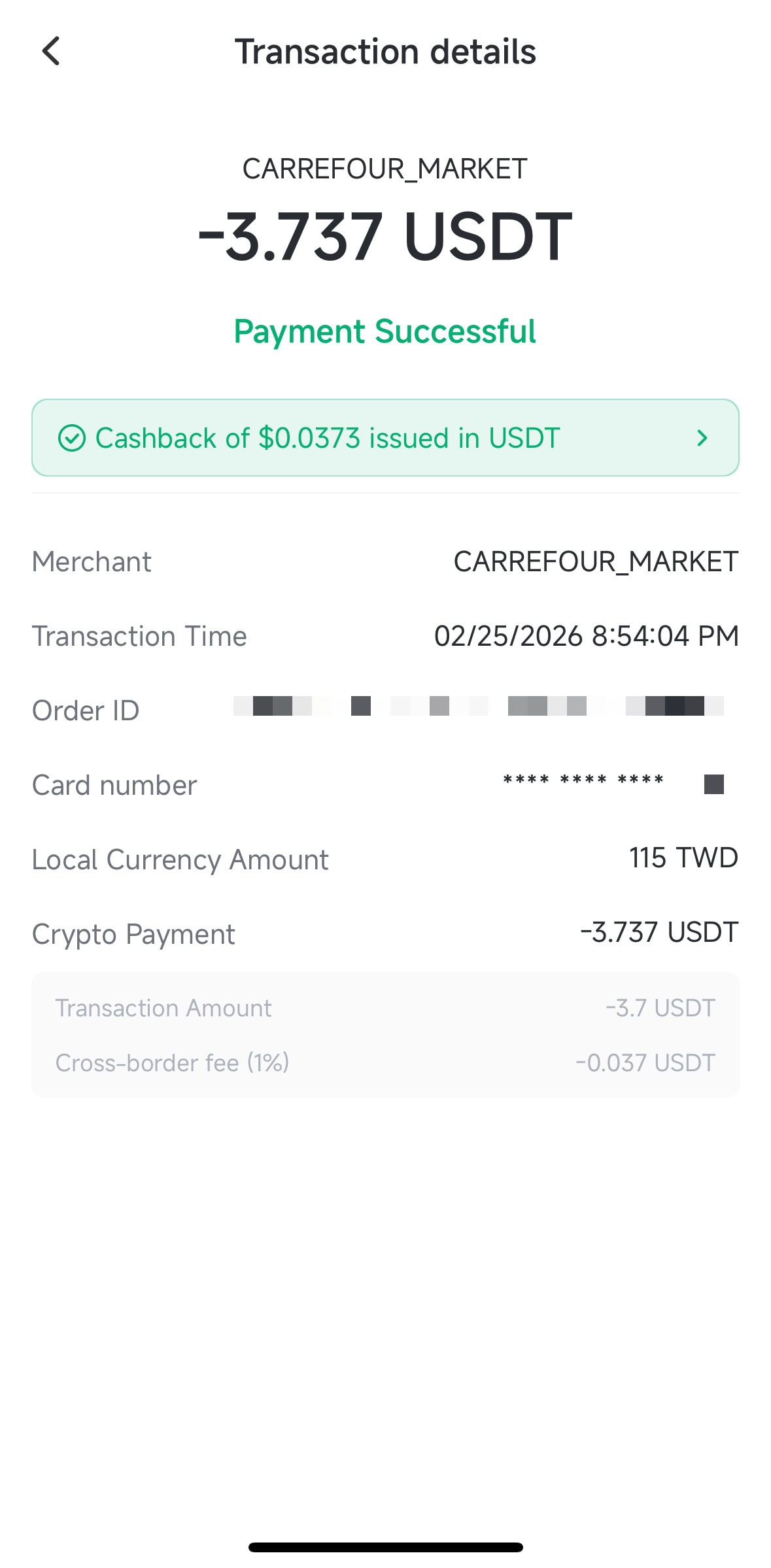
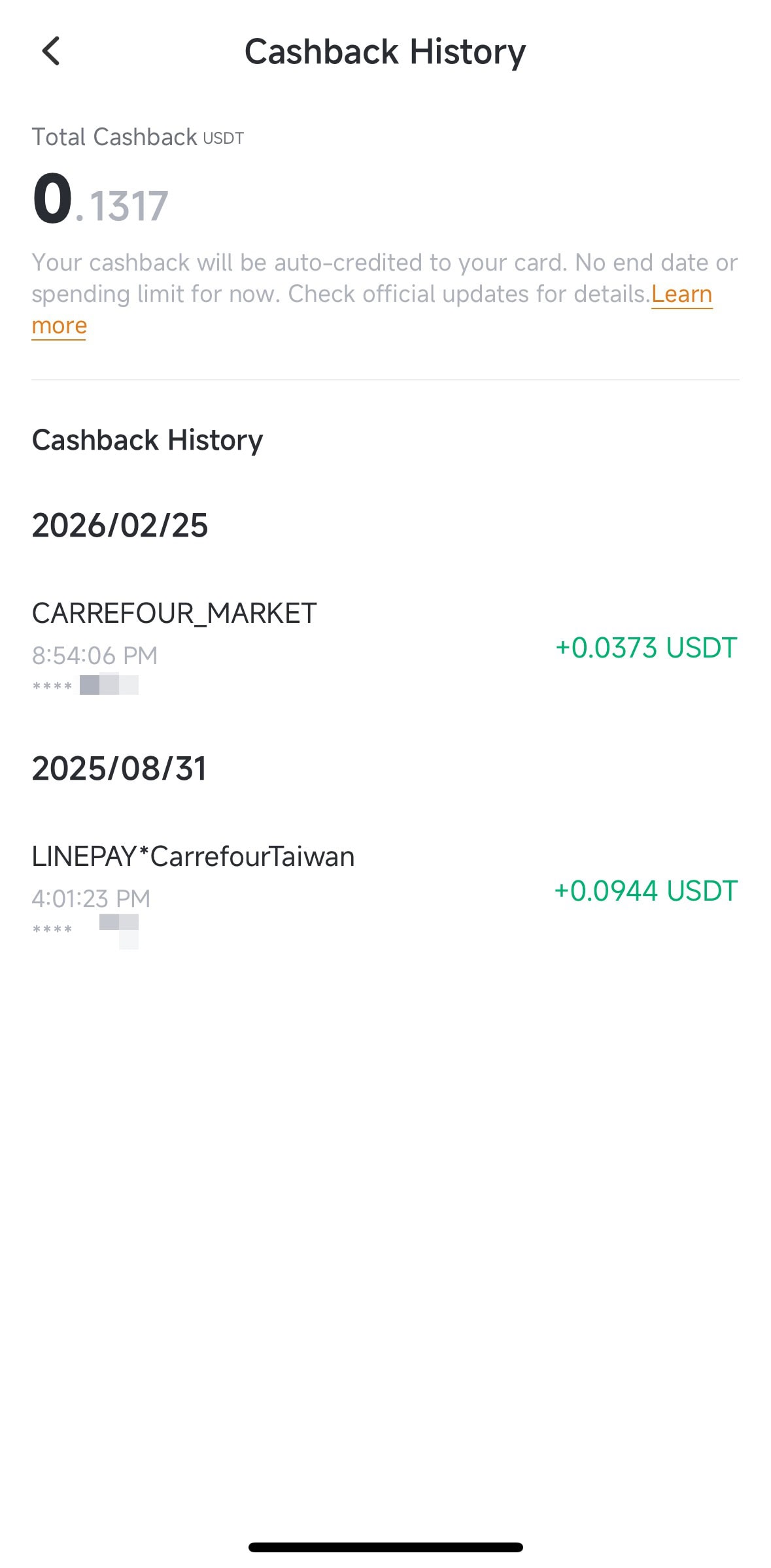
The two screenshots above are records from the site owner’s own account, which was verified in Taiwan, with an English interface. They show how a 1% fee and 1% cashback net out; they are an illustration, not a promise for your country.
How to apply for the Pionex Card
There are two conditions: finish KYC2, and hold account assets above the threshold shown on the application page. Pionex does not publish the amount and changes it over time; the application page shows the exact figure. It is an eligibility check, not a fee, and it is only checked at application.
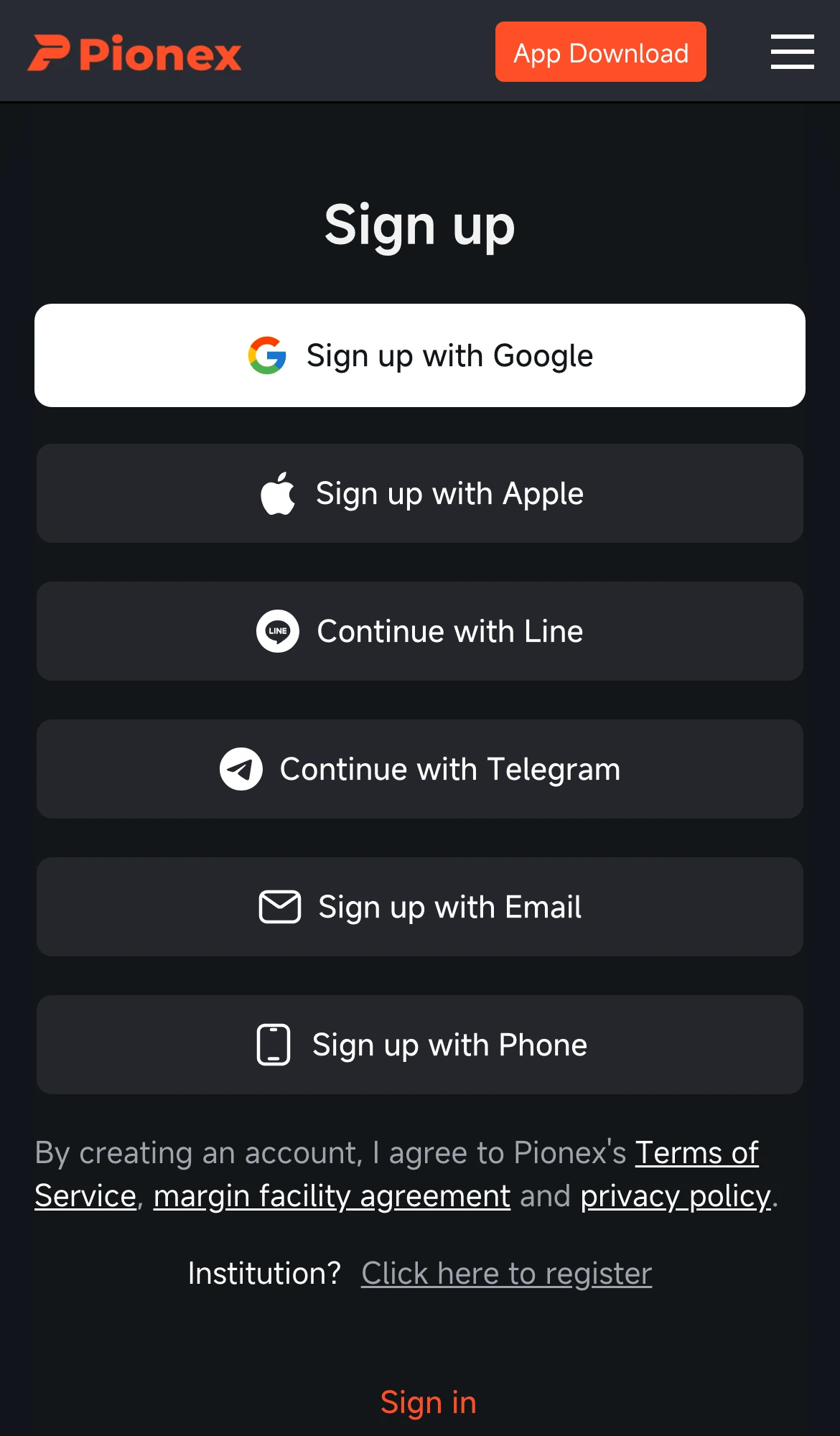
- Register. Create an account on the Pionex site or in the app and turn on two-factor protection. First confirm that your country of residence is not on the blocked list above.
- KYC2. Upload an identity document and complete the face check. The cardholder name must match your KYC name.
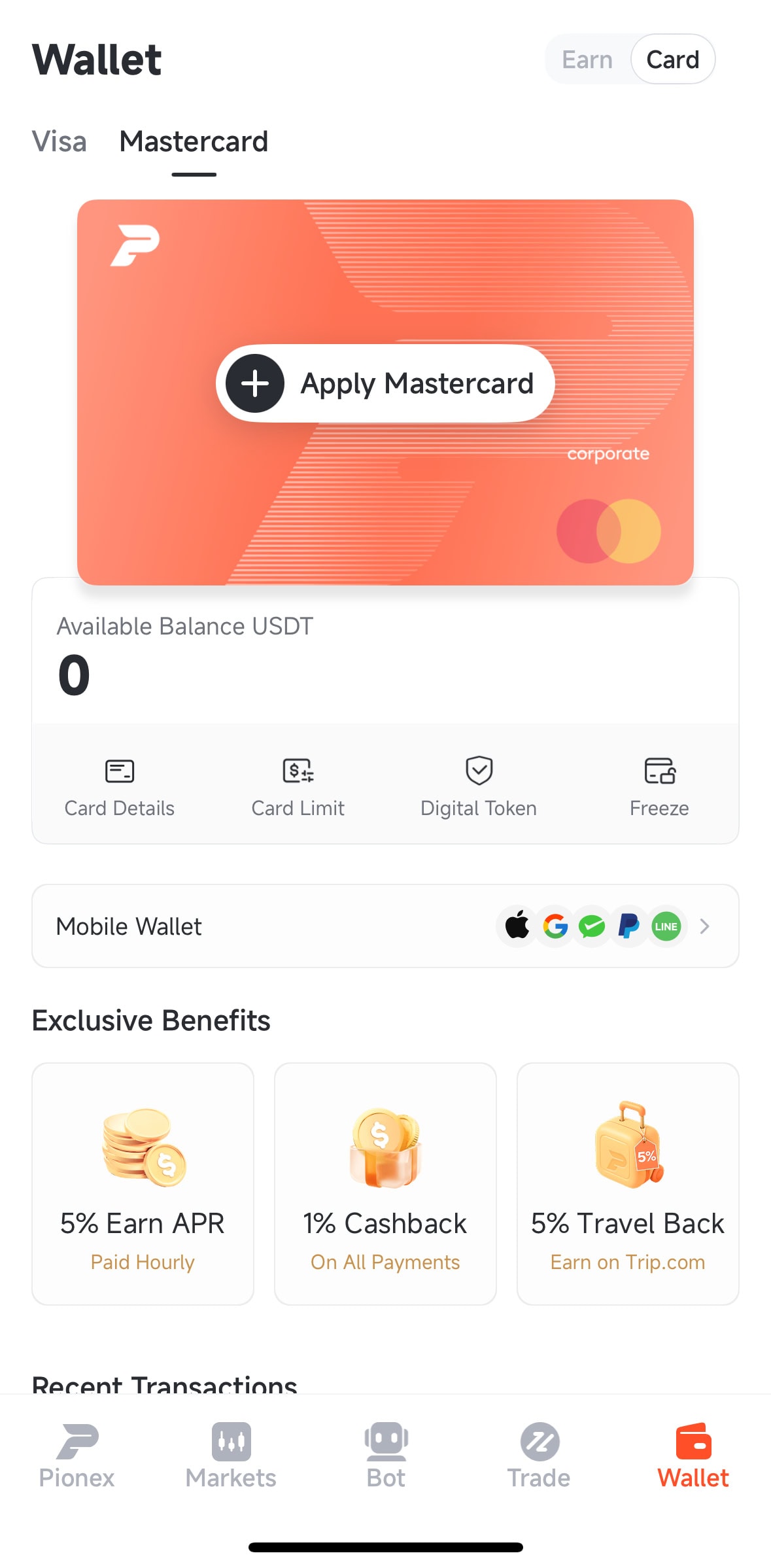
- Apply. In the app go to Wallet, then Card, then Apply Now. The page shows the card you are eligible for. Fill in the cardholder details, tap Next Step and then Confirm submission. On the web it is Card, then Personal Card.
- Wait for the result. Applications usually return within an hour. If the status is still Under Review after an hour, contact support.
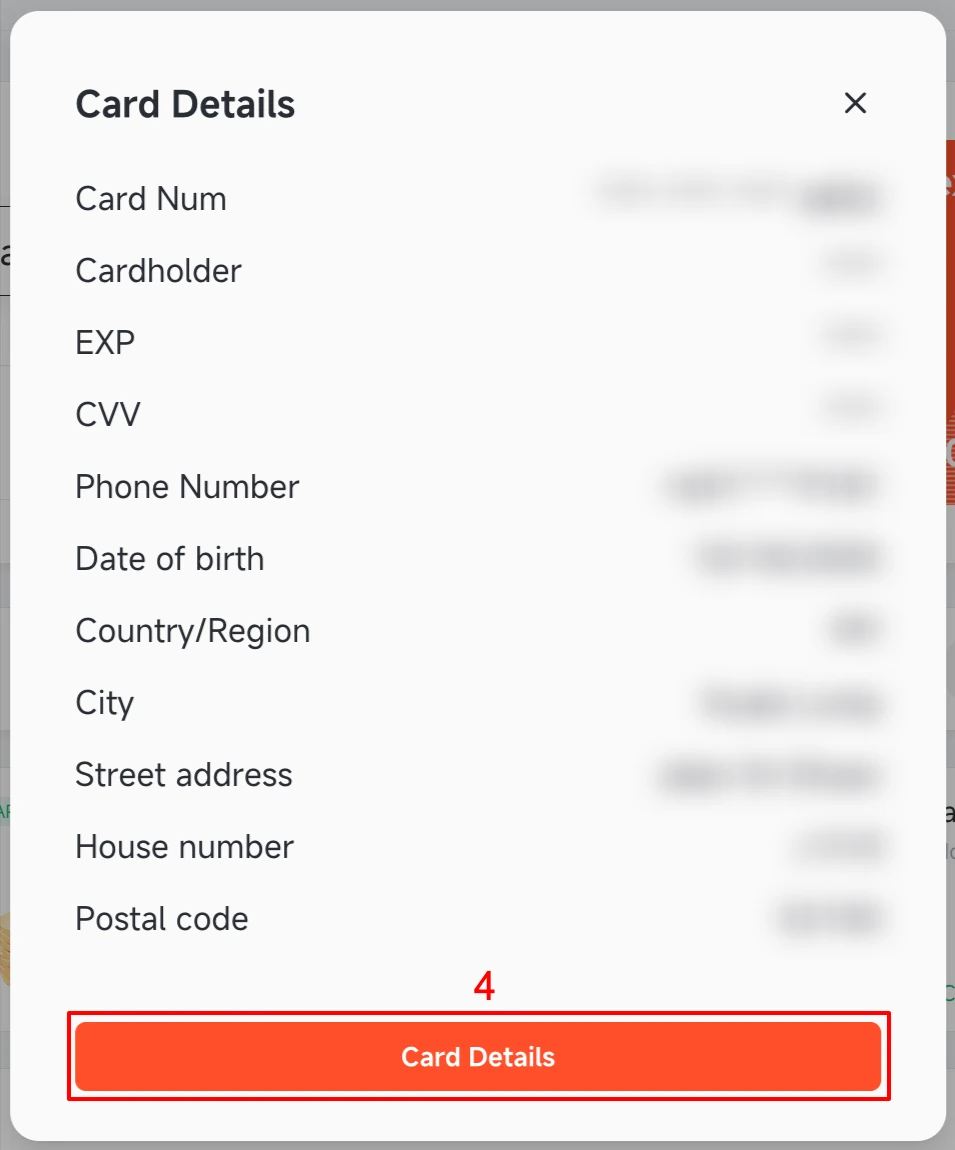
- Check the card. Wallet, Card, Card Details (twice) and pass the security check to see the number, expiry date and CVV.
If the app says “Risk assessment result did not pass”, the application was stopped by the risk check. Pionex lists two common reasons: the account is frozen (including when you turned on Disable Account yourself) or the card is not offered in your KYC country. Once the account is unfrozen you can apply again. If the verification code never arrives at an Apple Hide My Email address, unbind it and bind a regular email.
Topping up and everyday use
Money arrives in your main Pionex account first, usually as a USDT transfer, and you then move what you need to the card account. In the app the path is Wallet, Card, Deposit, Transfer, with the direction set to Primary Account to Payment Account; the All button moves the full balance. If you still need to buy USDT and send it to Pionex, see our Pionex deposit and withdrawal guide. A transfer to the card account counts as a withdrawal and may ask for security verification. Bonus balances such as Growth Fund principal cannot be transferred.
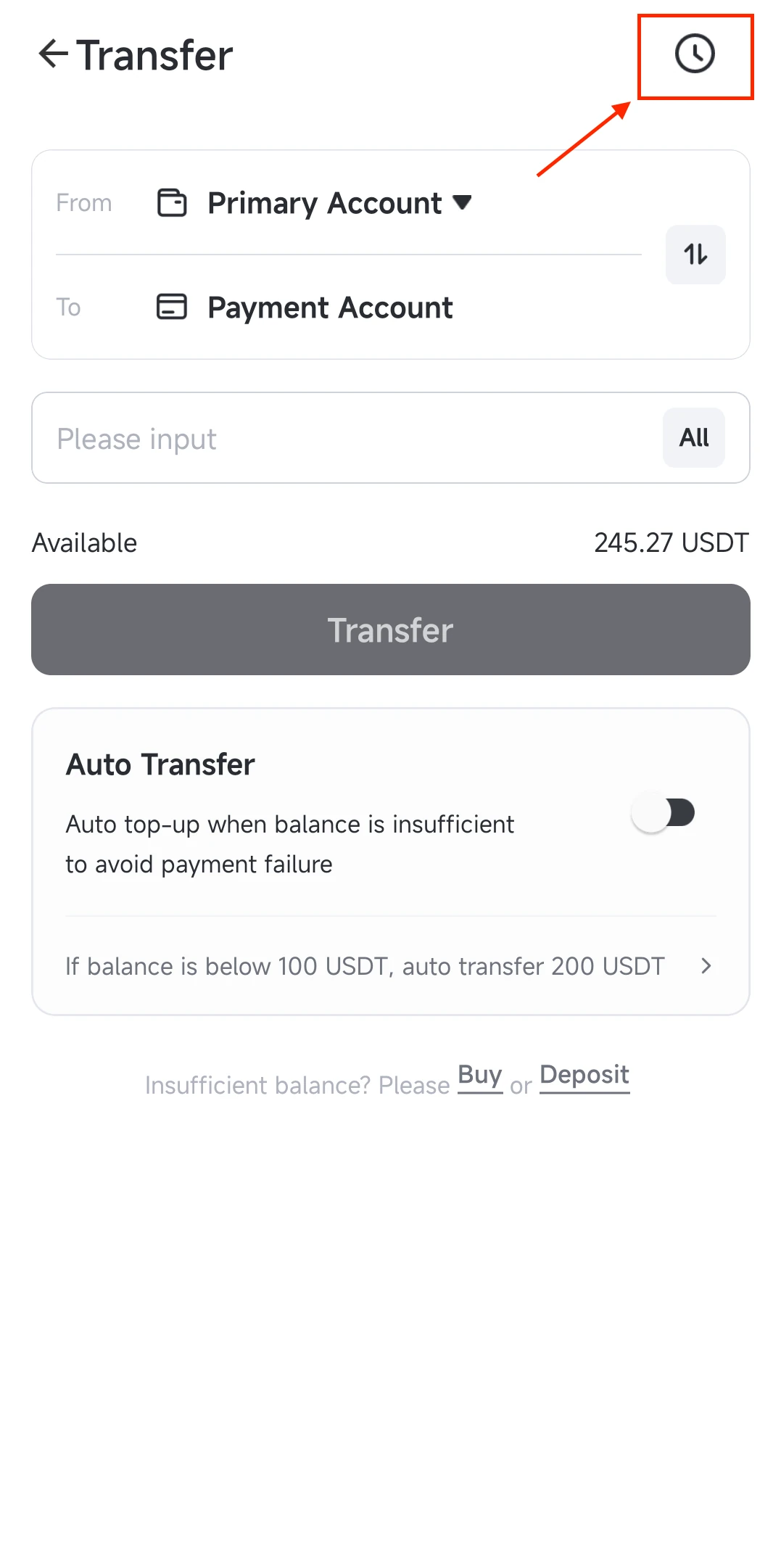
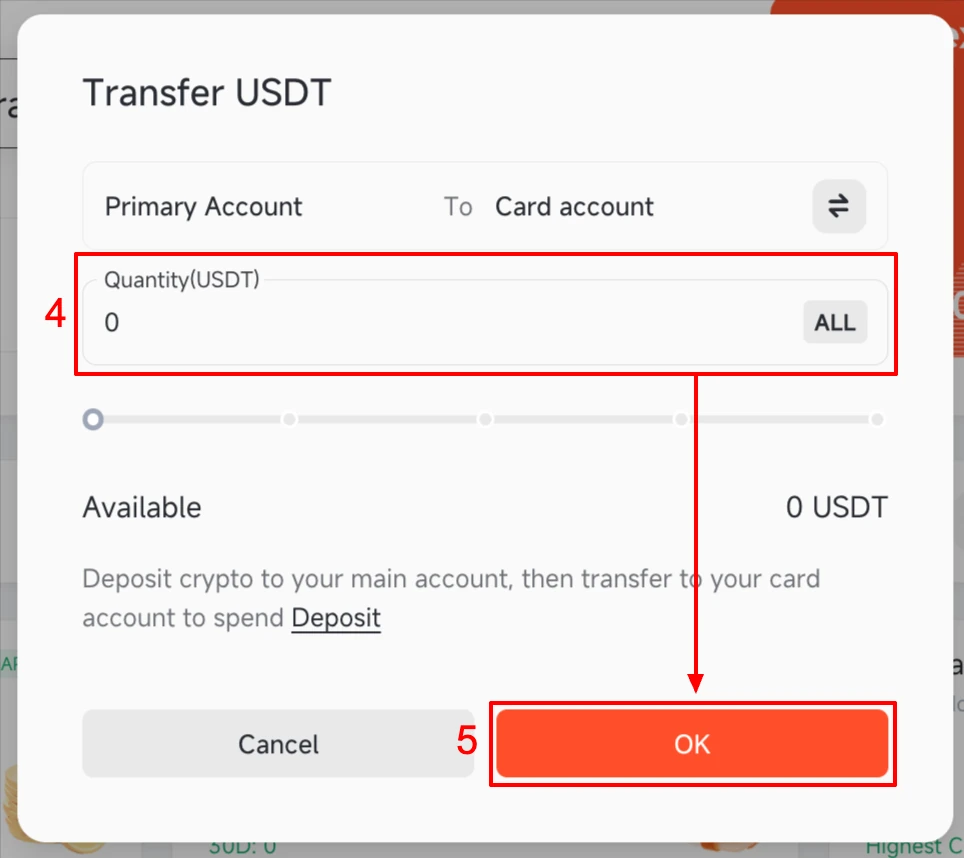
The two images appear in order: the transfer screen first, then the amount window. Auto Transfer, under More, tops the card up from your main account whenever the balance falls below a threshold you set, and switches itself off if a transfer fails. Keep 3% to 5% extra in the card account, because roughly 1% more than the purchase amount is held when you pay.
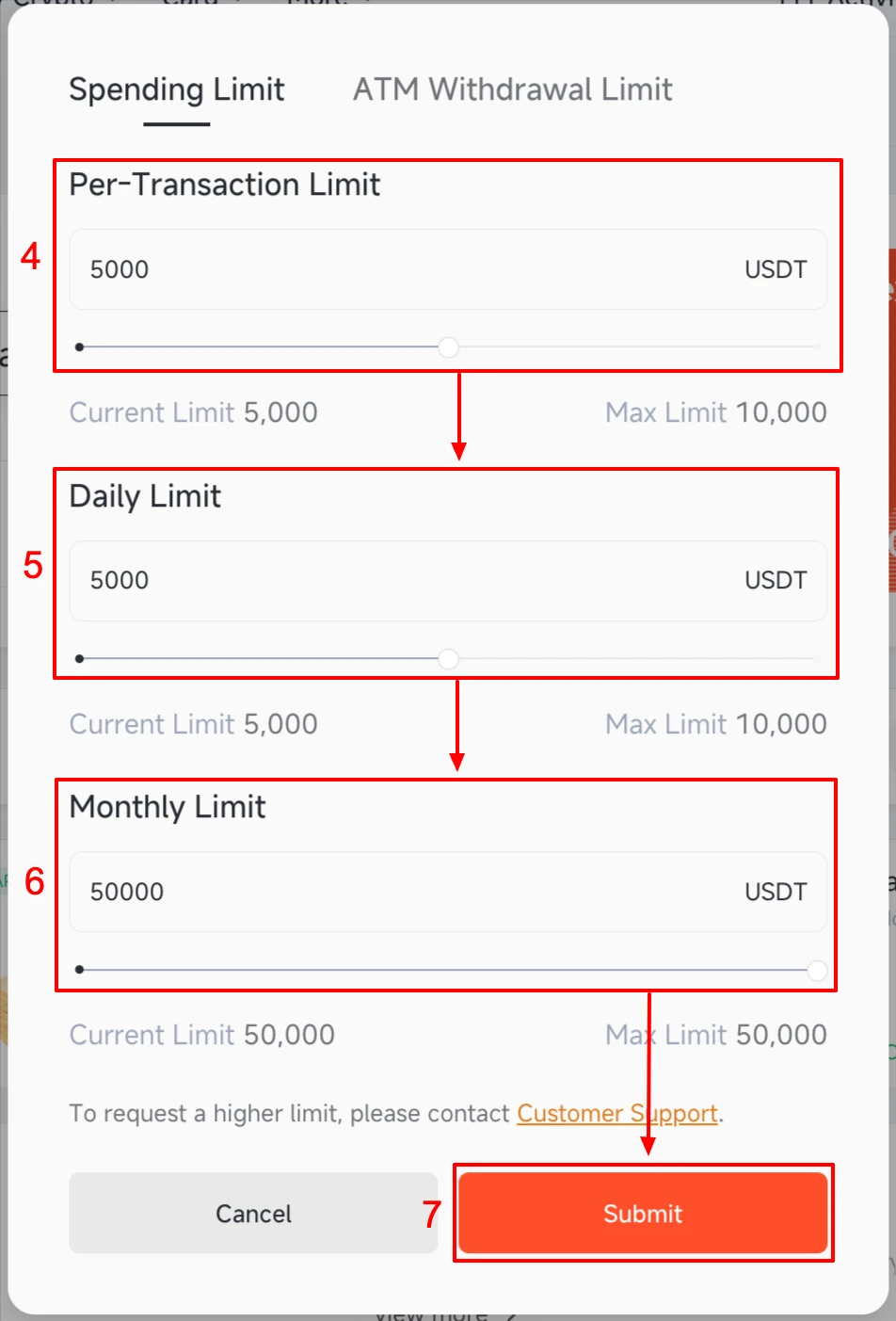
You can adjust per-transaction, daily and monthly limits in the app. To freeze the card go to More, then Freeze. While it is frozen, transfers between the main and card accounts fail too, and subscriptions you already authorised are not cancelled.
Apple Pay, Google Pay and other wallets
| Wallet | Visa | Mastercard | Note |
|---|---|---|---|
| Apple Pay | Yes | Yes | App 3.1.9 or later has Add to Apple Wallet; up to 10 devices per card (official guide) |
| Google Pay | Yes | Yes | Needs a region where the wallet is available |
| LINE Pay | Yes | Yes | Enter the card number manually in LINE Wallet |
| PayPal, Alipay, WeChat Pay | Yes | No | Visa only |
| Samsung Pay | No | No | Not supported |
One limit to know: the card can be added to Apple Pay for shops but cannot be set as the payment method on an Apple Account, so it cannot pay for App Store or iCloud+. The small verification charge when you link a wallet is a temporary authorisation, not a purchase. Some wallets require the wallet’s registered country to match the card’s issuing country. The Mastercard cannot be linked to PayPal at present because PayPal checks the billing address (AVS). If binding shows “Contact card issuing bank”, that is a security check by Apple or the card network, not a card fault: stop retrying, use the device you use every day and your own account, try again after 7 days (30 days has a higher success rate) and then contact in-app support, as Pionex’s wallet setup guide advises.
Risks and what users report
- Cancellation for inactivity: Pionex cancels cards that are unused or barely used in bulk. The criteria and balance threshold are not published, cancellation is irreversible, and you cannot apply for a new card. Some cards were cancelled in August and September 2026 without an email first, so make an occasional small payment.
- Disputes: starting a chargeback needs at least 650 USDT on the main account, and review costs 50 USDT whatever the result. Small merchant errors are not worth disputing.
- Negative balance: if a subscription keeps trying to charge an empty card, failed-payment fees add up. The balance goes negative and crypto withdrawals from your account are restricted.
- USDT only: no local currency, no IBAN and no payout to a bank, so any return to fiat goes through selling USDT.
- User reviews: Trustpilot reviews from May to September 2026 include complaints (a repeated charge for one eBay order on Mastercard, withdrawals frozen after a KYC offer) and a positive review praising Apple Pay and 1% cashback that offsets the 1% fee. These are individual accounts, but they fit what Pionex’s own documents show: Visa is the better deal, and the risks sit in support policy and card cancellation.
I recommend keeping only what you need for the next payments in the card account, and checking the application page before you plan any spending around the card.
FAQ
Is the Pionex Card a credit card?
No. It is a USDT debit card with no overdraft or credit limit. If the balance is too low the payment is declined.
Can I apply from the US, UK or Canada?
No. The US, UK, Canada, Singapore, Japan, France, the Netherlands, China and Hong Kong are on Pionex’s list where phone registration and KYC are unsupported, and KYC is required before you can apply.
Is the Pionex Card available in Thailand or Malaysia?
Neither is on the blocked list, so registration and KYC are available. Whether you get a card, and which brand, is shown on the application page in the app. Pionex does not promise approval from the KYC list alone.
Is there a physical Pionex Card?
Not at the moment. Physical applications are closed, and the virtual card has no ATM withdrawals or PIN. For in-store payments add it to Apple Pay or Google Pay.
Why did I get Mastercard instead of Visa?
The brand follows your KYC country only. For example, new Belarus applicants have been offered Mastercard since 14 August 2026. Changing KYC level or contacting support does not change it.
What happens if I do not use the card?
Pionex cancels long-unused cards in bulk. A cancelled card cannot be restored and a new one is not issued. Pionex advises making payments from time to time.
Related reading
- Pionex deposit, withdraw and API guide
- Best crypto cards in 2026
- Official pages: how to apply, Visa fees, Mastercard fees, regional restrictions, unsupported countries
Affiliate disclosure: some Pionex links in this article are affiliate links. If you register through them the site may earn a commission at no extra cost to you, and it does not change the fees, terms or risk assessment here. Pionex is an offshore crypto platform. This article is based on the official Pionex Help Center (checked 25 October 2026) and is not investment, legal or tax advice. Fees, cashback and the card you can apply for are set by Pionex and shown on the application page in the app.