Bitget Wallet Review 2026: Setup, Swap Fees and Safety
Key points (Last updated: October 29, 2026)
- What it is: Bitget Wallet is a self-custody, multi-chain wallet. You create it in the app without an account, and only you hold the seed phrase. The official homepage says 100 million users and 130+ chains. It is not the Bitget exchange and not the Bitget Wallet Card.
- Install: use the official download page for iPhone, Android or the Chrome extension. The App Store developer is BitKeep Global Inc.; fake apps and lookalike sites are the most common way people lose money here.
- Funding: the wallet takes crypto, not dollars. The usual route is to buy on an exchange you already use, copy the wallet address for the right network and withdraw. Bitget’s guide says on-chain transfers usually arrive in 1–5 minutes.
- Cost: the swap service fee is 0%–0.5% on the same chain and 0.3%–1.3% across chains, plus network gas. On 1,000 USD, a same-chain stablecoin swap costs about 1 USD and a cross-chain major-token swap about 7 USD.
- Earn: Stablecoin Earn Plus currently pays 4% APY for the first 30 days on 1–1,000 USD, then about 2.3%. The 10% figure still shown on older pages is not in the help center.
- Biggest risk is on your side: on a seed phrase wallet a lost phrase cannot be recovered, a confirmed transfer cannot be reversed, and an unlimited approval can be drained later.
What is Bitget Wallet? How it differs from the exchange and the card
Bitget Wallet used to be BitKeep. The official security page calls it a non-custodial wallet: only you control the private key and seed phrase, and Bitget Wallet cannot move your funds or reverse a confirmed transfer. That is the whole trade-off. You get control and no account, and you also get no recovery desk if you lose the phrase. English-language readers often mix up three Bitget products, so here is the split.
| Bitget Wallet (this page) | Bitget exchange | Bitget Wallet Card | |
|---|---|---|---|
| Where your assets sit | In your own wallet; you keep the seed phrase | In an exchange account held by the platform | A spending card linked to the wallet |
| Account needed | No. Install the app and create a wallet | Yes, with identity verification as the platform requires | Separate application and KYC |
| Read next | This page | Bitget exchange guide | Bitget Wallet Card guide |
I treat the wallet as the safe-keeping and on-chain layer, and keep trading and card questions on their own pages, including the Bitget exchange deposit and withdrawal guide. If you came for tokenized stocks, that has its own guide too: Bitget Wallet US stocks guide.
Download Bitget Wallet and create your first wallet
The official download page links the iOS and Android apps and a Chrome extension. The App Store listing is named “Bitget Wallet: Crypto, PayFi” and shows the developer as BitKeep Global Inc. (checked October 29, 2026; about 5,600 ratings in the US store). On Google Play the package name is com.bitkeep.wallet, a leftover from the BitKeep days and not a fake. The official verification page also publishes APK and channel checks, and Bitget’s scam guide warns that spoofed domains such as web3.bItget.com (a capital I in place of the lowercase i) and search ads can outrank the real site. Do not install from a link someone sent you.
On first launch the app asks you to create a wallet and set a passcode. The passcode signs transactions and cannot be recovered; if you forget it you reinstall and restore with the seed phrase or private key. You have two ways to start:
| Option | How it works | Best for |
|---|---|---|
| Seed phrase wallet | The app generates a 12–24 word phrase; you write it down. Bitget cannot recover it | Anyone who wants full control or plans to import into other wallets |
| Social login wallet | Sign in with Google, Apple ID or email; there is no seed phrase and the key is kept in the phone’s secure area. Add at least one 2FA method (backup email or Google Authenticator) right away, or losing the social account locks you out | Beginners who fear losing a phrase; it can later be converted to a seed phrase wallet, but not the other way round |
Back up the seed phrase and import an existing wallet
After the first seed phrase wallet is created the app prompts you to back up. Do it before any money arrives:
- On the wallet home tap Back up now and enter your PIN.
- Write the words in order on paper or another durable medium, and keep more than one copy in separate places.
- Pick the words by their numbers when the app asks, to confirm the order.
- Never photograph the phrase, type it into a note or chat, or read it out to “support”.
Bitget’s backup guide says the same and adds that each seed phrase belongs to one wallet. A wrong order creates a different wallet address, so check the order twice.
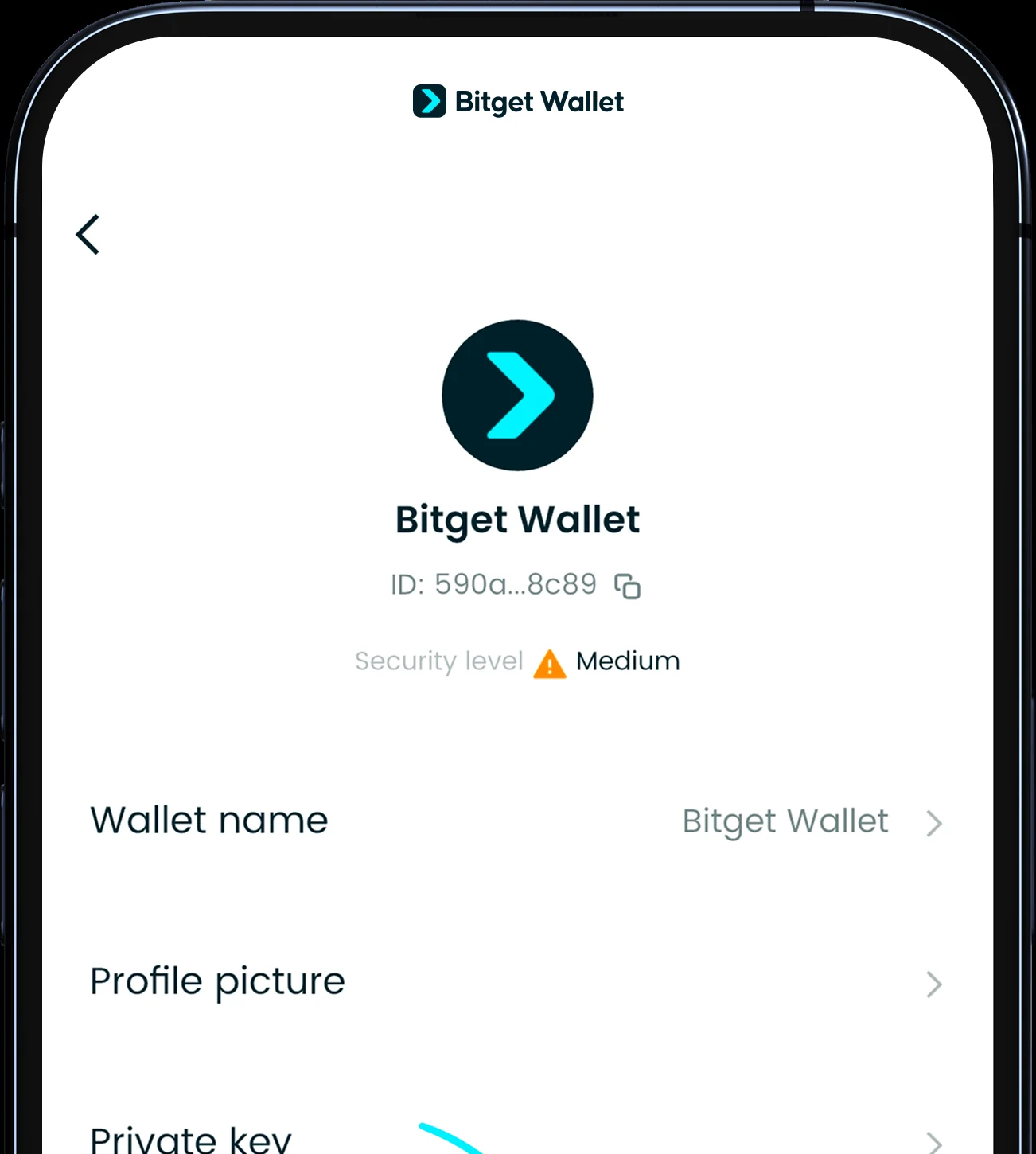
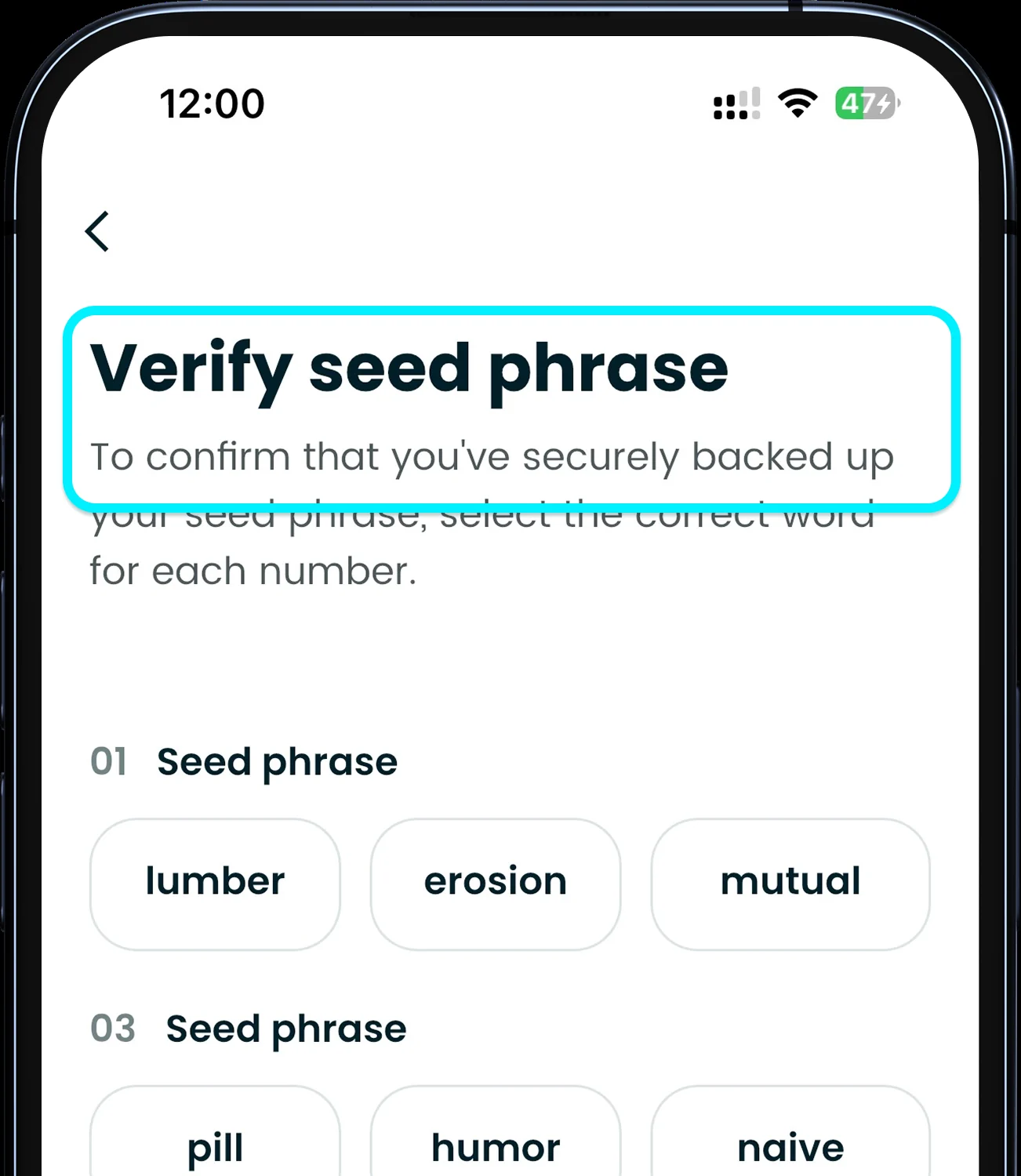
Official sample screens, two in order: the wallet settings row to view the phrase later (do it in private), then the verification quiz.
To bring a wallet in from somewhere else, tap the avatar, choose Add Wallet, then Import Wallet and the Seed phrase or private key option, and enter the phrase or key. The import guide recommends the seed phrase, and assets on EVM chains, SVM chains, TON, TRON and Aptos show up automatically. Afterwards compare the total with the old wallet before you delete anything.
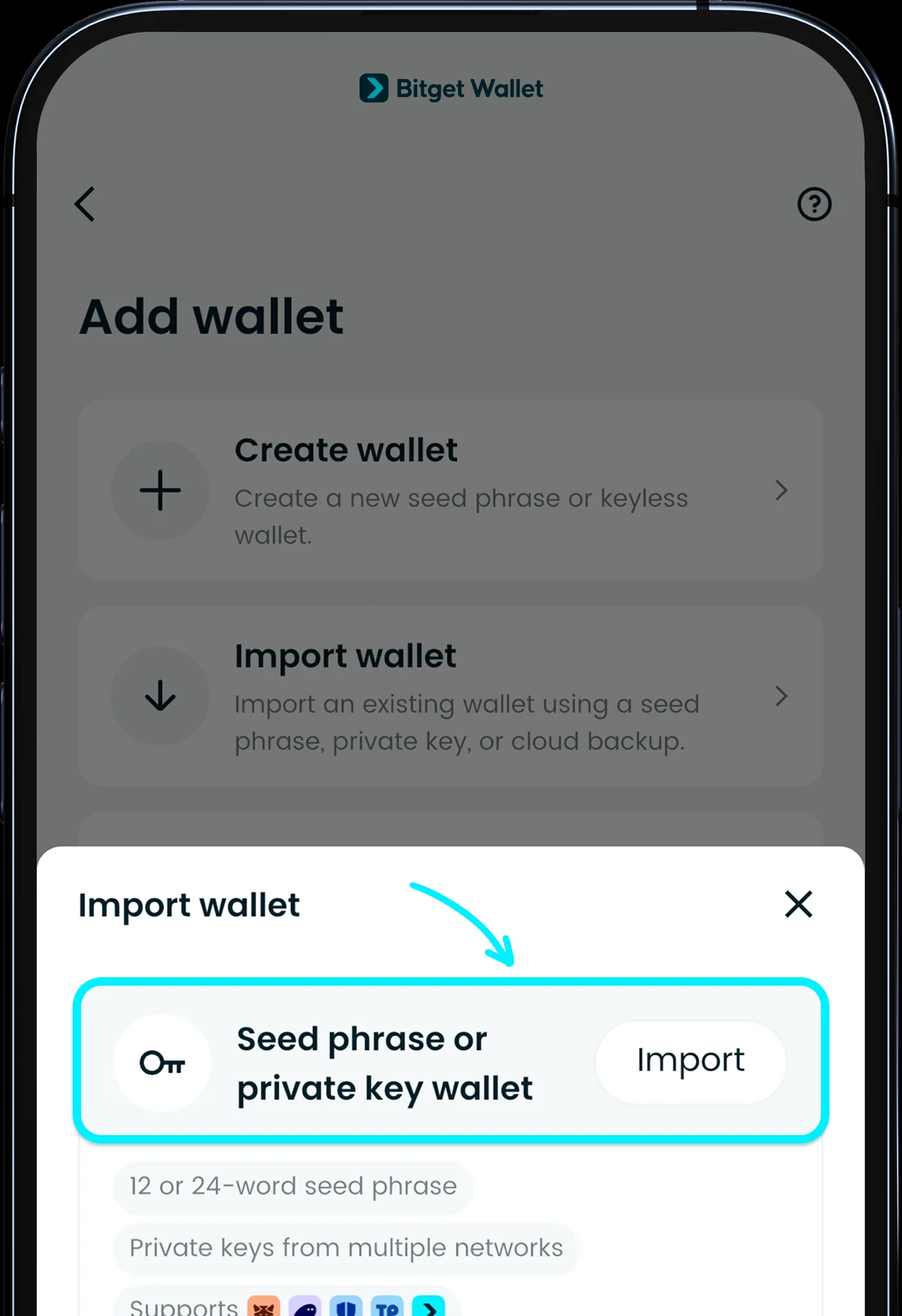
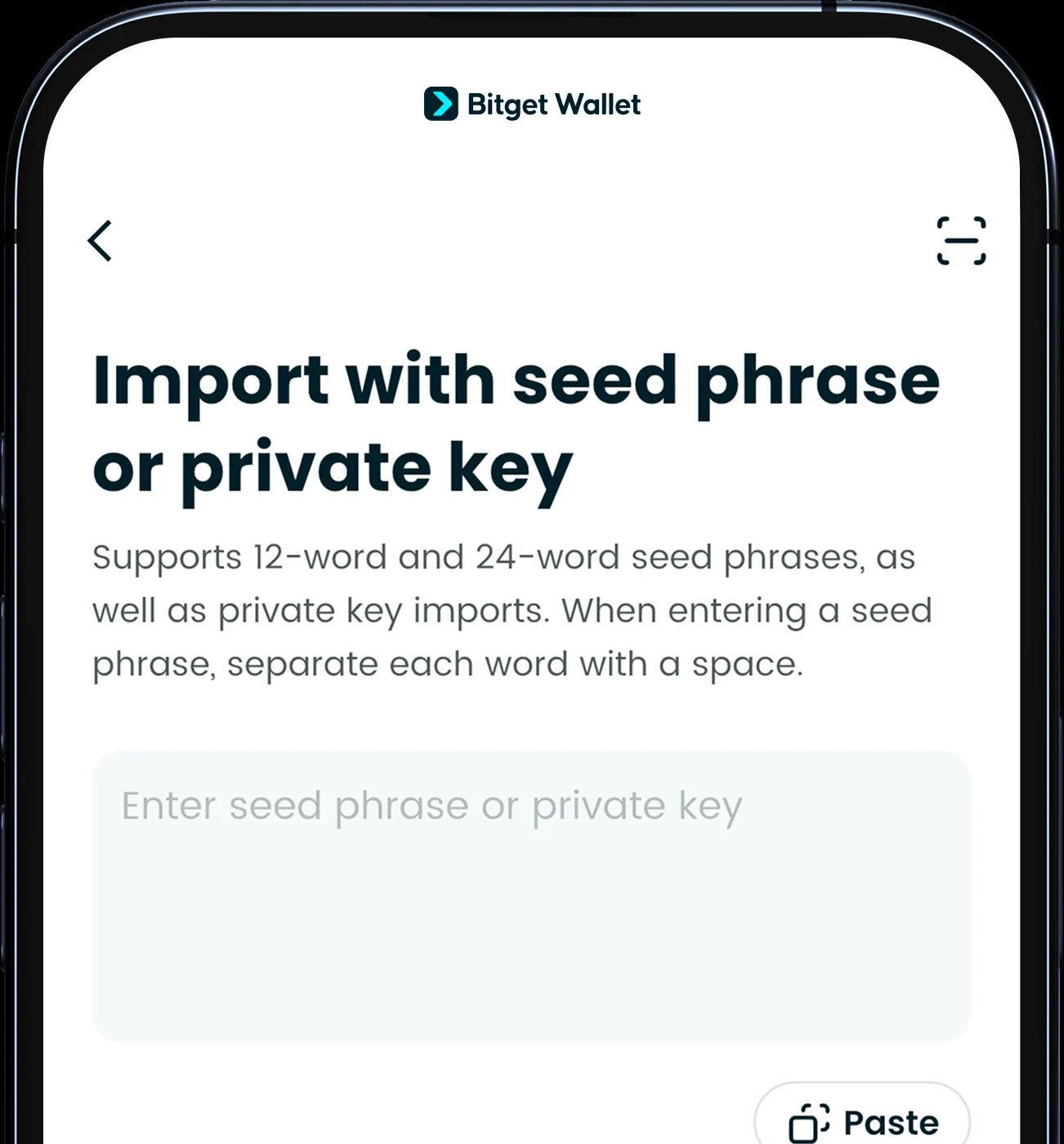
Official sample screens, two in order: the Add wallet choice, then the seed phrase or private key field.
Deposit crypto into Bitget Wallet from an exchange
A wallet only helps once something is in it. Here is the route most readers use, written for any exchange account you already have, for example a US-based one. Bitget’s deposit guide gives the same steps.
- In Bitget Wallet tap Receive, choose the token and its network, and copy the address. Pick the network you will use most to cut future gas; if you mainly trade meme coins, Solana is the example the help center gives.
- In the exchange app open the withdrawal screen, pick the same token, paste the address and choose the same network. A mismatched network can lose the funds.
- Send a small test amount first, confirm it arrives, then send the rest. Bitget says on-chain transfers usually arrive in 1–5 minutes and the app shows a notification.
- Exchanges may charge their own withdrawal fee; that is separate from anything Bitget Wallet does.
You can also buy crypto inside the app through third-party payment providers (card or bank, with the provider’s own identity check, using an ID card or passport valid for at least three months, per the buy guide). Selling to a bank goes through MoonPay. Which of these options appear for your country is decided in the app, so open Add funds and read it there.
Send, receive and pay gas
Sending is the mirror image: open the token, choose the network, paste or scan the address, enter the amount and confirm with the PIN, then check History. Per the send guide, Complete means the funds have left your wallet, Pending means wait for confirmation and Failed means they stay put. Once a transfer is confirmed on-chain it cannot be cancelled or reversed, because the wallet is non-custodial. The lookalike-address warning matters here: attackers send tiny transfers from an address with the same first and last characters so it lands in your history. Check the whole address, do not copy from history, and use the address book.
Gas depends on the network and how busy it is, not on how much you send, so a small transfer on Ethereum can cost more than the amount (see the gas guide). If a chain has no native coin in your wallet, GetGas is a prepaid gas balance: top up with USDT or USDC, minimum about 2 USD equivalent (more on Ethereum), up to 200 USD a day, the first top-up is gas-free, and you can withdraw the balance back. Supported networks are listed in the app.
Swap fees: what Bitget Wallet charges on top of gas
In the app go to Trade, then Swap + Bridge, pick the token to sell and the one to buy, check the price impact and slippage (the guide recommends smart slippage), and confirm twice. After the final Confirm you cannot cancel, and a failed transaction still costs gas (swap guide). The service fee tiers from the fee page look like this, shown per 1,000 USD swapped.
| Route | Service fee | On 1,000 USD |
|---|---|---|
| Same chain, ETH to WETH and similar wrapped pairs | 0% | 0 USD |
| Same chain, stablecoin to stablecoin | 0.1% | 1 USD |
| Same chain, major token to major token or stablecoin | 0.3% | 3 USD |
| Same chain, other pairs | 0.5% | 5 USD |
| Cross-chain, USDT to USDT | 0.3% | 3 USD |
| Cross-chain, major token to major token | 0.7% | 7 USD |
| Cross-chain, other pairs | 0.8%–1.3% | 8–13 USD |
Gas is charged separately. The tiers apply to routes through Bitget Wallet’s own liquidity; other routes (SwapKit, deBridge, Relay, SWFT, LayerZero, LI.FI) carry a flat 0.3% service fee. My takeaway: same-chain stablecoin swaps are the cheapest thing you can do here, and hopping across chains in small pieces is where fees quietly add up. Read the fee line on the quote before you confirm.
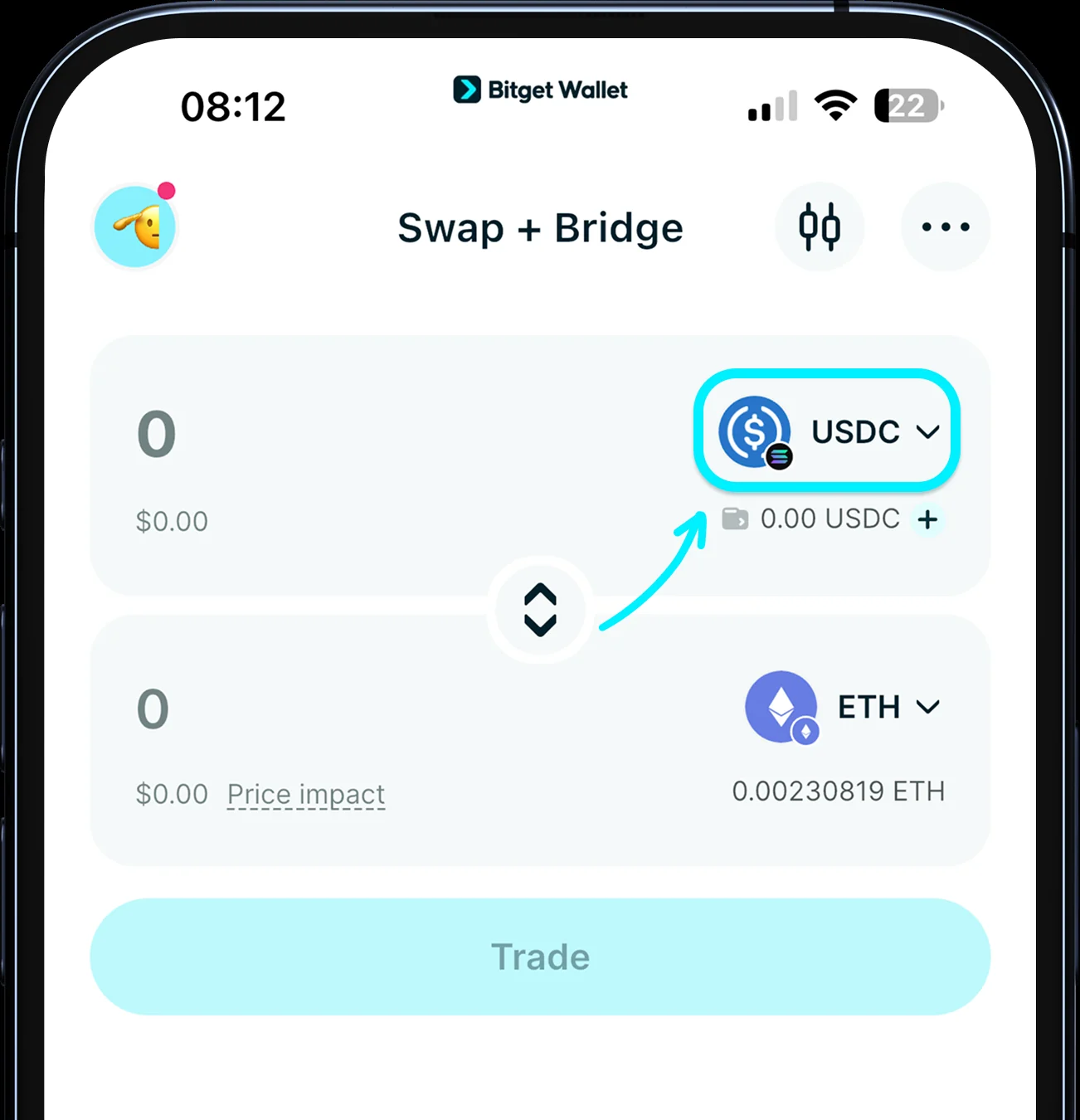
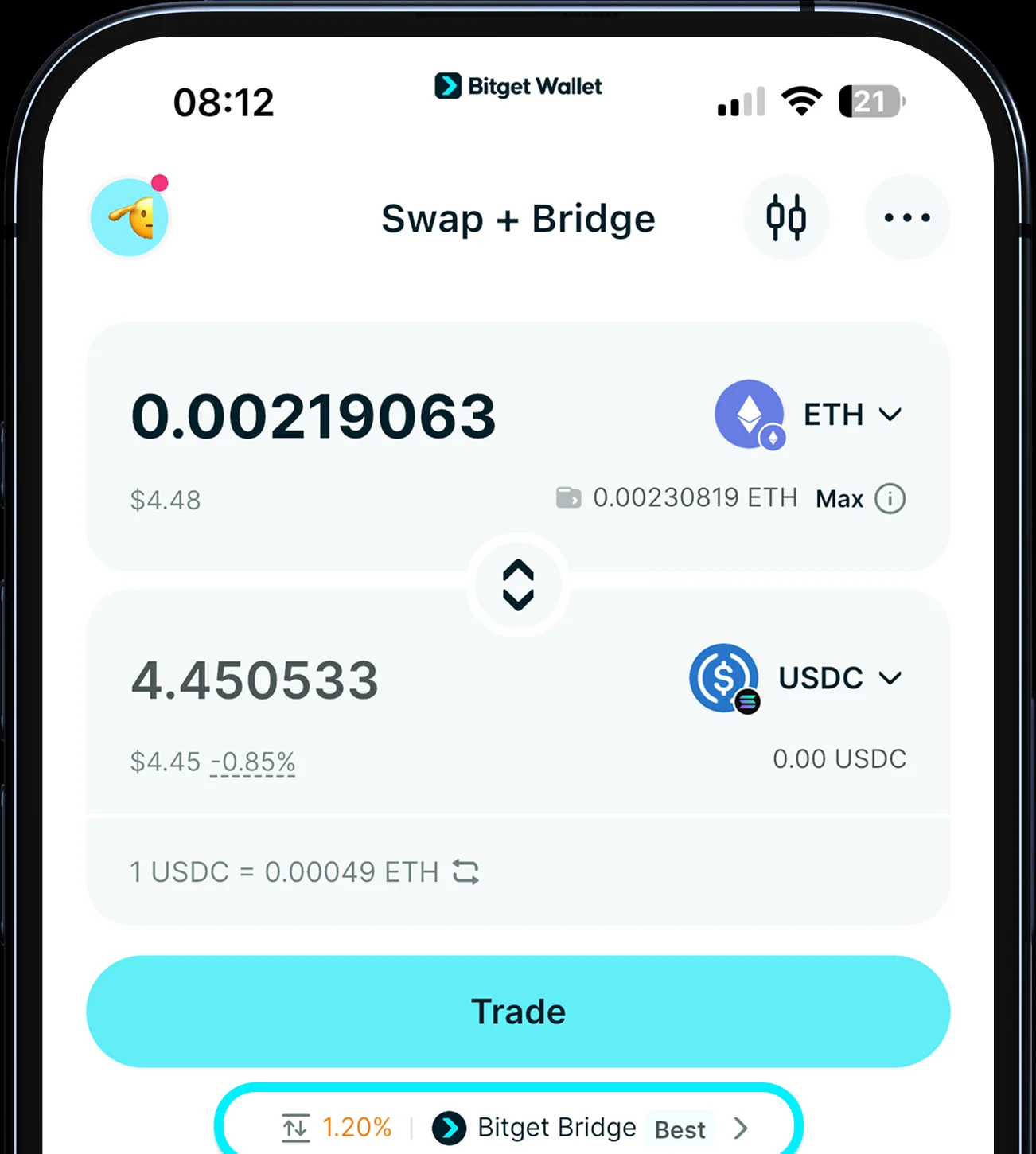
Official sample screens, two in order: choosing the sell and buy tokens, then a quote showing the route and slippage (sample amounts).
Approvals and the scam stop points
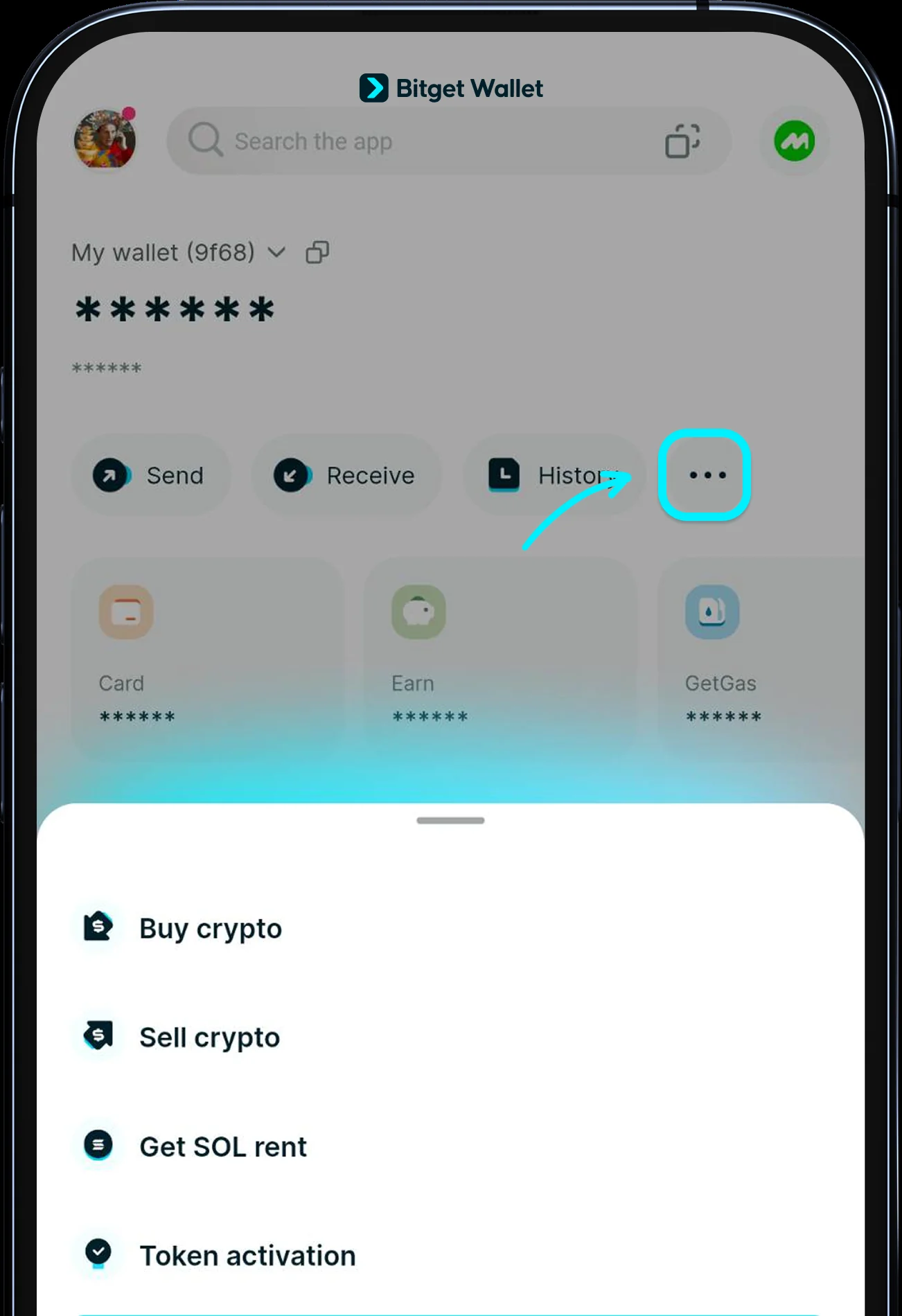
Connecting to a DApp usually means approving a contract to use your tokens up to a limit. Bitget’s approvals guide says to approve only trusted official sites, avoid unlimited allowances, and review them under Wallet, More, Approvals, where you can Revoke or Edit quota. Do this review after every airdrop or new DApp, not once a year.
Reading user reports about the app, the complaints cluster around three things: money lost after approving something on a fake site, slow support once it happens, and tokens on networks the app does not support. None of that is a bug in the wallet, and all of it points to the same habits.
- Bitget Wallet will never ask for your seed phrase, private key or verification codes in a private message. Anyone who does is not support.
- Treat a website, group chat or “airdrop” that asks for your phrase, or for a fee before you can withdraw, as a scam.
- Check a token’s contract risks in the app before buying; the checks come from third parties and can lag, so they reduce risk but do not remove it.
- Bitget’s protection fund page states a 300 million USD fund, but it covers losses that originate from the Bitget Wallet platform, not phishing or approvals you signed yourself.
Stablecoin Earn Plus: the 4% number, not 10%
Some pages, and even the product page title, still advertise a 10% yield. The help-center article currently says that you deposit USDC on Base into Aave and Bitget Wallet adds a bonus, with 4% APY for the first 30 days on 1–1,000 USD and about 2.3% (the live Aave rate) on larger amounts and after 30 days. The Earn page headline shows 4.00%.
| Deposit | First 30 days | After 30 days |
|---|---|---|
| 1,000 USD | 4% APY, about $3.3 | about 2.3% APY, about $23 a year |
| Above 1,000 USD | about 2.3% on the excess | about 2.3% |
The rate follows Aave and can change, and this is a DeFi product, so I would only use money I can leave in a protocol.
Honest verdict: who Bitget Wallet suits and who should skip it
| You are | My verdict |
|---|---|
| New to self-custody and willing to write a phrase on paper | A good fit. Start with a small transfer and learn the flow |
| A frequent swapper on one chain | Fits, and stablecoin swaps on one chain are cheap |
| Looking for an account with customer support and account recovery | Not this. A self-custody wallet has no desk that can recover a lost phrase; use an exchange account (a confirmed on-chain withdrawal is irreversible there too) |
| Chasing the highest stablecoin yield | The 4% for 30 days is a promotion; do not plan around it |
If you searched for “bitget wallet review”, my answer is: I like the wallet for how much it does without an account, and I would not put more in it than I can protect with paper and habits. This page makes no claim about legal status in any country; buy, sell and earn features run through partners and follow their own country rules, so read what the app offers you.
FAQ
Is Bitget Wallet legit?
It is a self-custody wallet from the company formerly known as BitKeep, listed in the US App Store under BitKeep Global Inc. The risks are mostly on the user side: a lost seed phrase, approvals and fake apps or sites. Always install from the official download page.
Is Bitget Wallet the same as the Bitget exchange?
No. The wallet is self-custody with no account; the exchange holds your assets in an account; the Wallet Card is a separate card product.
Do I need KYC for Bitget Wallet?
Not to create or use the wallet. Buying through payment providers needs their identity check, and selling through MoonPay needs verification on first use.
What does a swap cost?
A service fee of 0%–0.5% on the same chain and 0.3%–1.3% across chains, plus network gas. The quote shows the fee before you confirm.
What if I lose my seed phrase?
A seed phrase wallet cannot be recovered without the phrase or private key. A social login wallet can be reopened with the same social account, and it needs a 2FA method added.
Is Stablecoin Earn Plus really 10%?
No. The help center says 4% APY for the first 30 days on 1–1,000 USD and about 2.3% after that, based on the live Aave rate.
Can I reverse a transfer sent to the wrong address?
No. A confirmed on-chain transfer cannot be cancelled or reversed, so send a small test amount first.
Disclosure: this page has no referral links for Bitget Wallet and earns nothing from them. Numbers and screenshots come from the Bitget Wallet help center and website, checked on October 29, 2026; fees, rates and screens can change, so the in-app display decides.