Tria Card Review 2026: Fees, Cashback & Break-Even
Key points · updated 28 Oct 2026
- What it is: a Visa card tied to the Tria self-custodial wallet. Your USDT or USDC stays in your own wallet and works as collateral for each purchase. The tiers are Virtual, Signature and Premium; Tria’s website and app now label them Lite, Pro and Max.
- What it costs: the card terms list an issue fee and an annual fee of the same size, $25 for Virtual, $109 for Signature and $250 for Premium, with no monthly fee. Tria’s card page now shows $20, $109 and $250, so the checkout total is the number to trust.
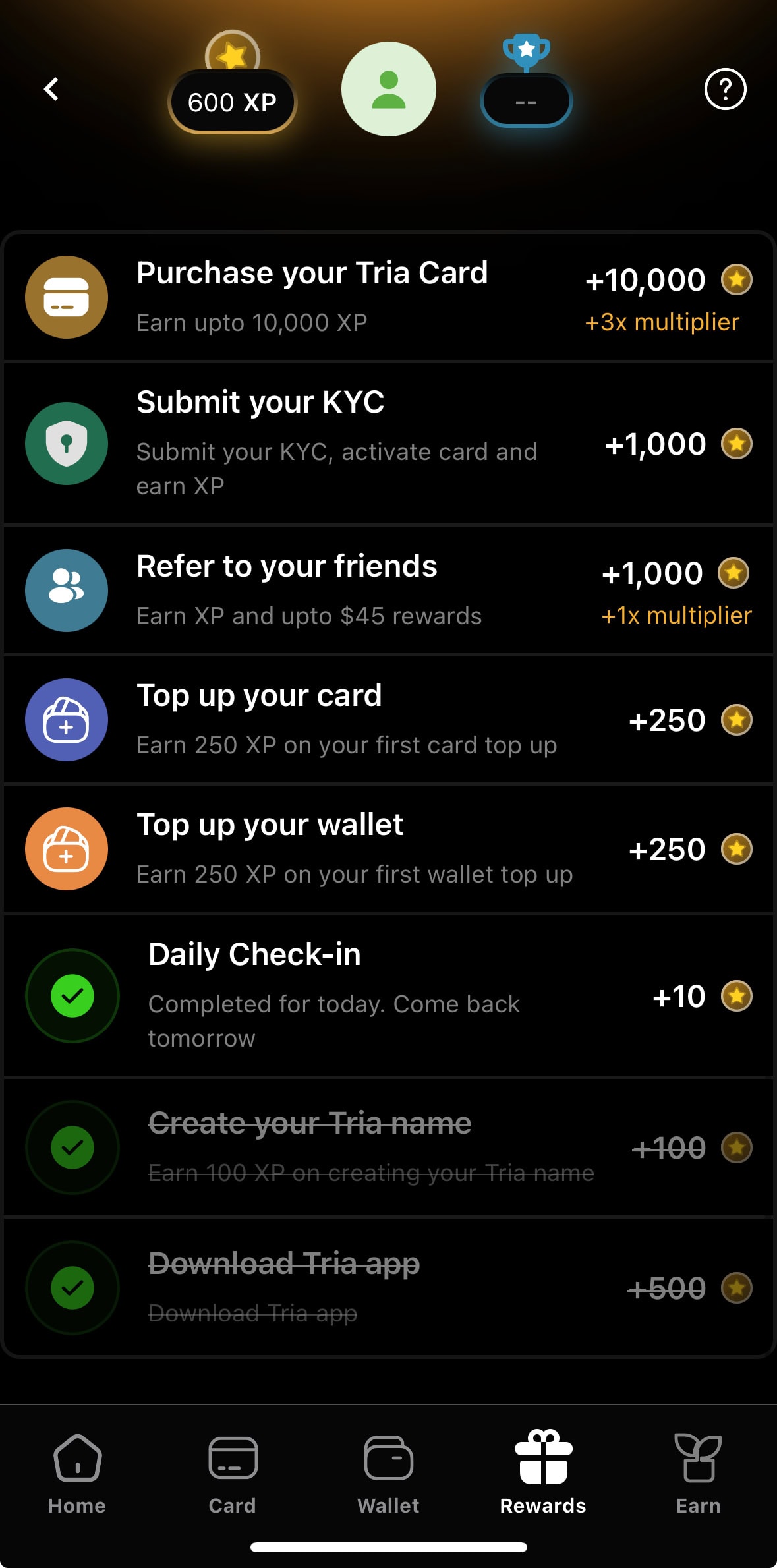
- Cashback: paid in USDT on Arbitrum. Virtual (now Lite) earns 1.5% on the first $1,000 a month, Signature 4.5% on the first $1,000, Premium 6% on the first $2,000; above those caps the rate drops to 0.5% (uncapped), 1% and 1%.
- Does the fee pay off: at about $247 a month Signature breaks even against Virtual, and Premium only beats Signature from roughly $780 a month. A foreign-exchange fee of up to 3% can erase most of a 4.5% rate.
- Who can apply: not US citizens, and not residents of sanctioned or listed high-risk jurisdictions. Your ID, residence country and phone number must match, and the card fee is charged before KYC.
- Watch for: collateral liquidation if your balance falls below what you spent, cashback that arrives after the season ends with a claim fee, and a terms page that says nothing about refunds if KYC fails.
What is the Tria Card, and what is it not?
Tria is a wallet app that bundles a Visa card, a trading screen and yield products. The card is issued by Nimbus, LLC, a Delaware company, under licence from Visa; Tria, operated by Threely Dimensions Inc., provides the access. It is not a prepaid card and it is not a bank account: you post stablecoins as collateral, your spending limit equals the dollar value of that collateral, and neither Tria nor the issuer takes custody of it. The cashback is paid in USDT since Season 3, so it has nothing to do with the price of the TRIA token.
| Item | What the official pages say |
|---|---|
| Network | Visa; Tria advertises use in 150+ countries, though single merchants can still refuse a foreign-issued card |
| Where the money sits | In your own wallet; the card terms say Tria and the issuer are not the custodian |
| Spending limit | The USD market value of your collateral, minus what you already charged |
| Tier names | Virtual / Signature / Premium in the Season 3 post, Virtual / Plastic / Metal in the card terms, Lite / Pro / Max on Tria’s website and app |
| Phone payments | Apple Pay and Google Pay once the virtual card is active |
Tria Card fees: what you pay before you spend anything
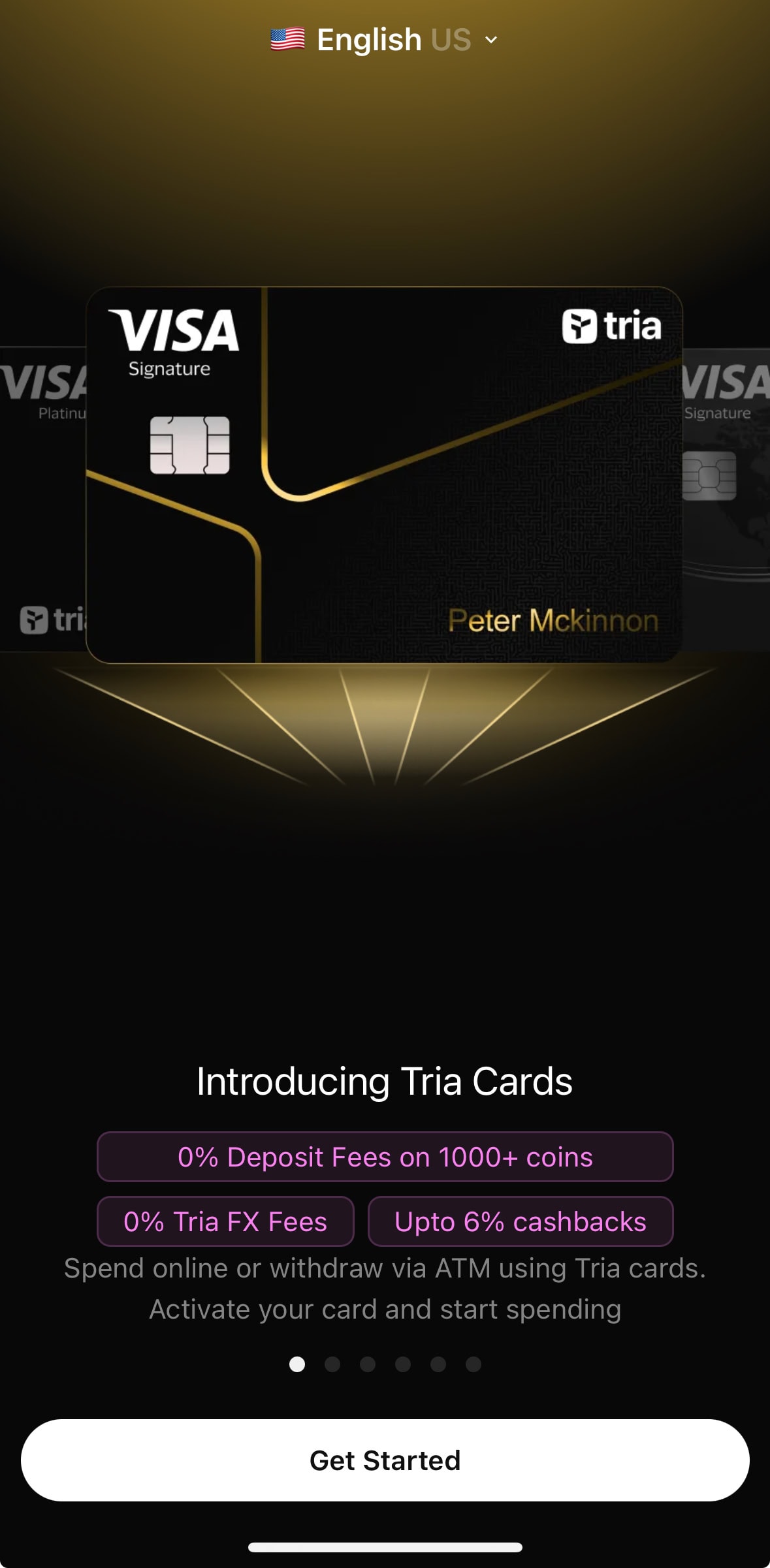
The card terms (docs.tria.so, fee disclosure dated 31 October 2025, last updated 9 January 2026) charge an issue fee and the same amount again as an annual fee. Tria’s card page, checked on 28 October 2026, shows a slightly different first-year price for the Virtual tier.
| Tier (app name / terms name) | Issue fee | Annual fee | Price on Tria’s card page |
|---|---|---|---|
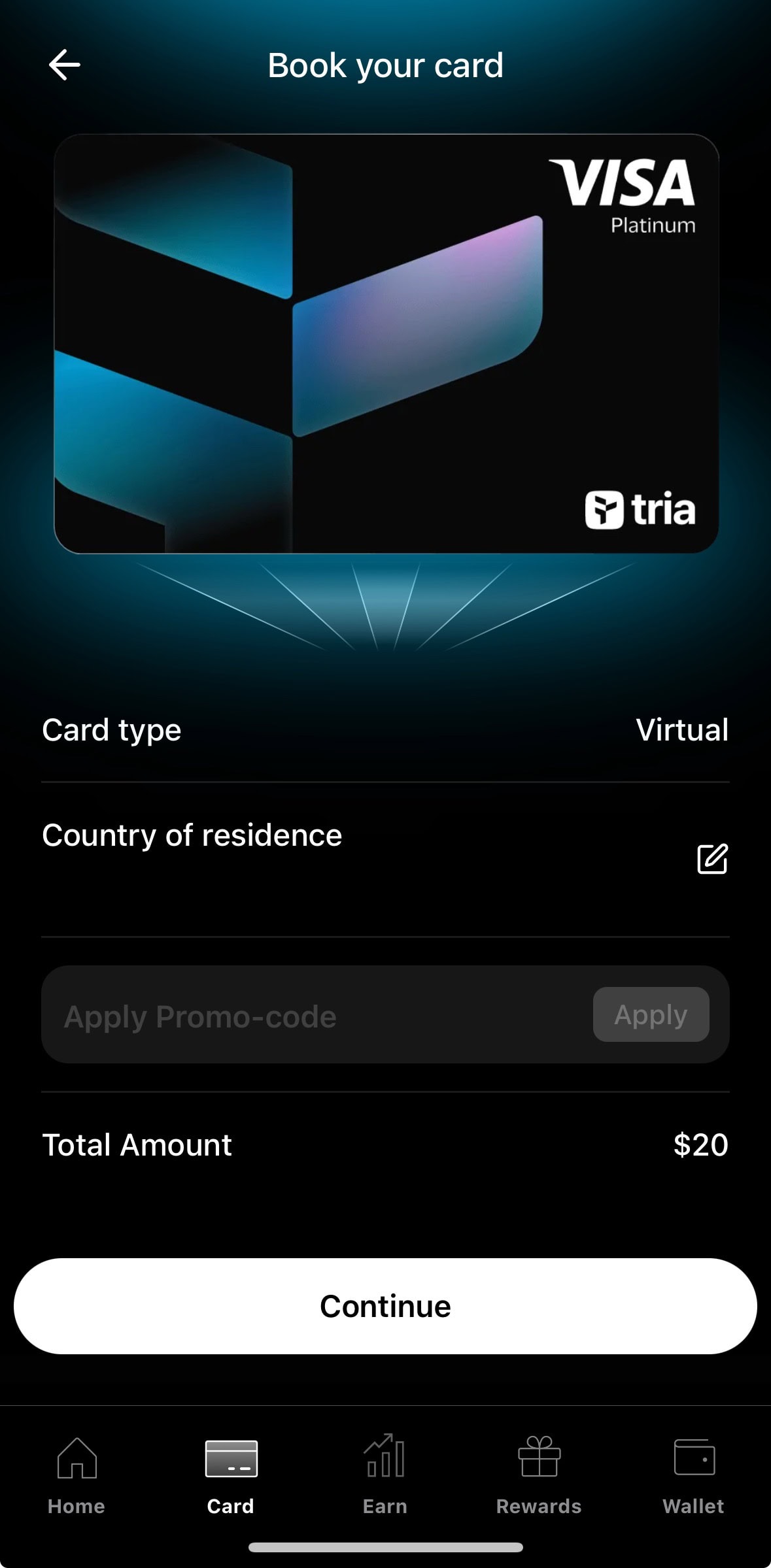
| Virtual (Lite) / Virtual | $25 | $25 | $20 per year |
| Signature (Pro) / Plastic | $109 | $109 | $109 per year |
| Premium (Max) / Metal | $250 | $250 | $250 per year |
So the Tria Card is not free by default. The Season 3 announcement says new users can get a Virtual card free for a limited time and tells readers to check the app for current pricing, and the card page also advertises a 40% joining bonus on the first card purchase only ($10, $44 and $100). The card terms mention neither, so the break-even below uses the list prices and ignores both.
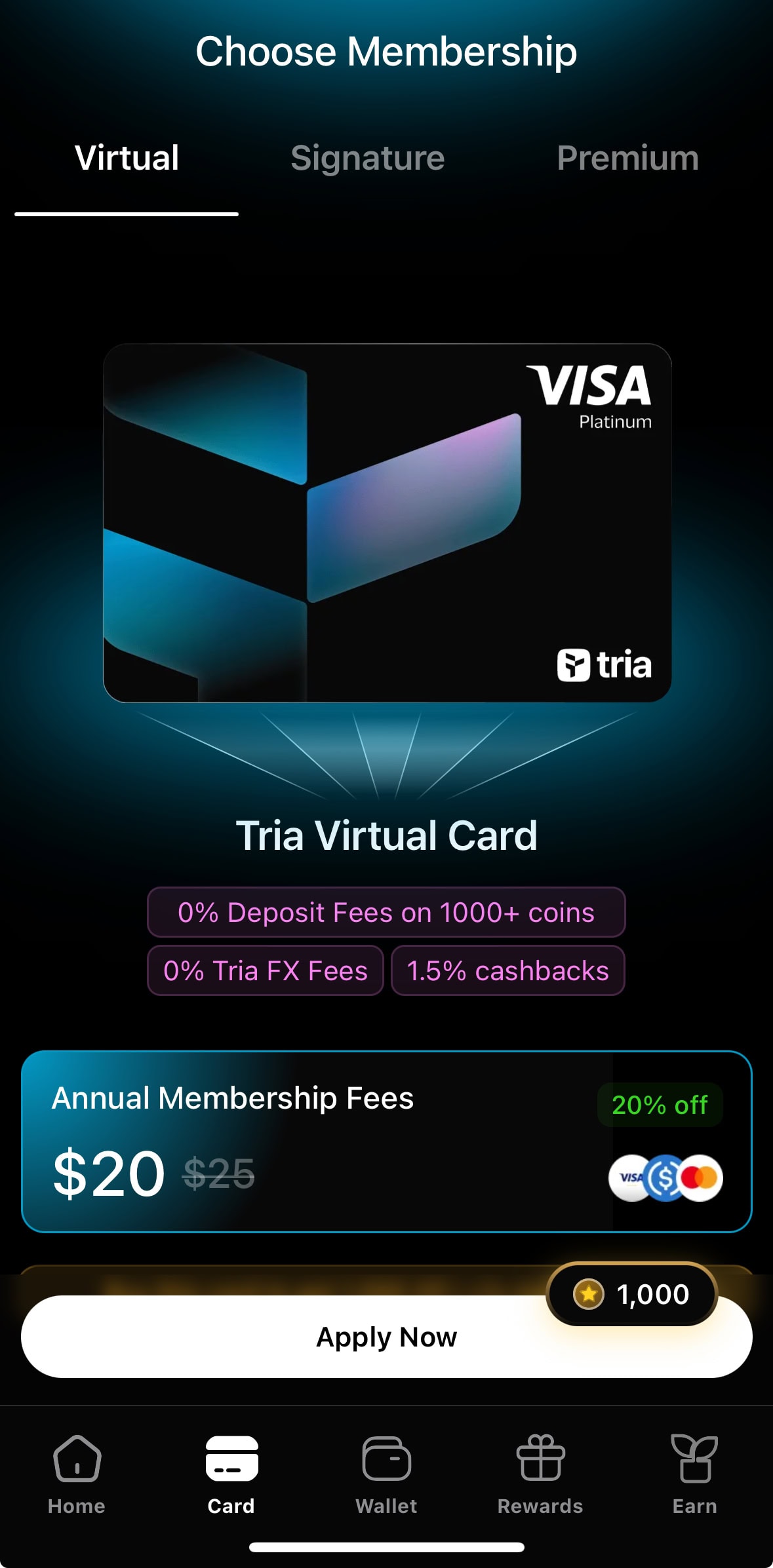
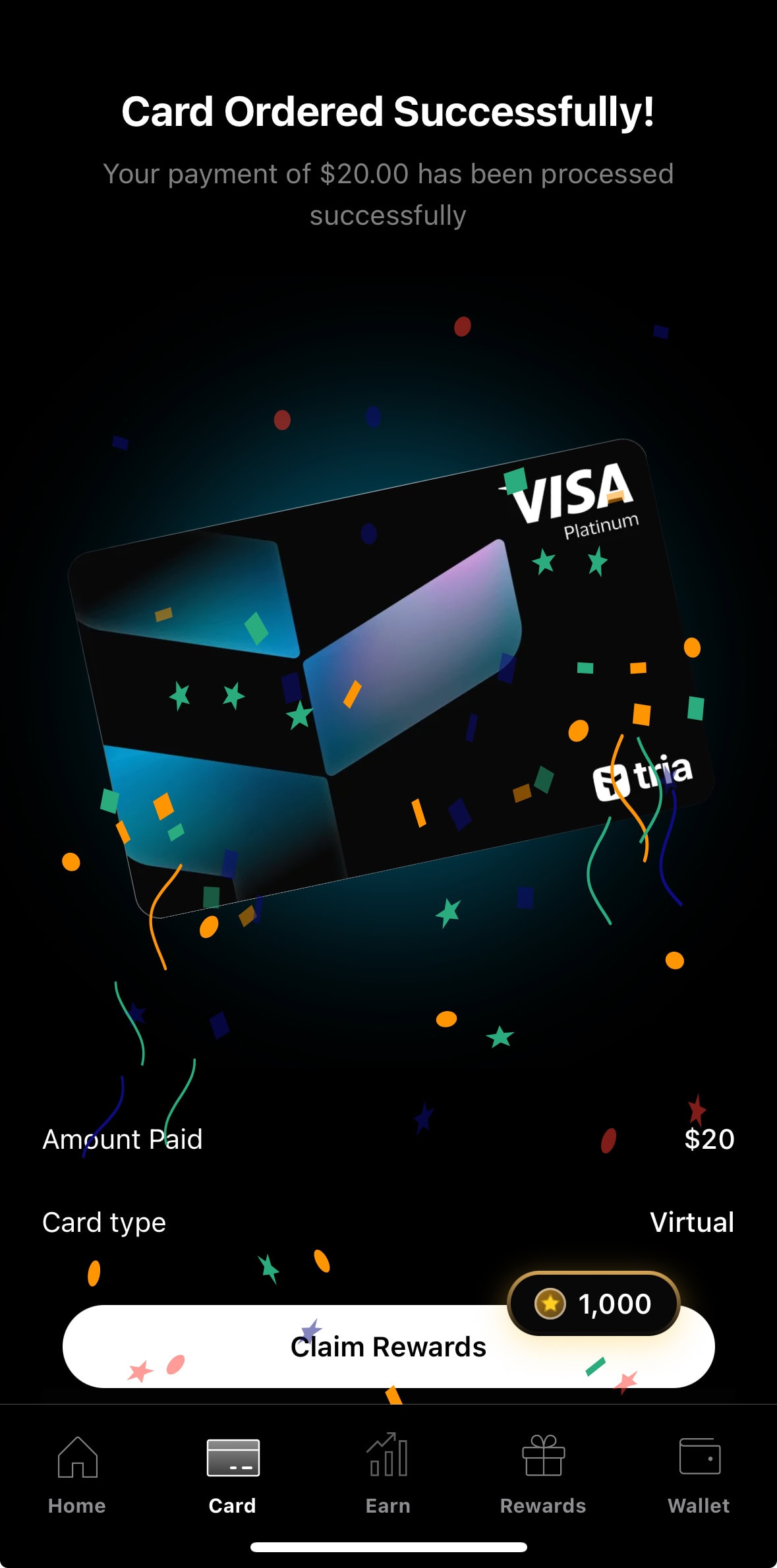
In May 2026 my own screenshots of the Virtual tier showed $20 with the old $25 struck through, and the checkout total was $20. The same screens then showed $90 for Signature and $225 for Premium; the card page now lists $109 and $250, so I left those two screenshots out rather than show prices that no longer apply.
What it costs once you start spending
| Cost | Card terms (upper limit) | How I read it |
|---|---|---|
| Foreign exchange | Up to 3% | Any purchase outside US dollars is foreign exchange for a dollar card; this fee comes straight out of your cashback |
| International transactions | Up to 1% | The terms do not say whether this stacks with the FX fee, so test with one small purchase and read the statement |
| USDC settlement or deposit | Up to 1% | The card page says 0% deposit fees on 1,000+ coins; check the figure on the top-up screen |
| ATM withdrawal | Up to $2 plus 3% | Balance inquiry and declined attempts cost up to $2 each; the card page lists up to $750 a day on Pro and Max |
| Monthly fee, cash advance | 0%, not available | The terms list Monthly Fee 0% and Cash Advance NA |
Cashback and break-even: when does a bigger tier pay off?
The cashback rules come from Tria’s Season 3 announcement of 1 June 2026 and its 26 September 2026 membership update, which renamed the tiers and raised the Lite cap. The cap is per person, not per card, so holding a Virtual and a Signature card does not add two caps; you get the cap of the highest tier. Caps reset on the first of each month, the rate above the cap is lower but never zero, and the payout is in USDT on Arbitrum.
| Tier | Rate up to the cap | Monthly cap | Rate above the cap | Points per $1 |
|---|---|---|---|---|
| Virtual (Lite) | 1.5% | $1,000 | 0.5% | 1 |
| Signature (Pro) | 4.5% | $1,000 | 1% | 1.5 |
| Premium (Max) | 6% | $2,000 | 1% | 1.5 |
The Season 3 post of June 2026 set the Lite cap at $100; the later membership update raised it to $1,000, which is what the table uses. The table below counts twelve months of cashback minus the yearly list price, in US dollars, with no FX, ATM or top-up costs and nothing for Points or Mystery Boxes.
| Monthly spend | Virtual ($20) | Signature ($109) | Premium ($250) |
|---|---|---|---|
| $100 | -$2 | -$55 | -$178 |
| $200 | +$16 | -$1 | -$106 |
| $500 | +$70 | +$161 | +$110 |
| $1,000 | +$160 | +$431 | +$470 |
| $2,000 | +$220 | +$551 | +$1,190 |
- Below about $100 a month no tier earns back its annual fee, so a free or discounted Virtual card is the only sensible way to try Tria.
- From about $247 a month Signature pulls ahead of Virtual (about $233 if you use the card terms’ $25 for Virtual), and it keeps the 4.5% rate until you reach $1,000.
- Premium needs roughly $780 a month before its 6% beats Signature’s 4.5% by more than the extra $141 a year; $2,000 a month is where it is fully used.
- If every purchase costs the full 3% FX fee, Signature’s 4.5% shrinks to about 1.5%. I would spend a few dollars first and check what the statement actually charges before moving up a tier.
Tria’s own support FAQ says a season’s cashback is expected to be paid about three months after the season ends, and that claiming can deduct a validator fee from the amount. Treat the monthly figures as a ceiling you will see later, not cash in hand. Points are separate: Virtual earns 1 per dollar, the other two 1.5, and the monthly cashback cap does not limit them.
Honest verdict: who the Tria Card suits, and who should skip it
- Best for: people who already hold USDT or USDC and want to spend from their own wallet instead of parking coins on an exchange.
- Best for: spenders of roughly $200 a month or more who will actually use the Signature cap of $1,000, and who can live with a yearly fee charged up front.
- Skip it if you spend under about $100 a month, want cashback the same day, or need to move unused card balance back to your wallet.
- Skip it if the collateral model worries you: a falling collateral value can trigger a liquidation, and the card is not a bank deposit.
Who can apply: countries, KYC and the limits
| Group | Status | Where it is written |
|---|---|---|
| United States citizens | Excluded: applicants attest they are not US citizens and that the card is for use outside the US | Card terms |
| Cuba, Iran, North Korea, Syria, Crimea, Donetsk, Luhansk | Prohibited (sanctions) | Prohibited use policy |
| High-risk list, for example Russia, Belarus, Myanmar, Venezuela, Zimbabwe | Prohibited; the list says “including but not limited to” | Prohibited use policy |
| Everyone else, including Singapore, India, Japan, South Korea and the UK | Not excluded by those lists; approval is decided in the app after KYC | Prohibited use policy plus the app |
Two practical rules matter more than the lists. Tria’s support FAQ says KYC is approved only when your ID document, the residence country you pick at purchase and your phone number all belong to the same eligible country, and that a different-country IP or a VPN can cause a rejection; the prohibited use policy bans using a VPN to get around location checks. A wrong residence picked at purchase is not refunded. Some card directories list India or Turkey as unsupported while Tria’s own lists do not name them, so the country picker in the app is the real test.
How to sign up and apply for the Tria Card step by step
- Install the Tria app and register with your e-mail address or an Apple or Google account. The card tab shows all three tiers before you pay.
- Open the Card tab, pick Virtual, Signature or Premium, press Apply Now and choose your country of residence. It has to be the country on your ID and phone number.
- Fund your Tria wallet with USDT or USDC on a supported chain and choose Pay with wallet. Read the total on the checkout screen against the fee table above before you confirm.
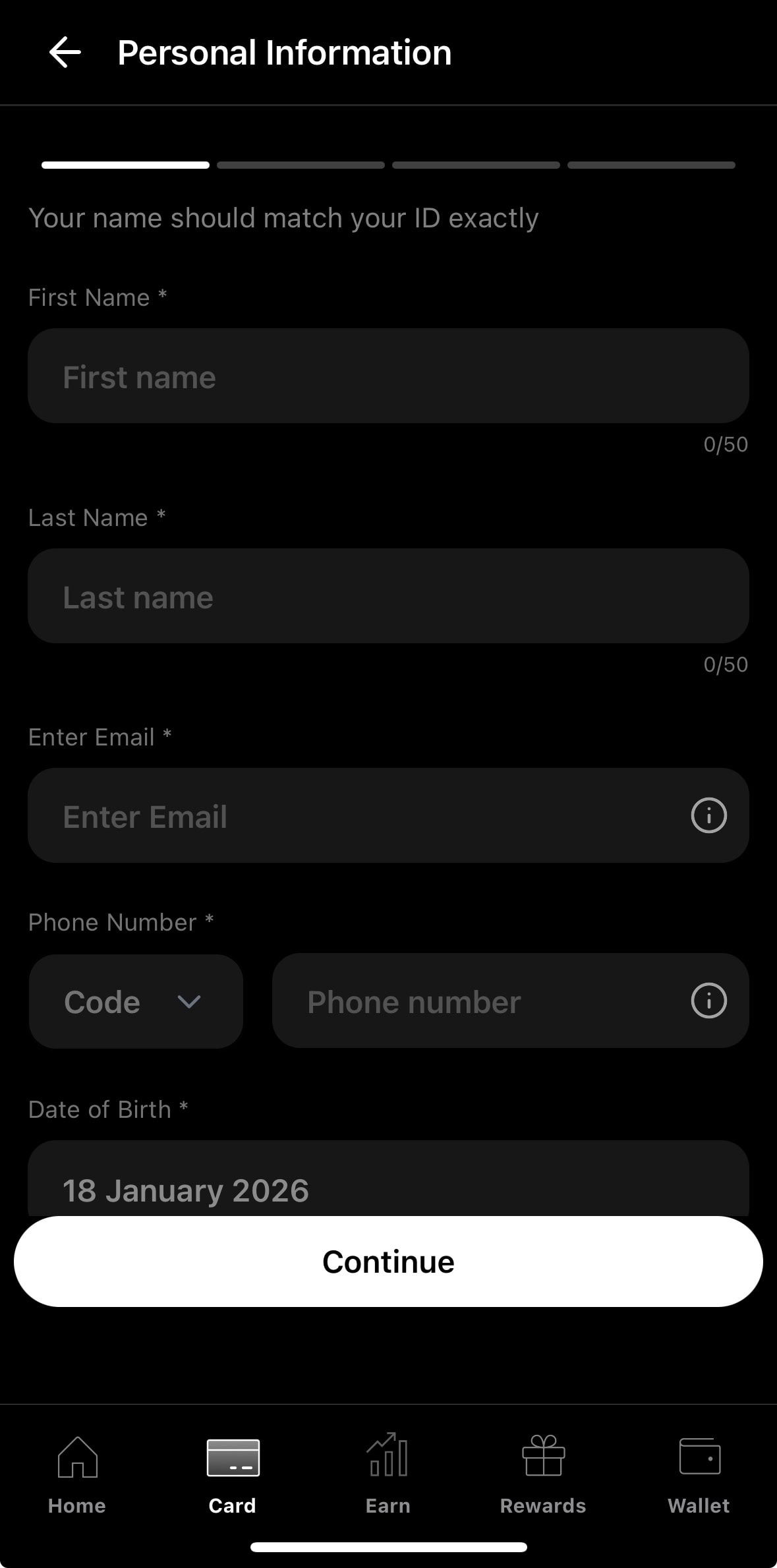
- After payment the card status shows Complete KYC. Enter your name exactly as on your ID, then your e-mail, phone number and date of birth, and follow the ID check.
- When KYC is approved, add the virtual card to Apple Pay or Google Pay. Physical Signature and Premium cards ship to some regions only, about two months after the order, according to Tria’s support FAQ.
If a payment hangs on one chain, wait for it to fail or be refunded before trying another chain, so you do not pay twice.
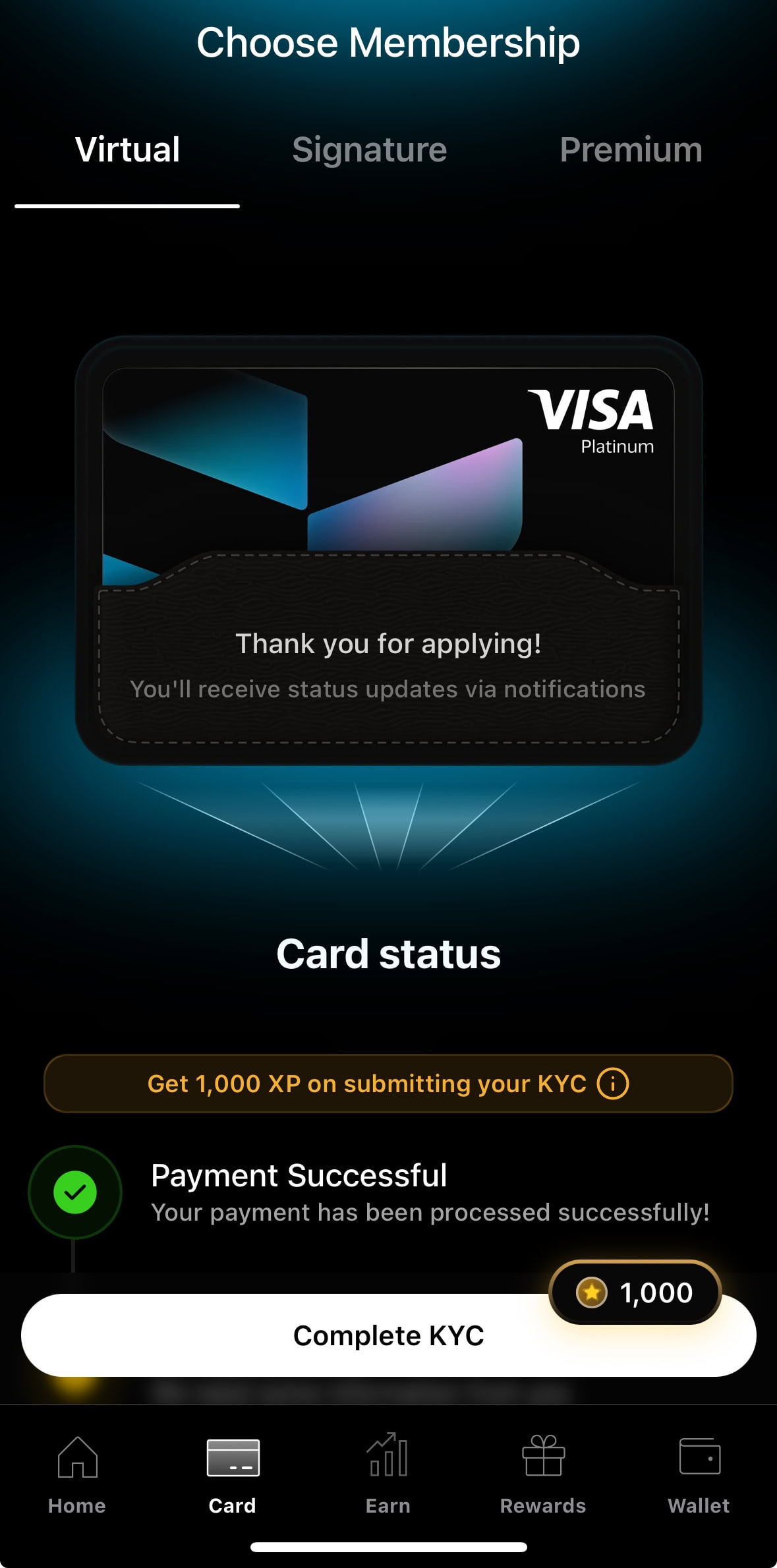
The order matters: you pay first and verify second. In May 2026 my Virtual order stopped at this Complete KYC screen right after the $20 payment. The card terms do not say what happens to the fee if KYC fails. Tria’s support FAQ says a rejected KYC can be reset twice by you, that upgrade purchases are not refunded and that a wrong residence is not refunded, so settle the eligibility question before paying, not after.
Top-up, deposit and ATM withdrawal
- Open Add funds in the wallet and pick the chain you will send on. The address shown is the receiving address for that chain, not for a single token.
- Send USDT or USDC from your exchange or wallet. Try a small amount first to confirm the address and network. Tria also announced Arc support on its official blog in October 2026, so USDC on Arc is another top-up path (Tria’s announcement).
- Top up the card from the wallet. The card terms list a USDC settlement or deposit fee of up to 1%, while the card page says 0% deposit fees on 1,000+ coins, so read the amount on the confirmation screen.
- Tria’s FAQ says the card balance cannot currently be moved back to the wallet, so top up what you expect to spend.
- Collateral: if the market value of your collateral drops below your charges, or an obligation stays unpaid for one calendar day, a liquidation can be triggered and only the amount needed to repay is sold. Stablecoins as collateral make a price-driven liquidation much less likely, but an unpaid balance can still trigger one.
- Merchants: some shops refuse foreign-issued cards or top-up style payments such as prepaid-card or e-wallet loads, which is the merchant’s rule and not a Tria limit.
- ATMs: Pro and Max list up to $750 a day; the terms charge up to $2 plus 3% per withdrawal. Test one withdrawal first.
Risks to weigh before paying
| Risk | What triggers it | What I would do |
|---|---|---|
| Pay before KYC | The card fee is charged before ID verification, and the terms give no refund rule | Check the country lists and your documents first; start with the cheapest tier |
| Liquidation | Collateral value falls below your charges, or a balance is unpaid for a day | Hold stablecoins as collateral and keep a buffer |
| Cashback timing and claim fees | Payout comes after the season; claiming can cost a validator fee | Count cashback as a delayed rebate, not an instant discount |
| Conflicting numbers | Homepage, Season 3 post, card page and card terms differ on caps, prices and names | Trust the checkout total and the dated terms; screenshot what you pay |
| App experience | The App Store rating is 3.5 out of 5 from 39 ratings (checked 26 Oct 2026), with complaints about frequent forced updates and claim fees | Do not decide on hype; keep your own records of every purchase |
| Terms change | The terms say costs may change after the 31 October 2025 disclosure date | Re-read the fee table before upgrading |
This article does not claim that Tria holds a licence or registration in your country; the terms name Nimbus, LLC as issuer. Cashback paid in USDT may count as income where you live, so keep a record of every payout and ask a tax adviser if the amounts matter.
When another card makes more sense
| Compare | Tria Card | Custodial cards (for example RedotPay, OKX Card) |
|---|---|---|
| Where the money sits | In your own wallet as collateral | In the platform or exchange account |
| Cost to open | Issue fee and equal annual fee, $20 to $250 | Set by each provider; see the guides below |
| Suits | Holders who want wallet control and spend enough to use the cashback caps | People who want to top up and spend with less wallet handling |
A $20 to $250 yearly fee is the price of the higher cashback rates. If you spend under $200 a month or do not want a yearly fee at all, look at the best crypto cards of 2026 comparison, the RedotPay card guide or the ether.fi Cash review. If self-custody is the point, the Avici Card review covers another wallet-first card.
Frequently asked questions
Is the Tria Card free?
No, not by default. The card terms list an issue fee and an annual fee of $25 for Virtual, $109 for Signature and $250 for Premium, and no monthly fee. Tria’s card page shows $20 for the Virtual tier, and the Season 3 announcement mentions a free Virtual card for a limited time, so check the checkout total.
Which countries can get the Tria Card?
The card terms exclude United States citizens, and the prohibited use policy excludes sanctioned places and a high-risk list that includes Russia and Belarus. Other countries are not named, but your ID, residence country and phone number must match, and approval happens in the app after KYC.
Does Tria have a promo code?
Tria uses access and invite links. The register link and the button in this article are affiliate links, disclosed at the end. I could not verify that any code lowers the card fee, so do not pick a tier because of one.
What happens if KYC fails after I pay?
The card terms do not say. Tria’s support FAQ says you can reset KYC twice, and that upgrade purchases and wrong-residence purchases are not refunded. Ask Tria support before paying if your documents are unusual.
Is the cashback paid instantly?
No. Cashback is paid in USDT on Arbitrum, and Tria’s support FAQ expects a season’s cashback about three months after the season ends. Claiming can deduct a validator fee.
Can I withdraw cash with the Tria Card?
Pro and Max list ATM withdrawals up to $750 a day. The card terms charge up to $2 plus 3% per withdrawal, and cash advances are not available. Test one small withdrawal first.
Does the Tria Card work with Apple Pay and Google Pay?
Yes. Tria’s card page lists Apple Pay and Google Pay for every plan, and the virtual card can be added once KYC is approved.
Related reading and official pages
- Official pages (checked 28 October 2026): card terms and fee disclosure, prohibited use policy, Season 3 cashback post, card page
- More card guides: best crypto cards 2026, RedotPay card guide, ether.fi Cash review
Affiliate disclosure: the register link and the button in this article are affiliate links with referral code NZ2Q4491EN. If you sign up through them the site may earn a commission at no extra cost to you, and it does not change the fees, terms or the assessment here. Fees, cashback and which card you can get are set by Tria and shown at checkout. This is not investment, legal or tax advice, and crypto assets can lose value.