
ether.fi Cash Card Review 2026: Fees, Cashback Limits, KYC and How to Apply
ether.fi Cash Card review: key takeaways
- What it is: a Visa card inside the ether.fi Cash account. Direct Pay spends USDC and other supported assets you hold; Borrow Mode spends against your crypto at a variable rate. Sign-up needs an ID, a selfie, your home address and a $10 crypto deposit before the card options appear.
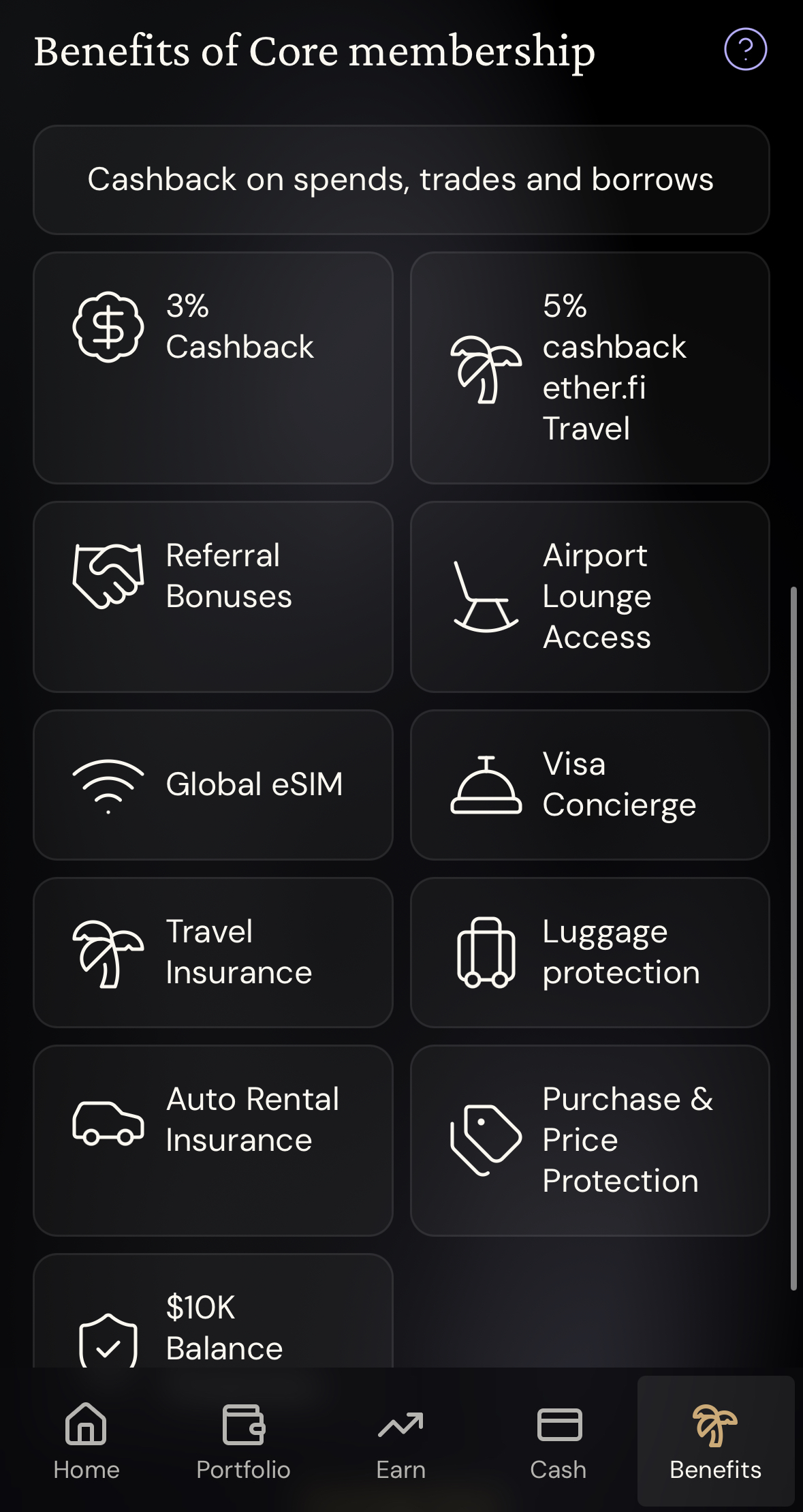
- Cashback: Core pays 3% on the first $2,000 a month, then 1% and 0.5%. Luxe and Pinnacle keep 3% up to $10,000 and $50,000; VIP pays 4% on the first $50,000. Rewards arrive in ETHFI after a 7-day lock.
- My test: two October 2026 purchases from Taiwan both showed 3%. The USD charge kept about 2.86% after cent rounding; the Taiwan dollar charge lost about 1.5% to conversion and netted roughly 1.45%.
- Fees: non-USD purchases carry a 1% FX fee plus up to 0.5% on Core or 0.25% on Luxe; euro purchases are 0% FX in beta. Crypto deposits cost only gas, and SEPA starts at €0.90.
- Tiers: Core is free. Luxe and Pinnacle unlock with monthly points, Liquid deposits, staked ETHFI, or by buying a year outright for $199 / $999 (12 months, no auto-renew). Since October 20, 2026, Luxe and above get airport lounge passes refunded in full, up to $49 each.
- New in October: a MoonPay partnership (announced October 6) will add bank accounts and in-app buying over the coming months, and AI connections let Claude or ChatGPT read your account without moving money.
What is the ether.fi Cash Card?
| Feature | What it does |
|---|---|
| Cash Card | Visa card (virtual first, physical optional) that pays from your Cash balance |
| Direct Pay | Takes USDC first, then LiquidUSD; no interest |
| Borrow Mode | Borrows against your Vault assets; variable interest starts on the purchase date |
| Liquid | Spreads deposits across DeFi strategies and compounds the yield; separate from card cashback |
| Trading | Tokenized stocks and ETFs (xStocks), crypto, gold and global currencies in the same app |
| Bank funding | ACH, Fedwire, Faster Payments, SEPA, Interac and other local rails, depending on your currency |
For everyday spending, use Direct Pay: it spends what you already hold and adds no borrowing cost. Borrow Mode is for people who want to keep their ETH and spend against it. The rate is variable, interest starts the moment you pay, and there is no statement period or grace window like a credit card. Refunds land back in your Vault and do not pay down a Borrow Mode loan, so repay that yourself in the app.
October 2026 update: ether.fi announced on its official X account that it has acquired the self-custody wallet Zeal. Its Zeal page adds that the deal covers selected Zeal assets, not user accounts, keys or funds. Zeal users need to start the move inside the Zeal app by December 1, 2026: an email and six-digit code create the ether.fi account, the balance moves across, and the card needs identity verification first. Assets ether.fi does not support are converted on the way, which costs network fees and may cost some value. The “up to 4% cashback” in the announcement is the existing VIP tier, not a new rate, so the tiers in this review are unchanged.
How to apply: eligibility, account, KYC and card creation
Eligibility follows where you live, not your passport. ether.fi’s country list (checked October 24, 2026) includes the UK, Canada, Australia, New Zealand, Singapore, Hong Kong, the UAE, Nigeria, the Philippines and South Africa; India and Pakistan are not on it. Belgium and Ireland can open Cash but get no physical card yet. In the US, physical cards ship to 30 states plus DC: Alabama, Alaska, Arkansas, California, Colorado, Connecticut, Florida, Hawaii, Illinois, Indiana, Iowa, Kansas, Kentucky, Maine, Massachusetts, Michigan, Minnesota, Nebraska, New Hampshire, New Jersey, New York, North Carolina, Oklahoma, Pennsylvania, South Carolina, Texas, Utah, Virginia, West Virginia and Wyoming. Readers in other states can compare the cards in our guide to US crypto card alternatives.
- Go to ether.fi and sign up for a Personal account (Business is for company cards and payouts).
- Enter your email, or continue with Google, and confirm the verification email.
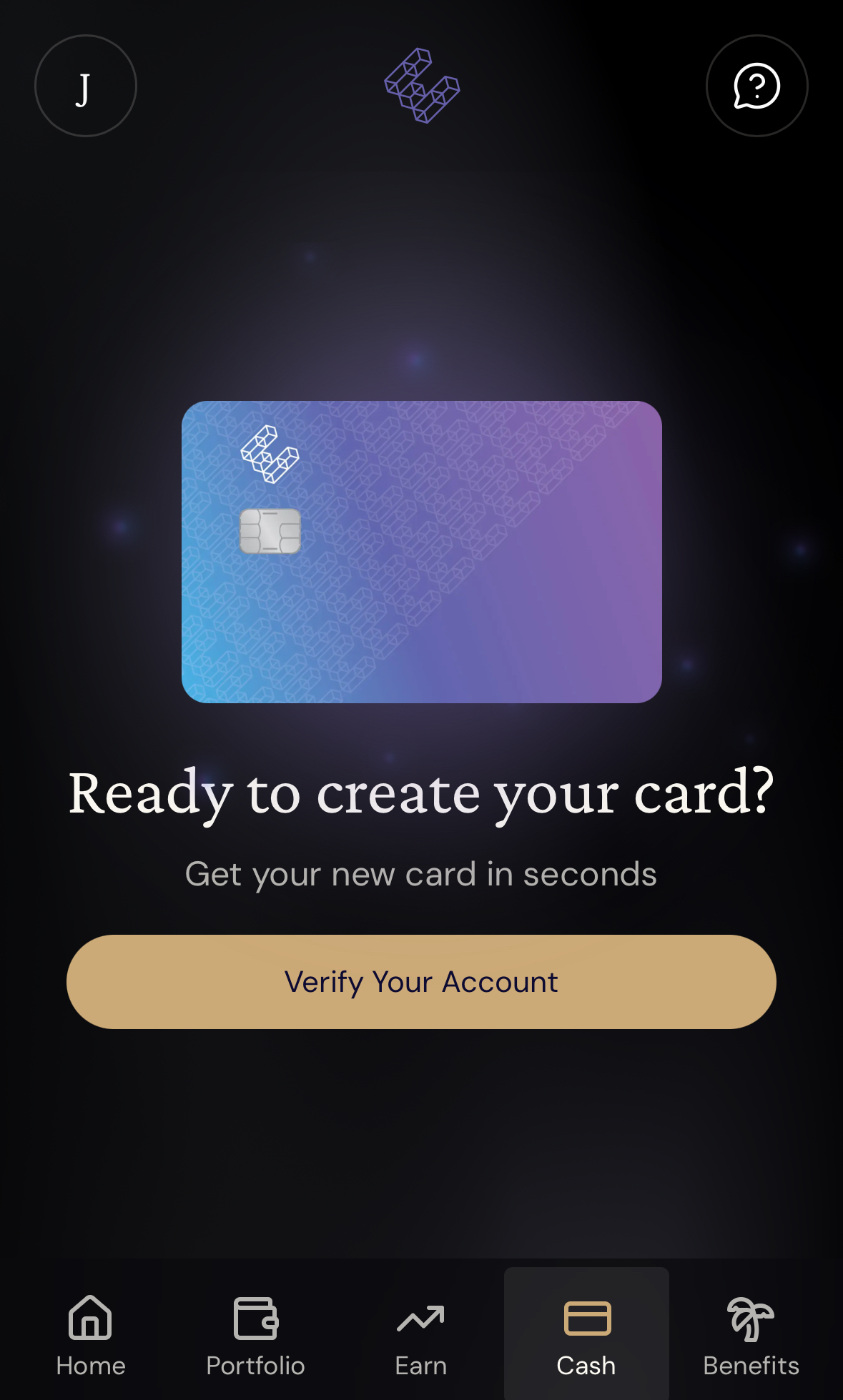
- Start verification from Home or from the Cash tab.
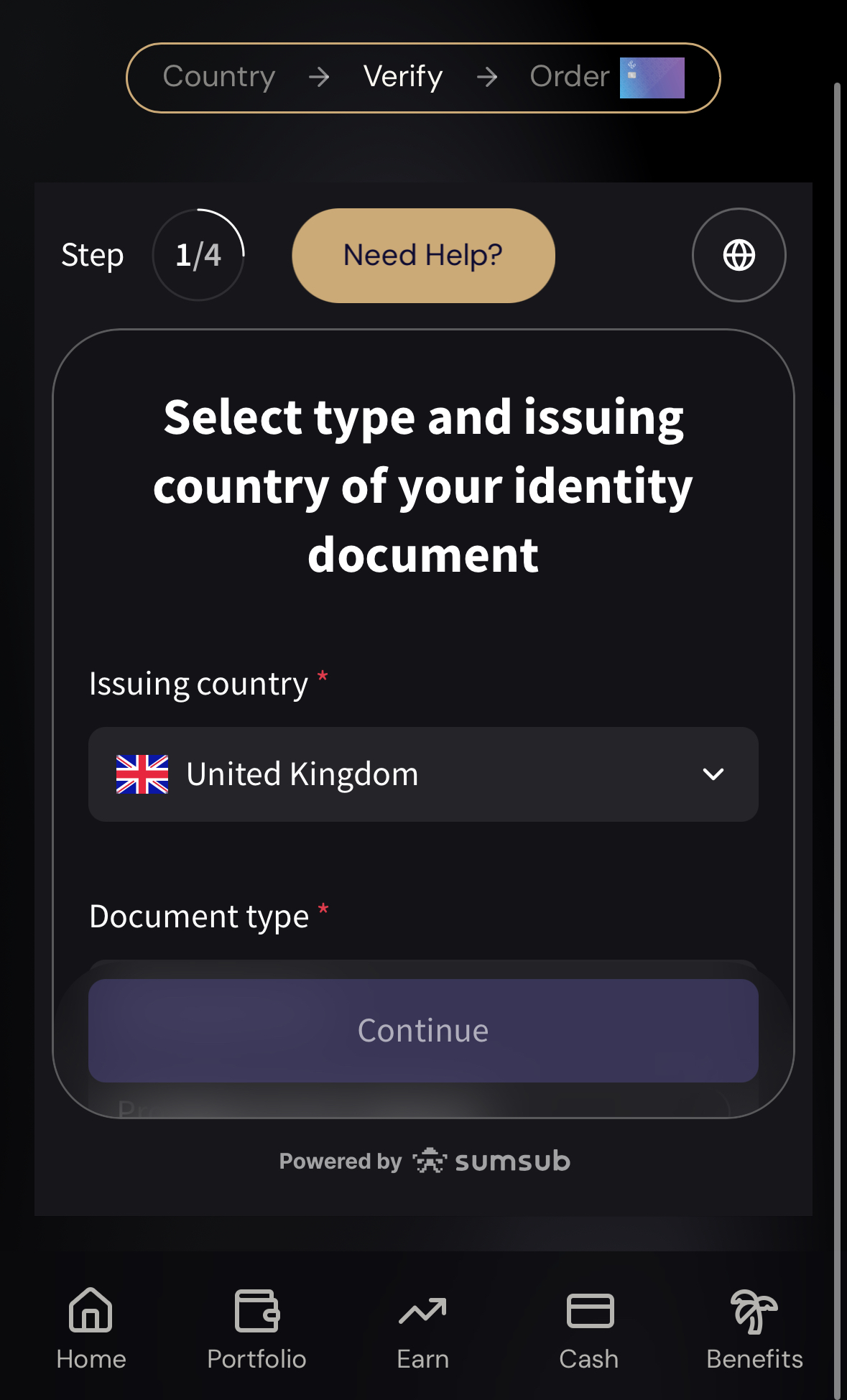
- Complete KYC: your ID’s issuing country and document type, a liveness selfie, then your residential address, city, postcode and country.
- Deposit at least $10 in crypto when the app asks. Match the token, network and address before you send.
- Create the virtual card in Cash, or choose a physical card under Add Card.
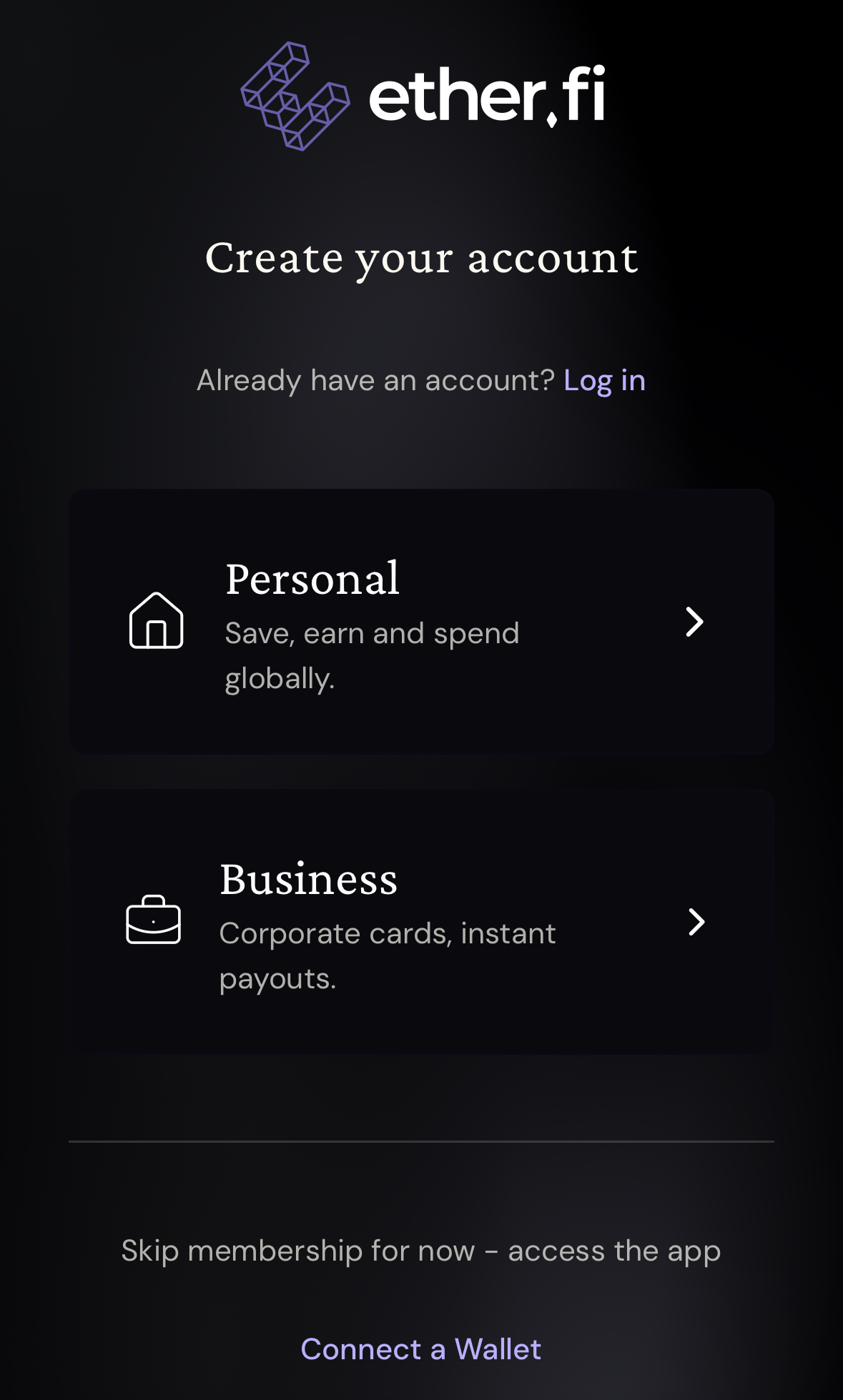
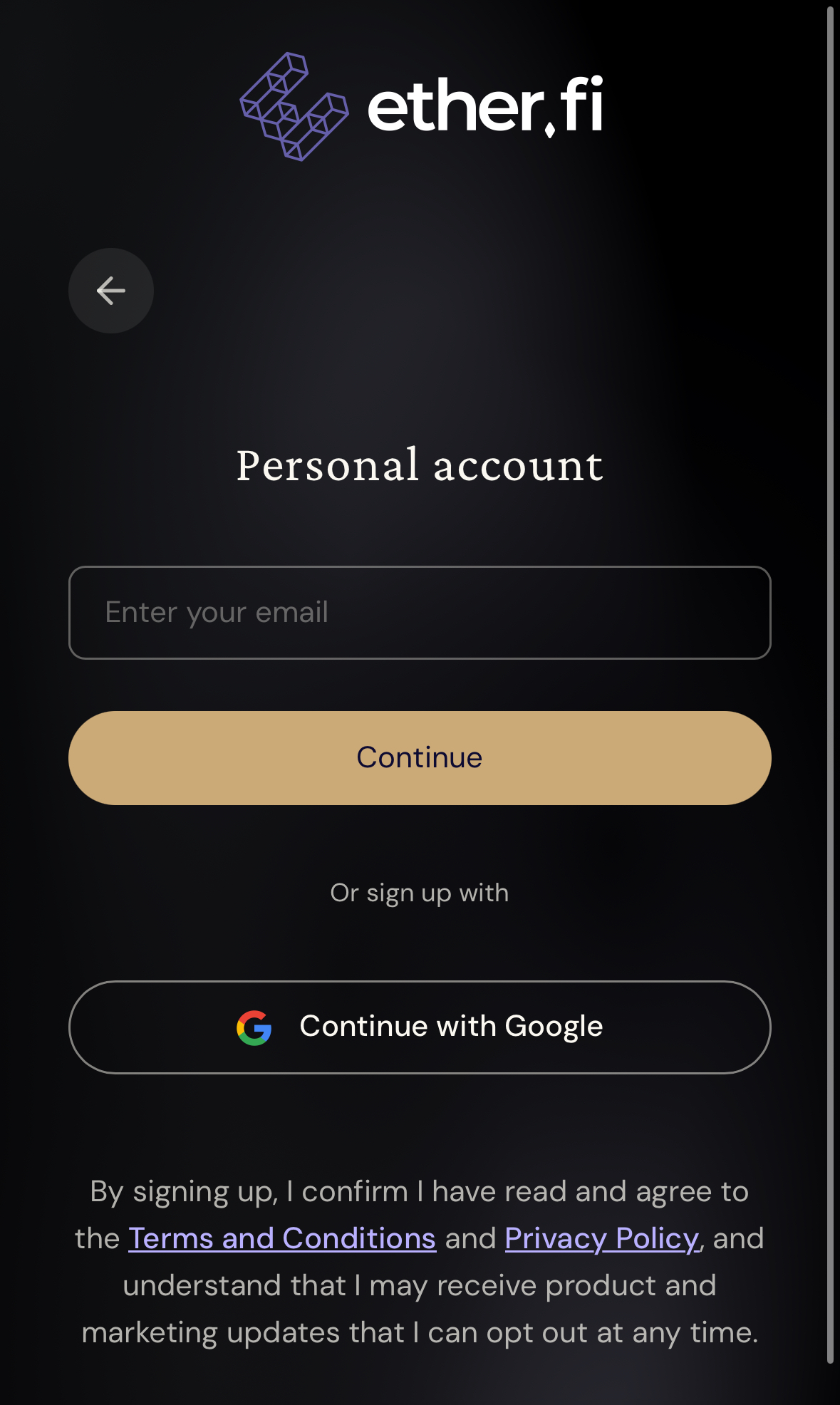
KYC runs through Sumsub. Use your real home address, because that is where a physical card ships, and keep a utility bill or bank statement from the last three months in case the app asks for proof of address. On my Taiwan-based account, the $10 prompt appeared right after I submitted KYC, and card options showed up in Cash once the deposit arrived. ether.fi says the deposit applies in every region; if verification fails, the $10 can be withdrawn. In Argentina, Bangladesh, Bolivia, Colombia, Ecuador, Malaysia, Mexico, Nigeria, Peru, the Philippines, South Africa and Thailand, Core’s first virtual card costs $10 instead of being free.
Funding, spending, withdrawals and refunds: the real costs
Crypto is the cheapest way in. ether.fi charges no deposit fee, so you only pay network gas. Send supported assets from a wallet on Ethereum, OP or Base, or withdraw USDC from an exchange such as Bybit, and match the token and network to the deposit screen.
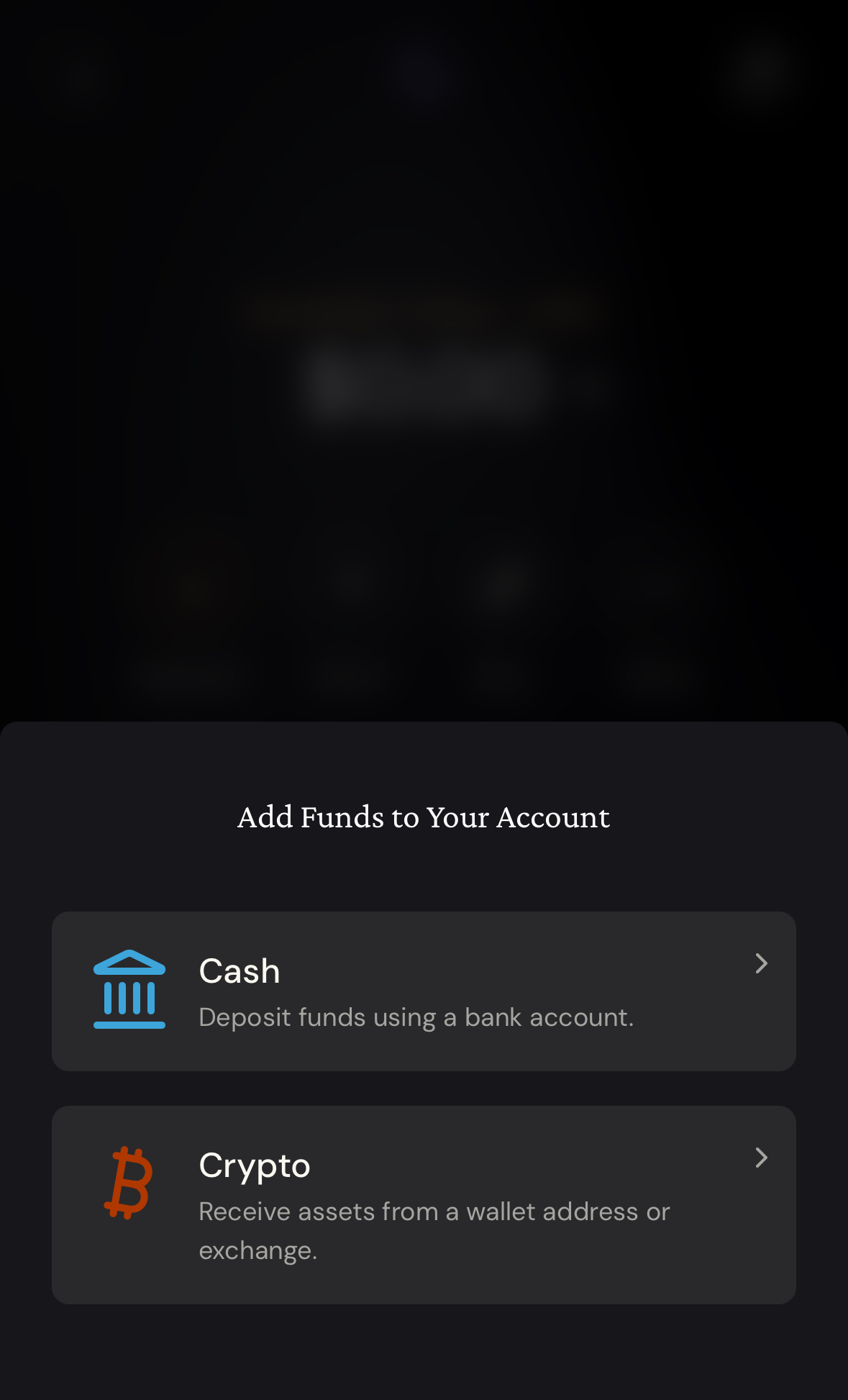
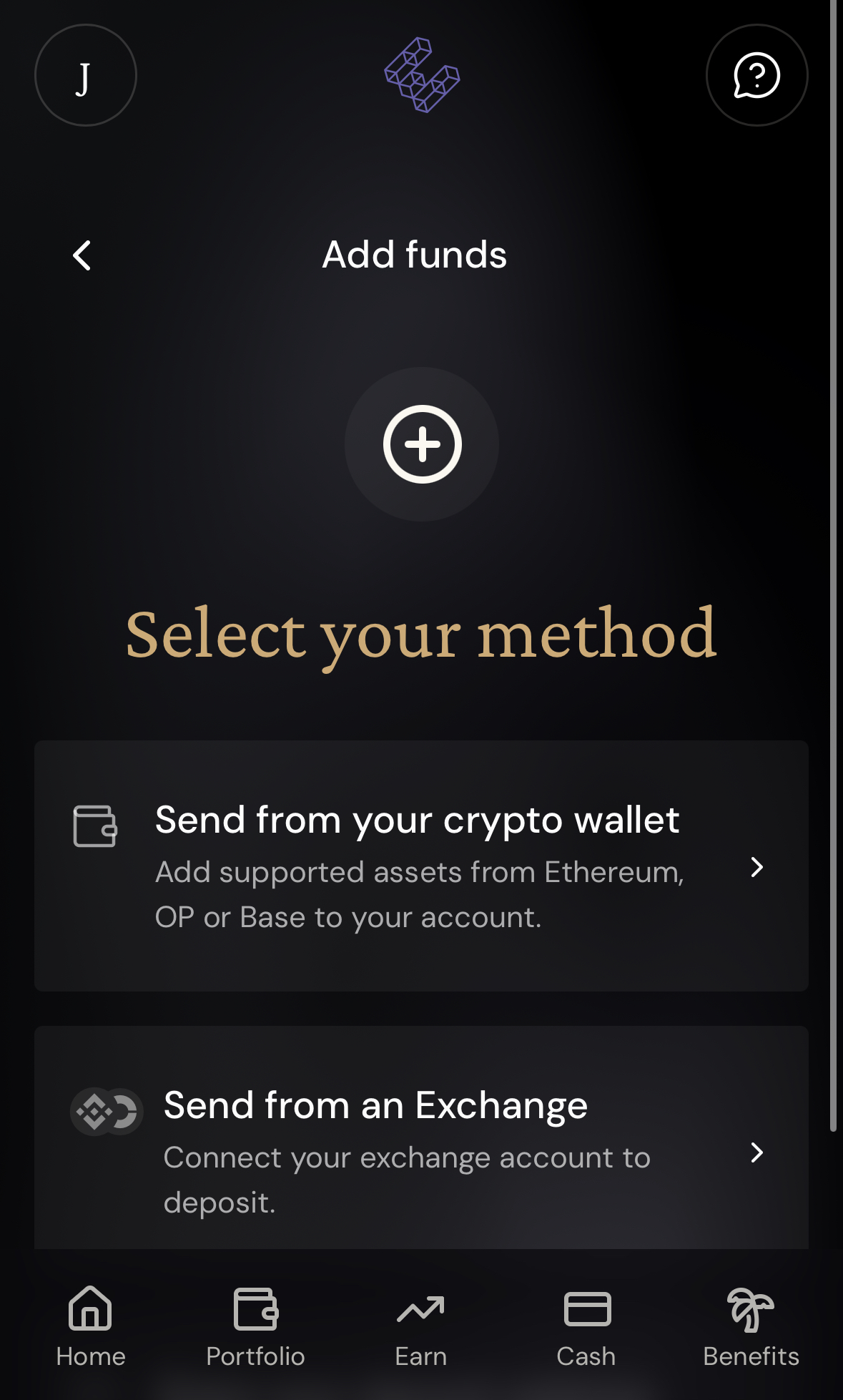
Bank deposits depend on your currency. These are the funding fees on ether.fi’s help pages for the routes most English-speaking readers will use:
| Currency and rail | Funding fee | Typical timing |
|---|---|---|
| USD via ACH | $0.50 + 0.10% | 1–2 business days |
| USD via Fedwire | $20 + 0.10% | Usually same day |
| GBP via Faster Payments | £0.90 + 0.20% FX | Usually minutes |
| EUR via SEPA | €0.90 for EURC; €0.90 + 0.15% for USDC | Usually 1–2 business days |
SEPA has no universal minimum any more; any limit for your method shows before you confirm. Canadian and Australian readers can fund with Interac e-Transfer or a local AUD bank transfer, and the quote screen shows the cost. Send the first transfer from an account in your own name. If you need a euro account for SEPA, our Wise tutorial covers it.
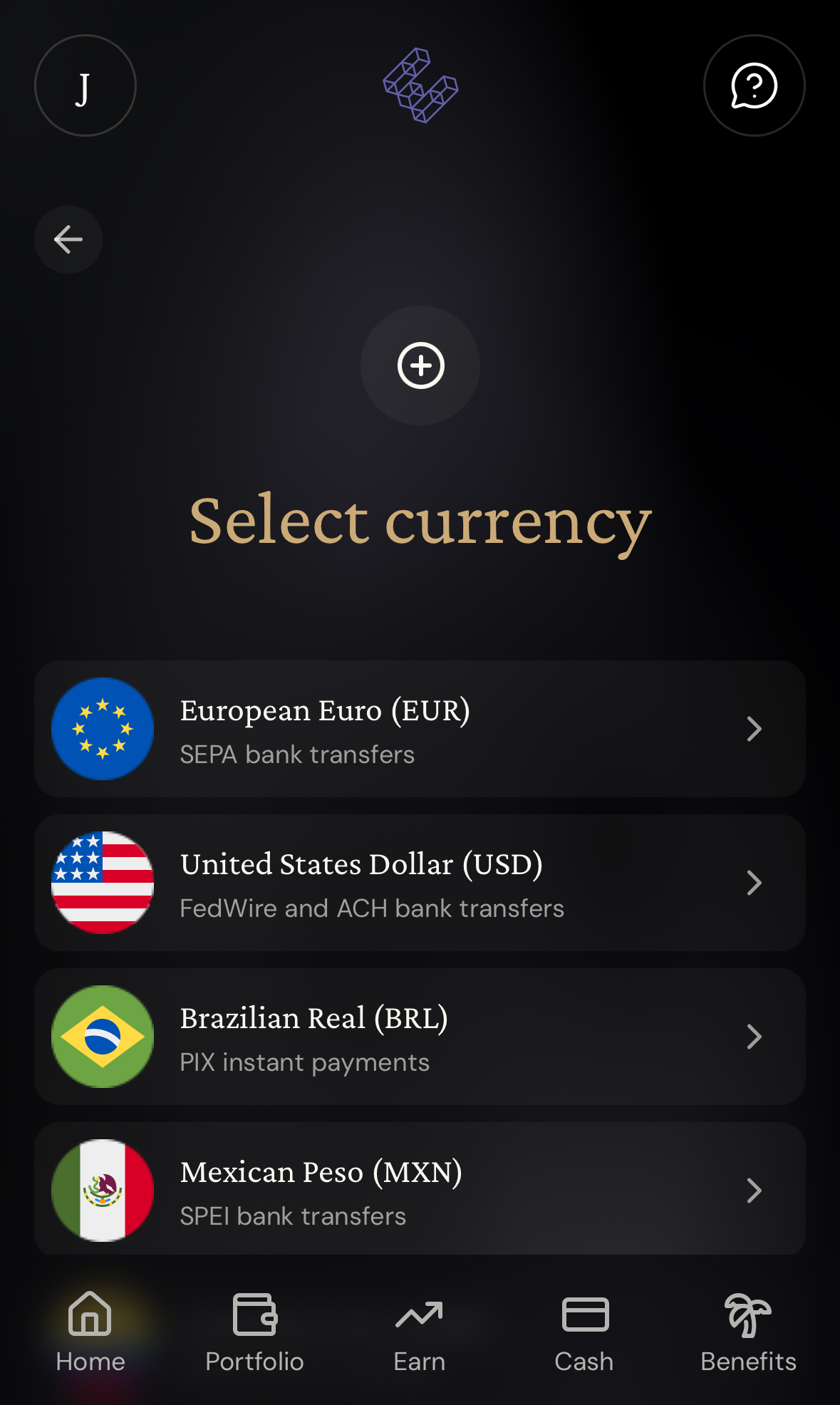
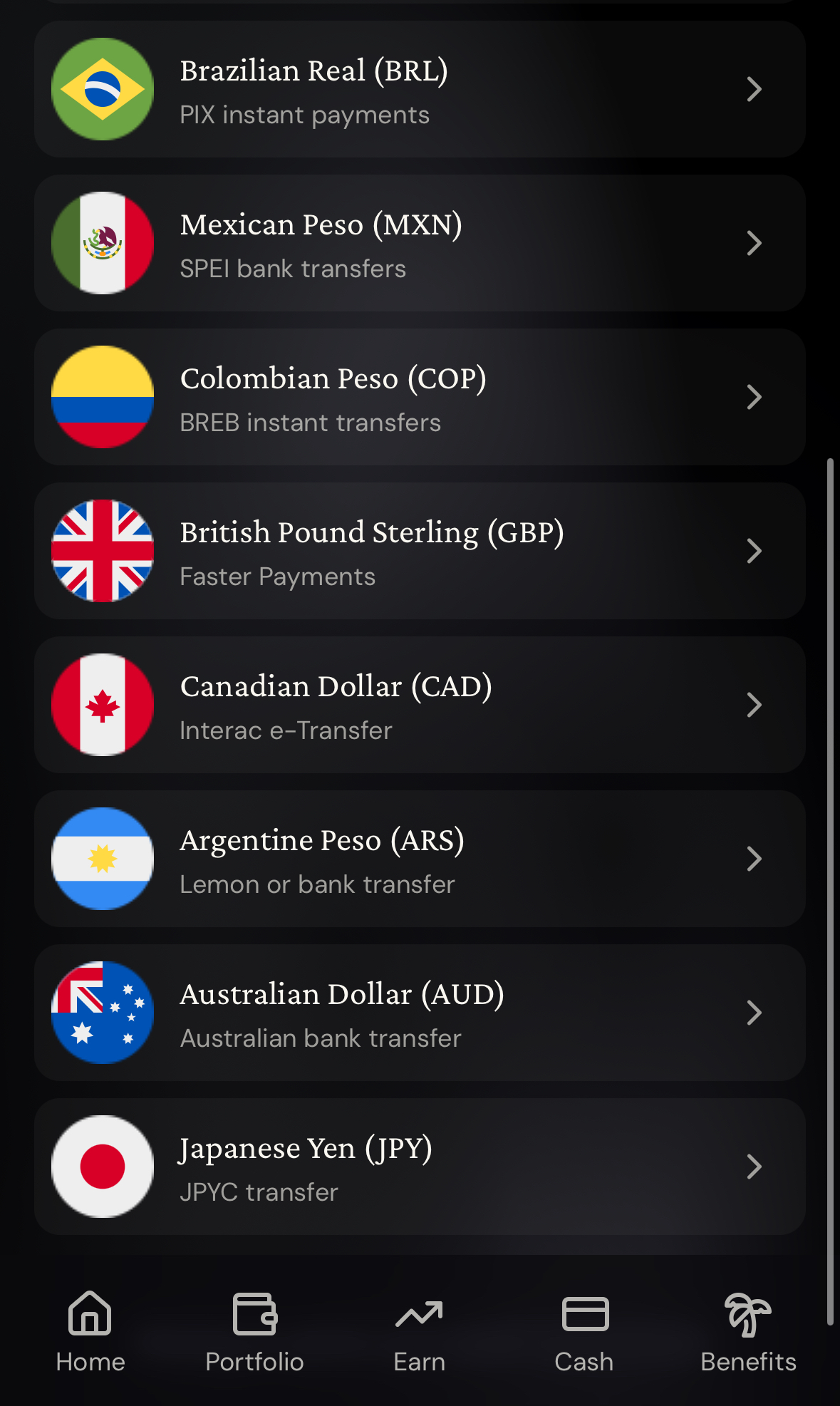
Withdrawals run in reverse from Cash → Send → Bank: outgoing ACH costs $0.50 + 0.20%, outgoing Fedwire $20 + 0.20% and outgoing SEPA €0.90 plus any conversion.
| Cost or limit | What applies now |
|---|---|
| Non-USD purchases | 1% FX fee, plus up to 0.5% on Core or 0.25% on Luxe; none extra on Pinnacle and VIP |
| Euro purchases | 0% FX rate (beta); merchants that bill in another currency or use DCC can still trigger a conversion |
| ATM withdrawals | Up to $5,000 per withdrawal, 5 attempts (declined ones count) and $25,000 per rolling 24 hours, the same on every tier; no cashback; 10 free withdrawals a month on Core and Luxe, unlimited on Pinnacle and VIP |
| Refunds | Returned to your Vault minus that purchase’s cashback; Borrow Mode loans are not repaid automatically |
MoonPay partnership: new deposits and bank accounts arrive in stages
ether.fi and MoonPay announced a partnership on October 6, 2026 that moves in-app buying, crypto swaps, bank accounts and crypto deposits onto MoonPay’s infrastructure. MoonPay says each piece will roll out over the coming months, so your account may show only part of it, or still the older deposit screens.
| Product | What MoonPay says it adds |
|---|---|
| Headless Ramps | Buy and sell crypto inside ether.fi, save a card and fund in one tap, with no redirects |
| MoonPay Trade | Cross-chain routing and crypto conversions inside the app |
| Enterprise Virtual Accounts | Account and routing numbers for each user; ACH, Fedwire, SWIFT, Faster Payments, SEPA and Open Banking |
| Crypto Deposits | Send any token from a wallet or exchange; it is swapped into your balance, and cashing out works in reverse |
Neither company has published which country gets which feature first. Until the new screens appear, use whatever Add Funds shows today and send a small test amount first.
How cashback works: why 3% is not always 3%
| Tier | Top rate and the spend it covers | Next band | Above that |
|---|---|---|---|
| Core | 3% on the first $2,000 | 1% up to $3,000 | 0.5% |
| Luxe | 3% on the first $10,000 | 1% up to $20,000 | 0.5% |
| Pinnacle | 3% on the first $50,000 | 1% up to $80,000 | 0.5% |
| VIP | 4% on the first $50,000 | Not published | Not published |
Euro purchases use a lower ladder in exchange for the 0% FX rate: Core pays 3% on the first $800 (USD equivalent), 1% up to $1,500 and 0.1% above; Luxe keeps 3% for the first $3,000 and Pinnacle for the first $16,000; VIP’s 4% also covers the first $16,000 (all USD equivalent). Dollar and euro spending share one monthly counter. Cashback converts to ETHFI when a purchase clears, so its dollar value moves with the token until you claim and sell. ATM withdrawals, P2P transfers, gift cards, rent, gambling, tax payments and crypto purchases earn nothing.
My real purchases: what 3% cashback actually paid
My two October 2026 purchases with the ether.fi Cash Card: a FamilyMart convenience store in Taiwan, charged in Taiwan dollars, and a Cloudflare bill in US dollars. Both showed 3% cashback.
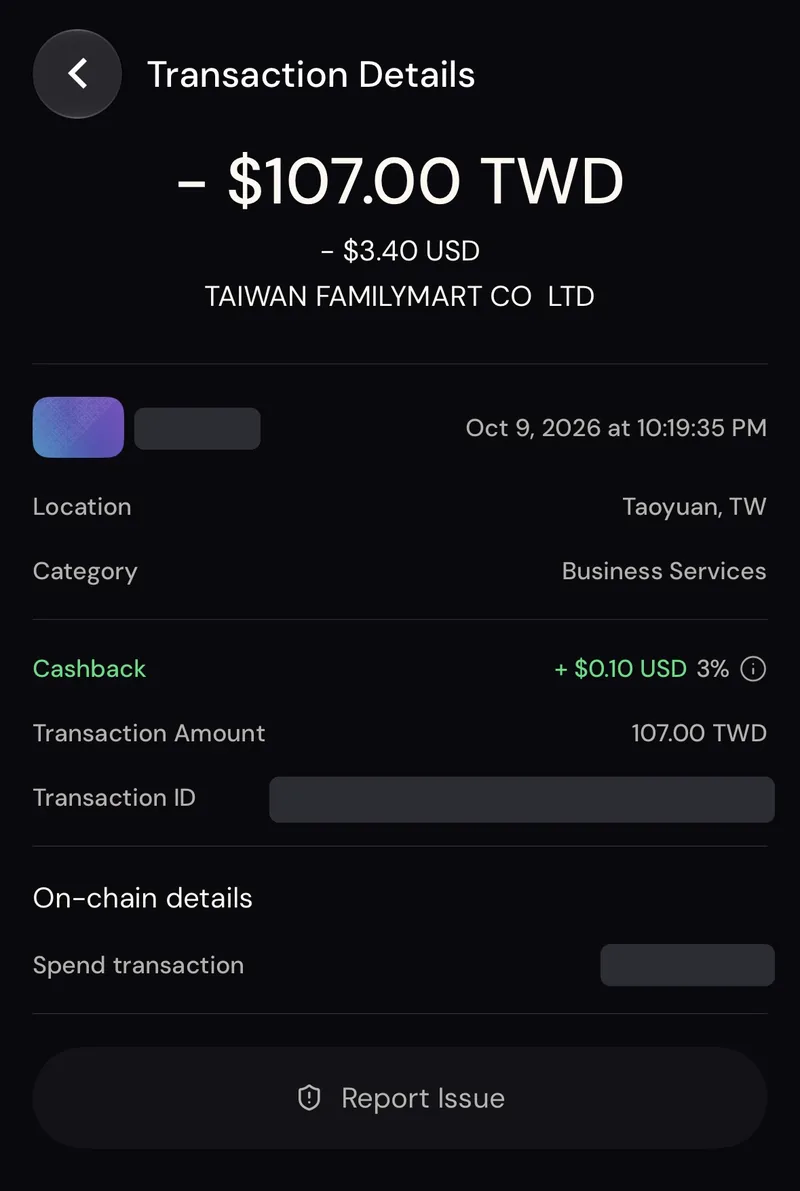
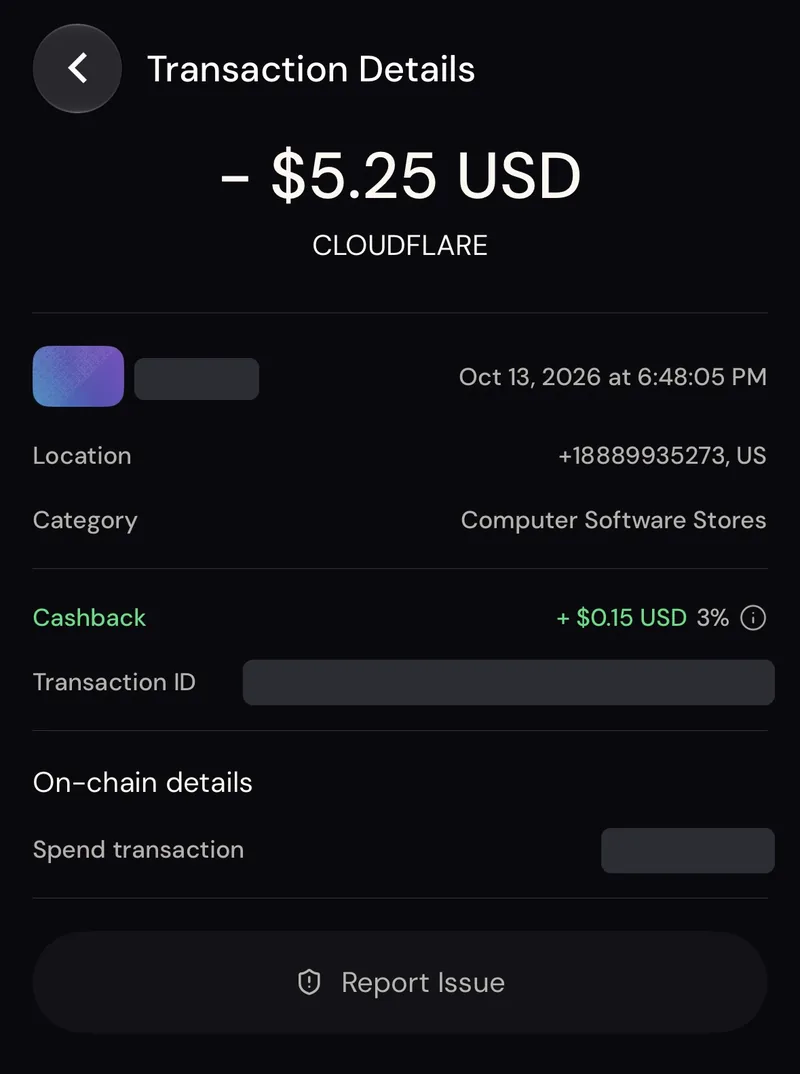
| Item | FamilyMart (Taiwan dollars) | Cloudflare (US dollars) |
|---|---|---|
| Date | October 9, 2026 | October 13, 2026 |
| Purchase amount | 107.00 TWD | $5.25 |
| Visa rate that day | 1 USD = 31.946 TWD | No conversion |
| Converted at Visa rate | 107 ÷ 31.946 = $3.349 | $5.25 |
| Actually debited | $3.40 (implied 1 USD ≈ 31.47 TWD) | $5.25 |
| Conversion cost | $3.40 − $3.349 = $0.051 (1.51%) | $0 |
| 3% cashback | $3.40 × 3% = $0.102, shown as $0.10 | $5.25 × 3% = $0.1575, shown as $0.15 |
| Net reward | $0.10 − $0.051 = $0.049 (about 1.45%) | $0.15 (about 2.86%) |
- The Taiwan purchase counts as a foreign-currency transaction because the card settles in USD. The cardholder agreement lists a 1% base FX fee plus up to 0.5% on Core, and $3.349 × 1.015 = $3.40, which matches the debit.
- ether.fi applies the rate at settlement; the Visa calculator is only an estimate. Here, Visa’s October 9 and October 10 rates were the same.
- The app rounds cashback down to the cent, which is why $0.1575 shows as $0.15 and the USD purchase nets about 2.86% instead of 3%.
- Rule of thumb from this test: on Core, spending in a non-USD, non-euro currency keeps roughly half of the 3%. Dollar-priced subscriptions and online services keep almost all of it.
Physical card, Apple Pay, Google Pay and your first purchase
The virtual card covers online shopping on Amazon or Netflix, and tap-to-pay once you add it to Apple Pay or Google Pay. For a physical card, open Cash → Add Card → Physical Card and confirm the shipping address. The address must use Latin letters, cannot be a PO box and cannot be changed after you order.
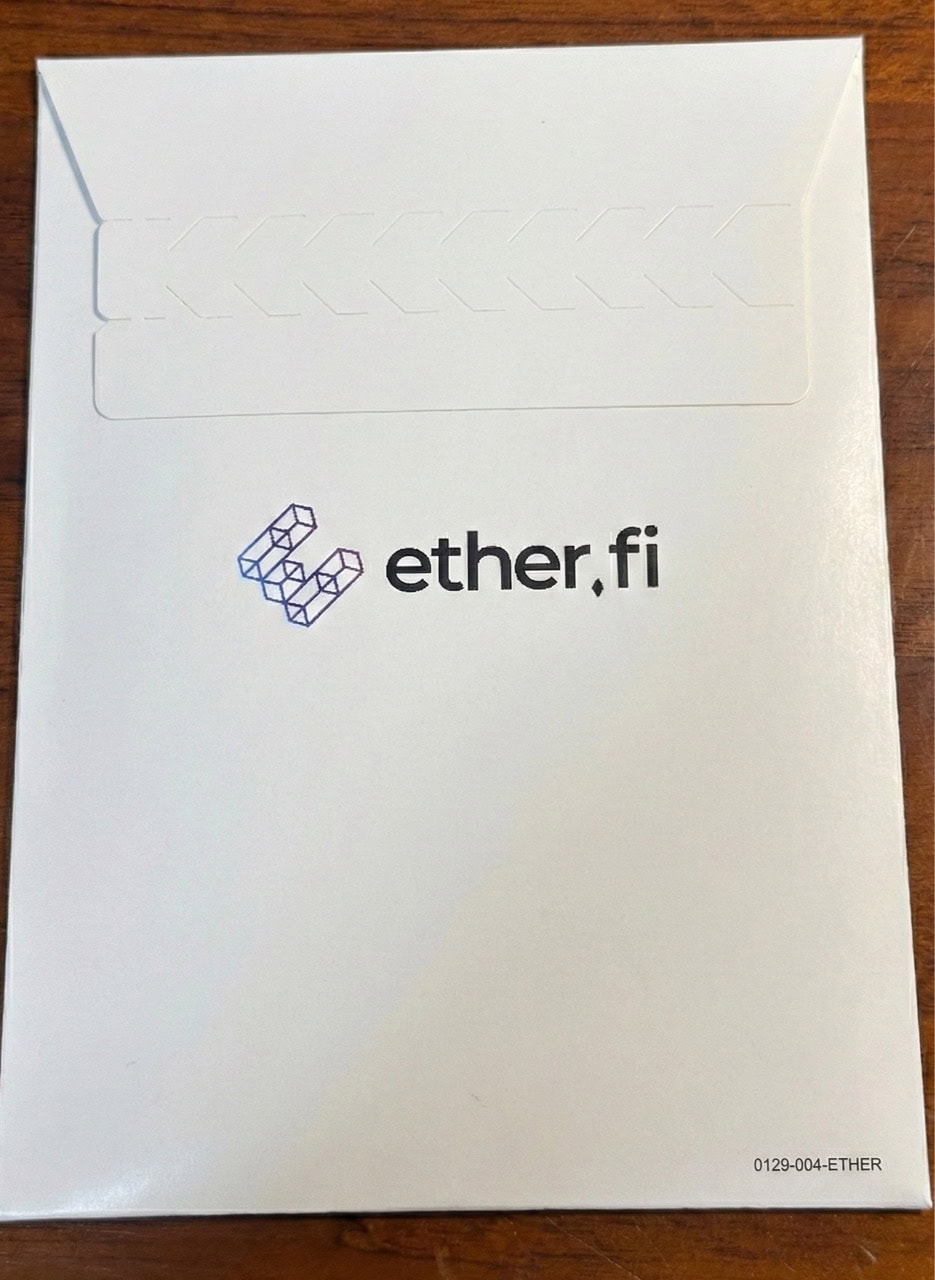
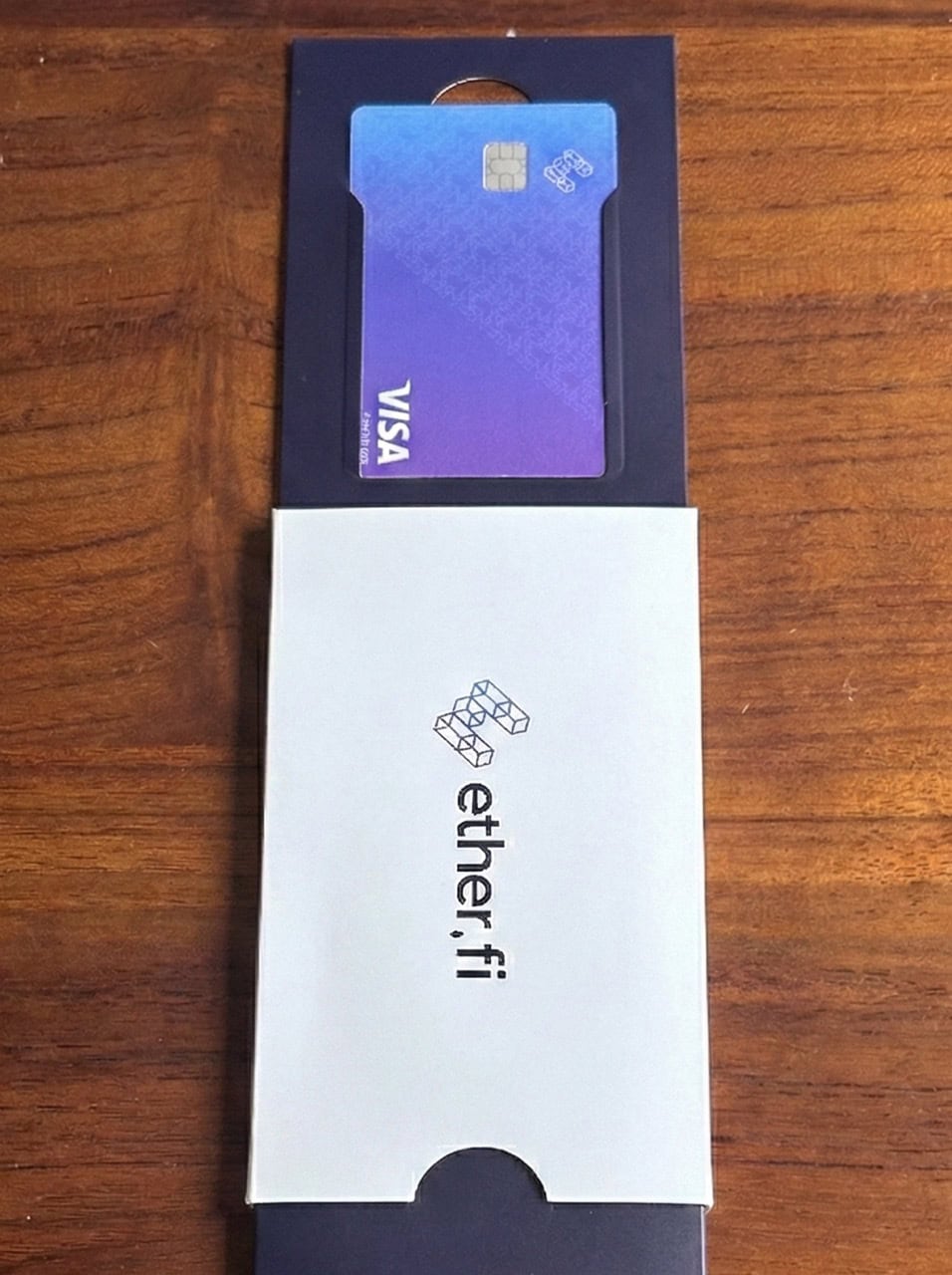
My card arrived in a plain white ether.fi mailer. Inside, the purple-blue Visa card sits in a dark sleeve.
| Card | Current terms |
|---|---|
| Core virtual card | 1 free in most countries ($10 in the 12 countries listed above); extra virtual cards $10 each |
| Core physical card | $50 in the Help Center fee table, $60 including shipping on the compare page; the order screen shows what you actually pay |
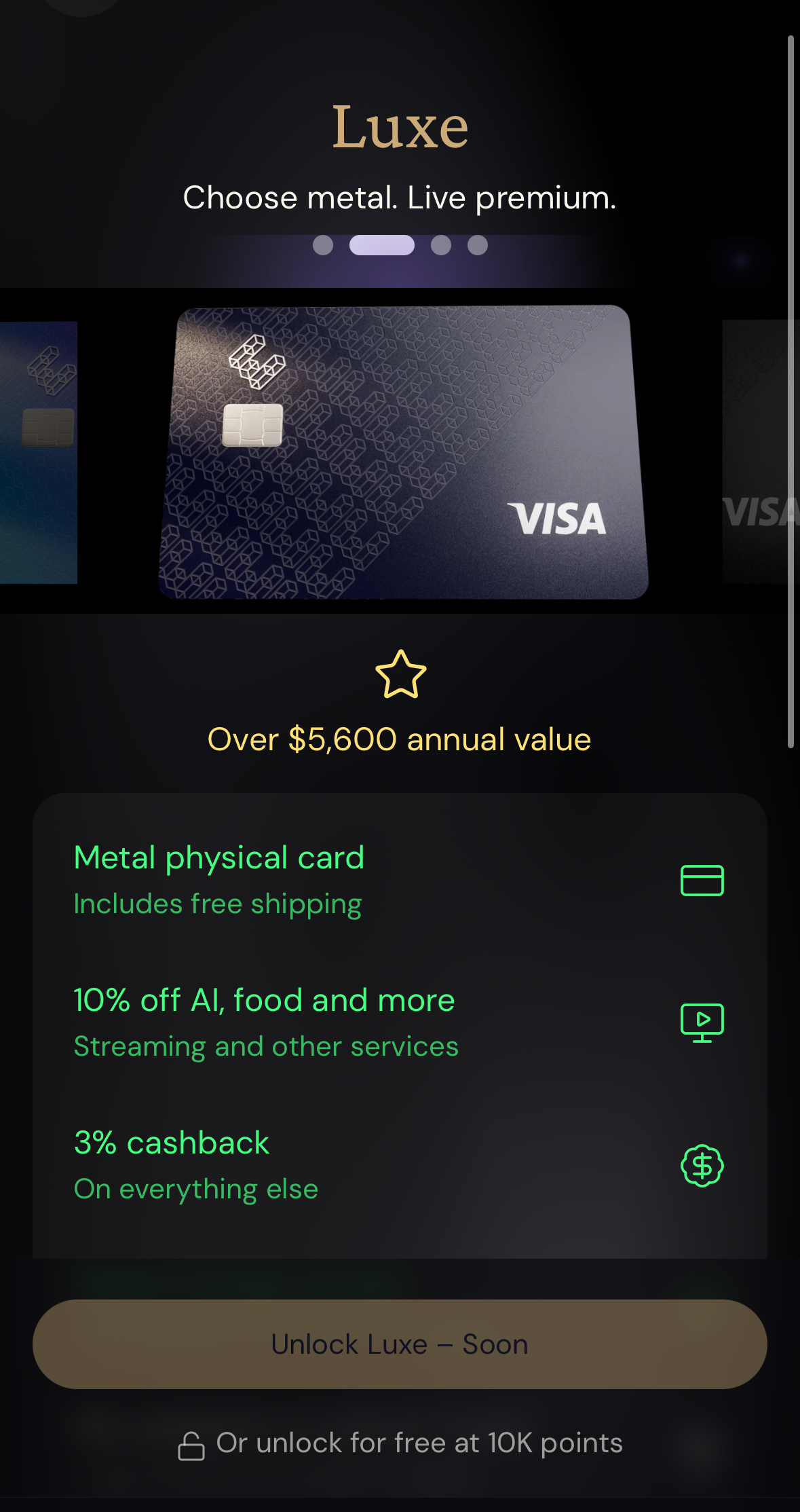
| Luxe | 4 free virtual cards and 1 free metal physical card, shipping included |
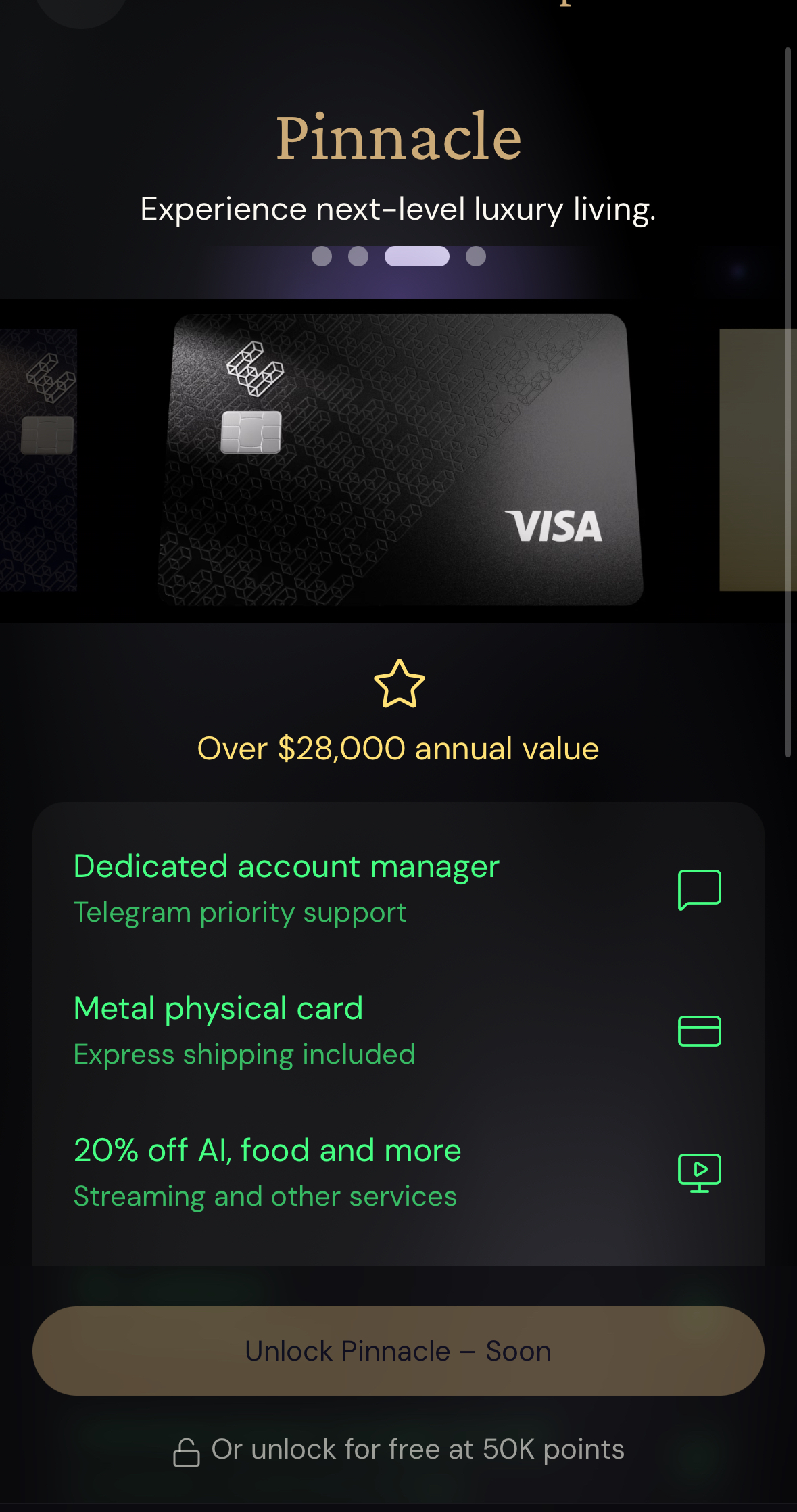
| Pinnacle and VIP | 10 or 50 free virtual cards and 2 free physical cards, with priority shipping |
When the card arrives, open Cash → Card, select it and tap Activate Physical Card; the app then walks you through setting a PIN. For the first purchase, pick something small with a clear receipt and compare the merchant amount, the USD debited and the pending cashback. If a payment fails, check that the card is active, your available balance and the card’s spending limit.
Airport lounges: Visa Airport Companion passes with 100% cashback
From October 20, 2026, Luxe and higher members who buy a single-visit lounge pass in the Visa Airport Companion app with their ether.fi card get 100% cashback, up to $49 per pass. Passes currently cost $32 to $49.
| Membership | Covered single-visit passes per year |
|---|---|
| Core | Not included |
| Luxe | 2 |
| Pinnacle | Unlimited |
| VIP | Unlimited |
- How to use it: open the app, link your ether.fi card, pick a lounge that sells single-visit passes and pay with the card. There is nothing to activate; the charge shows as Dragonpass.
- When it pays: the reward appears as a Category Boost on that transaction, turns Earned once Dragonpass settles (usually one or two days) and becomes claimable seven days later.
- Limits: one visit per calendar day (UTC). Guests, purchases inside the lounge, Dragonpass memberships and passes bought through third parties are excluded. Unused passes do not roll over; the allowance resets on January 1 (UTC), and covered passes do not also earn your normal cashback.
Core, Luxe, Pinnacle or VIP: which tier fits you?
| Tier | How to get it | Card cashback and extras |
|---|---|---|
| Core | Free | 3% up to $2,000 a month, then 1% and 0.5% |
| Luxe | $15,000 in Liquid, 30,000 ETHFI staked, 5,000 points a month or $199 a year | 3% up to $10,000 a month, 10% on one subscription category (max $10 a month), 2 lounge passes a year, 10 free ATM withdrawals a month |
| Pinnacle | $100,000 in Liquid, 150,000 ETHFI staked, 25,000 points a month or $999 a year | 3% up to $50,000 a month, 20% on subscriptions (max $20 a month), unlimited free ATM withdrawals, unlimited lounge passes (one visit per day) |
| VIP | $500,000 in Liquid or 500,000 ETHFI staked | 4% on the first $50,000 a month, 30% on subscriptions (max $30 a month), unlimited lounge passes |
My math on cashback alone: the $199 Luxe fee pays off once you spend more than about $2,830 a month on the card. At $3,000 a month, Luxe earns $90 against Core’s $70, or $240 more a year. Pinnacle at $999 beats Luxe only above roughly $13,330 a month. Two lounge passes a year can tip a frequent traveler toward Luxe earlier. Liquid is not offered in the US, Canada or the UK, so readers there unlock tiers by staking ETHFI, earning points or paying the yearly fee. Benefits change, so check the official compare page before you pay. If you are weighing exchange-issued cards instead, see our Bybit Card guide.
Liquid auto-yield and tokenized stocks
The same app runs Earn, Liquid and a trading tab. Liquid takes a single deposit, spreads it across a basket of DeFi strategies, rebalances and compounds the yield back into your balance. Vault fees usually run from 0% to 2%, plus gas, and the APY on screen is a moving figure, not a promise. It is separate from card cashback and is not offered in the US, Canada or the UK.
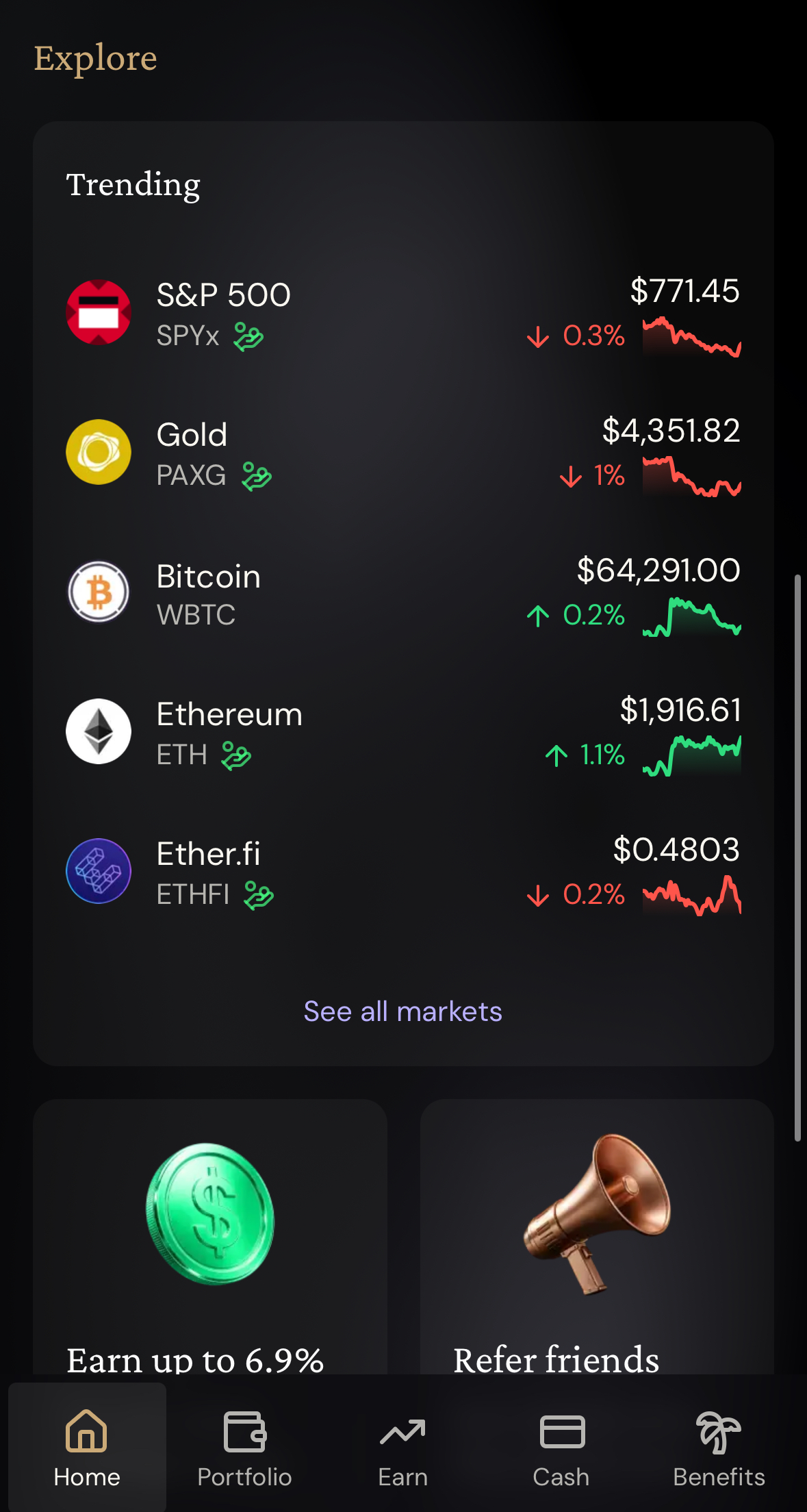
xStocks are tokens built to track listed shares and ETFs; they do not put the shares in your name. The minimum trade is $10, and dividends and stock splits are applied by adjusting your token balance. Residents of the US, UK and Canada cannot trade them. Check the live quote and price impact before buying, especially for less liquid names.
AI connections: let Claude or ChatGPT read your account
ether.fi’s web app lets personal accounts connect Claude, ChatGPT or another assistant that accepts connector URLs to a read-only ether.fi server. The assistant can then turn your transactions into spending summaries, subscription lists, unusual-charge checks or trip expense reports. For a monthly spending summary, the Transactions and merchants permission alone is enough, so balances and the vault address can stay off.
| Permission (all off by default) | What the assistant can read |
|---|---|
| Transactions and merchants | Purchases, top-ups, withdrawals, borrows, repayments, liquidations and cashback, with merchant, amount, currency, date, category and status |
| Cards | Nickname, physical or virtual, status, currency and last four digits |
| Balances, holdings and vault address | Available balance, credit limit, borrowed amount, vault assets, yield and the vault address, which is public and permanent |
- What it cannot do: send, spend or withdraw funds, borrow or repay, change card settings, or see the full card number, CVC and expiry date.
- How to connect: in the web app, go to Settings → AI connections, copy the connector URL (https://mcp.ether.fi/mcp), add it in your assistant’s connector settings, agree to the terms, choose permissions and approve with your passkey within 10 minutes.
- Expiry: each connection lasts 90 days from approval, use does not extend it and no email warns you; reconnect when it shows Access expired, or disconnect any time on the same page.
- Where the data goes: what you approve is shared with the AI provider (Anthropic for Claude, OpenAI for ChatGPT) under their terms and your settings, and disconnecting does not delete what was already shared. Totals the assistant calculates are not verified by ether.fi.
FAQ
Is the ether.fi Cash Card available in my country?
Only if your country of residence is on ether.fi’s official list. The October 24, 2026 version includes the UK, Canada, Australia, New Zealand, Singapore, the UAE, Nigeria, the Philippines and South Africa, but not India or Pakistan. In the US, physical cards ship to 30 listed states plus DC.
Do I get a card as soon as I sign up?
No. You register, submit KYC, make the $10 crypto deposit the app asks for, and once verification completes you create a virtual card in Cash. A physical card is a separate order.
What is ether.fi cashback paid in?
ETHFI. Cashback is calculated in dollars, converted to ETHFI when the purchase clears and becomes claimable after a 7-day lock once you have at least $5. A refund reverses the cashback on that purchase.
Can I withdraw cash at an ATM with the ether.fi card?
Yes, up to $5,000 per withdrawal, five attempts and $25,000 in any rolling 24 hours, the same on every tier. ATM withdrawals earn no cashback. Core and Luxe get 10 free withdrawals a month; Pinnacle and VIP are unlimited.
Should I pick Core, Luxe or Pinnacle?
Start on Core. On cashback alone, Luxe pays for itself above about $2,830 of monthly card spend and Pinnacle above roughly $13,330; lounge passes and subscription cashback can justify an upgrade earlier if you use them.
Is every airport lounge pass fully refunded?
No. Only single-visit passes bought in the Visa Airport Companion app after October 20, 2026 qualify, up to $49 each and within your yearly allowance: none on Core, 2 on Luxe and unlimited on Pinnacle and VIP, with one visit per UTC day.
Can an AI assistant move money through AI connections?
No. The connection is read-only: the assistant cannot spend, borrow, repay, withdraw or change card settings, and never sees the full card number, CVC or expiry. Each connection expires after 90 days and can be disconnected at any time.
Sources (last updated October 24, 2026): membership comparison, cashback ladder, country list, physical cards, SEPA, euro 0% FX, airport lounges, MoonPay announcement, AI connections.
Disclosure: This article contains affiliate links. We may earn a commission at no extra cost to you if you sign up through our links. This does not influence our editorial recommendations. This is not financial advice; eligibility, fees and card options are set by your ether.fi account and the official terms.