KAST Card Review 2026: Plans, Fees, Cashback Caps and Real Cost After FX
Key takeaways (checked 27 Oct 2026)
- What it is: KAST is a stablecoin app with a Visa card. You deposit USDT, USDC, PYUSD or RLUSD, the balance shows in US dollars at 1:1 with a 0% spread, and card payments come out of that balance. KAST says the card works at 150M+ merchants in 170+ countries, which is where Visa is accepted, not where you can open an account.
- Plans: Standard is $0 a year, Premium $1,000, Private $10,000. Standard includes 2 cards; a physical Standard card has no card fee but a one-time $40 delivery charge. Included does not mean free everywhere: in some regions a $2 issuance fee applies to Standard virtual cards even within the allowance, and the app shows the exact amount before you confirm.
- Cashback: 1.5% on the first $2,000 a month (Standard), 2% on the first $10,000 (Premium), 3% on the first $40,000 (Private). Spending above the cap earns nothing.
- Costs: stablecoin deposits 0% (network fees aside), USD card spend 0%, non-USD spend 0.5%–1.75% FX fee, ATM withdrawals $3 + 2%.
- Availability: there is no public country list. If your country is missing from the sign-up dropdown, you cannot get a card, and using a VPN breaks KAST’s terms.
- Verification: Level 2 needs a passport, national ID or driver’s licence plus a liveness check. KAST lists proof of address and source of funds as common extra documents, so start before you need the card.
- The catch: on Standard, the FX fee can eat the whole 1.5% cashback when you pay in local currency. The card works best for USD-priced spending.
What is KAST Card, and who is it for?
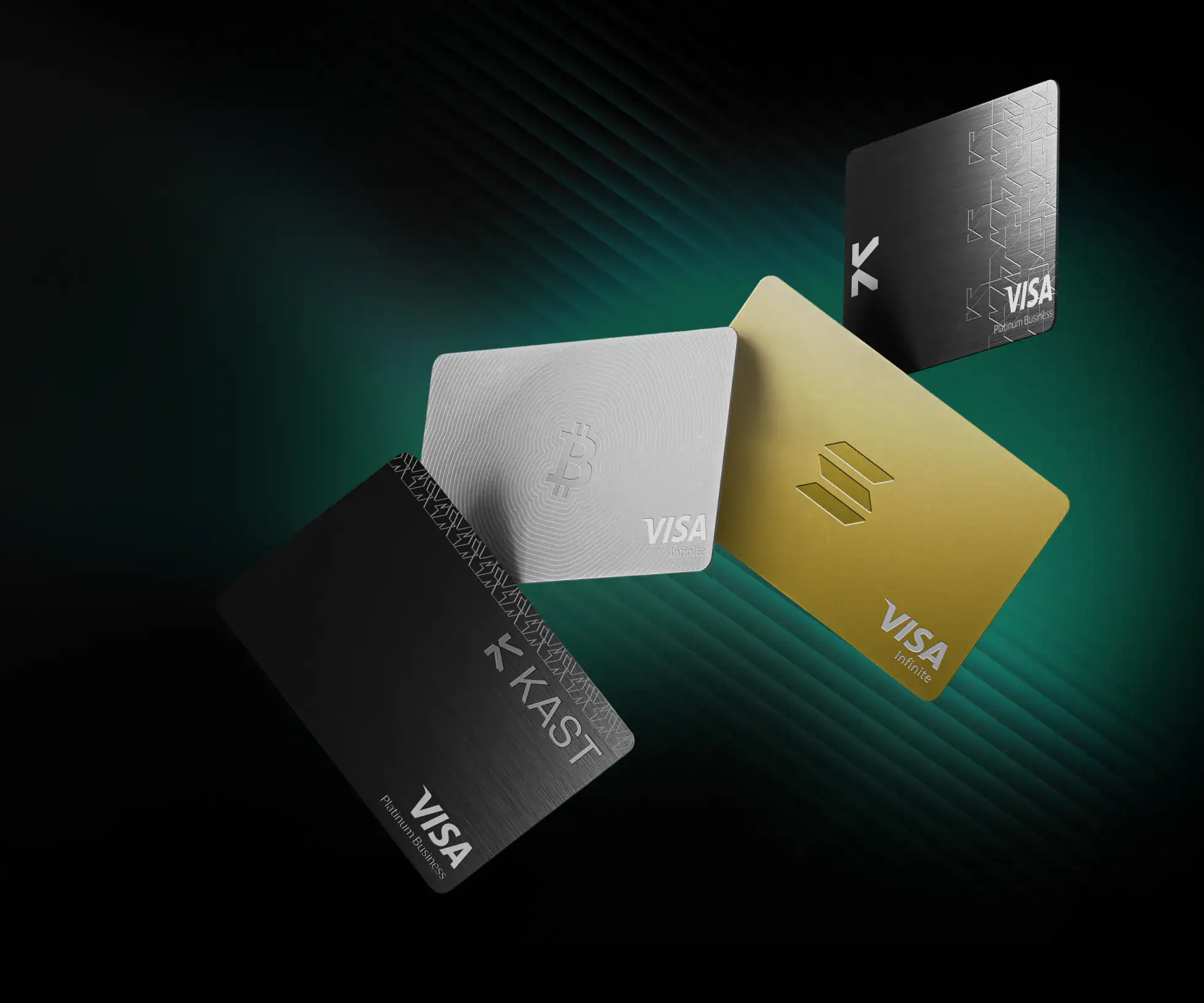
The KAST Card is a Visa card tied to a KAST account. Your balance sits in the app as US dollars. Supported stablecoins convert at 1:1 with no spread, and each card payment is taken from that balance, so you don’t sell crypto and wait for a bank transfer first. KAST describes itself as a financial technology company, not a bank. Treat the balance as money held on a platform, not as a bank deposit.
| Situation | Fit | Why |
|---|---|---|
| You hold USDT or USDC and want to pay by Visa | Good fit | Stablecoin deposits cost 0% and USD card spend has no fee. A virtual card works as soon as KYC clears. |
| Monthly online shopping or subscriptions priced in USD | Good fit | No FX fee on USD payments, and Standard still earns 1.5% back on the first $2,000. |
| Everyday spending in euros, pounds, dirhams, baht or Australian dollars | Run the numbers first | These are non-USD payments. The 0.5%–1.75% FX fee can cancel the Standard cashback. |
| You want to cash out to a local bank account | Depends on your currency | Payouts exist for 30+ currencies, each with its own fee. Check yours in the app first. |
| Lots of small payments under $25 | Poor fit | Non-USD payments under $25 carry an extra $0.10 each. |
If you are weighing it against other crypto cards, compare it with the RedotPay Card, the Bybit Card, the Bitget Wallet Card and the ether.fi Cash card. KAST’s angle is cashback paid in US dollars, with the rate rising as you pay for a higher plan. Our crypto card comparison puts them side by side. For a fee-by-fee head-to-head with the closest rival, see our KAST vs RedotPay comparison.
Is KAST Card available in my country?
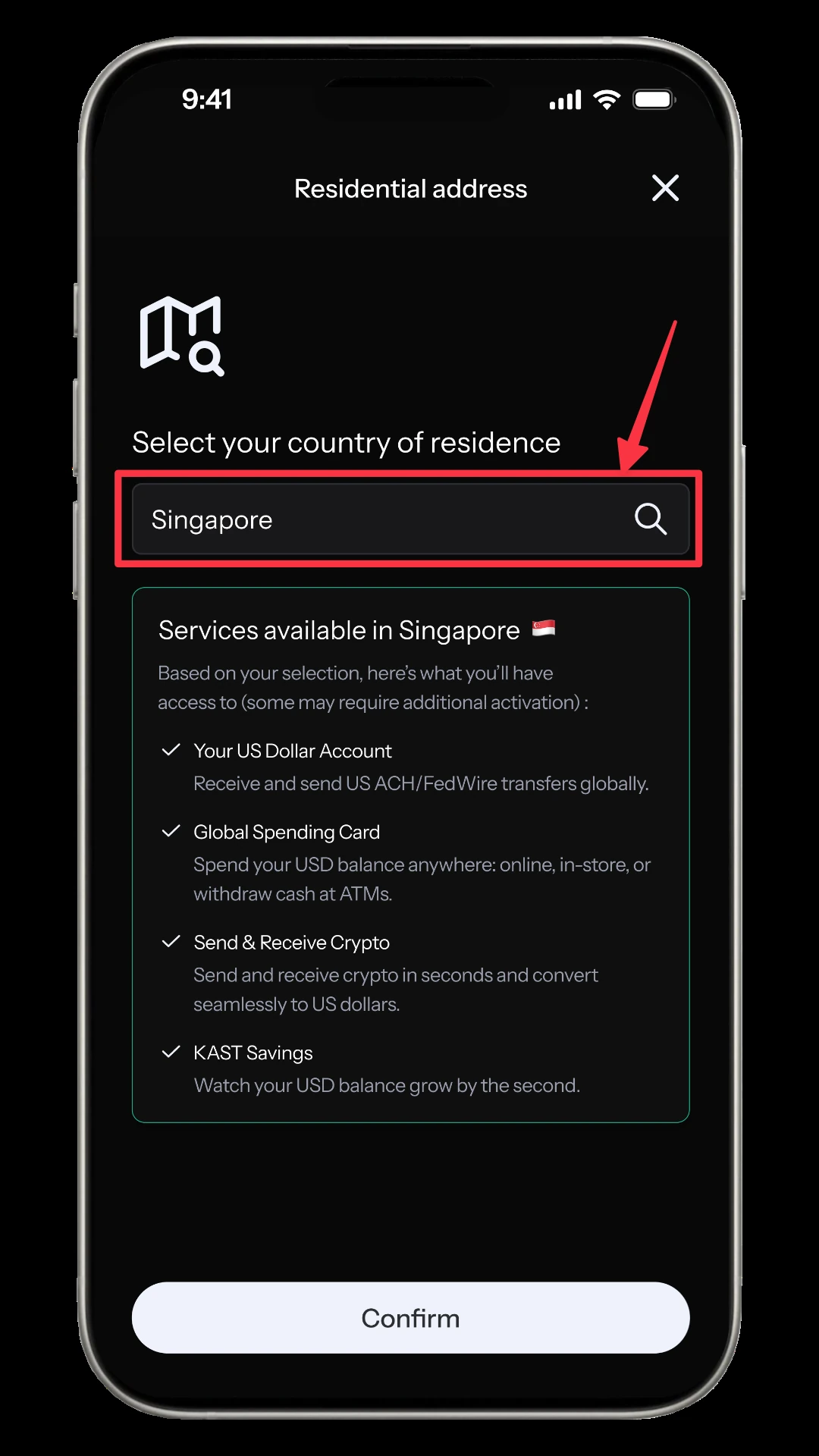
KAST doesn’t publish a country list. Its Help Center says to check the country dropdown during sign-up: if your country isn’t there, KAST hasn’t launched in it. Someone in a restricted country can still create a Level 1 account but can’t finish KYC, so there is no card. KAST also says it checks location through several signals during KYC, not only your IP address, and that using a VPN to get around the list violates its terms. Choose your real country of residence. US residents are asked for a Social Security number at Level 2.
KAST plans compared: Standard, Premium and Private
| Standard | Premium | Private | |
|---|---|---|---|
| Annual fee | $0 | $1,000 | $10,000 |
| USD cashback | 1.5% on first $2,000/month | 2% on first $10,000/month | 3% on first $40,000/month |
| KAST Points | None | 1% of eligible spend | 2% of eligible spend |
| Card | Visa Platinum, premium plastic | Visa Infinite, metal | Visa Infinite, gold plated |
| Cards included | 2 Standard cards (virtual or physical) | 1 Premium card plus the Standard allowance | 1 gold-plated card plus 2 cards from other plans |
| Reserve account rate* | 8% | 10% | 12% |
*The Reserve account is a separate rewards balance. KAST marks the rates as a promotional offer ending 1 July 2027 and calls them rewards, not interest, so don’t build a plan around them. KAST Points have no fixed cash value on the official fee page, so the break-even below counts cash only.
Standard’s cashback stops at $30 a month ($2,000 × 1.5%), which is the number a paid plan has to beat.
| Upgrade | Monthly spend where cashback alone pays for it | Maths |
|---|---|---|
| Standard to Premium | About $5,670 | 2% × spend − $30 = $83 (the $1,000 fee spread over 12 months) |
| Premium to Private | About $31,700 | 3% × spend − $200 (Premium’s maximum) = $750 (the extra $9,000 spread over 12 months) |
Below those levels the higher plan loses money on cashback alone. KAST’s own table shows an “illustrative net effect” of up to 1% on Standard, 2.5% on Premium and 4.5% on Private after FX fees. Those figures include points and depend on region, caps and the type of transaction. For most people, Standard is the plan to start on.
How to sign up for KAST Card and order it, step by step
Everything happens in the mobile app. Install it from the App Store or Google Play (search “KAST”) or use this download link. The screens below come from KAST’s official Help Center, where the app is shown in English.
Step 1: Create the account and pick your country (Level 1)
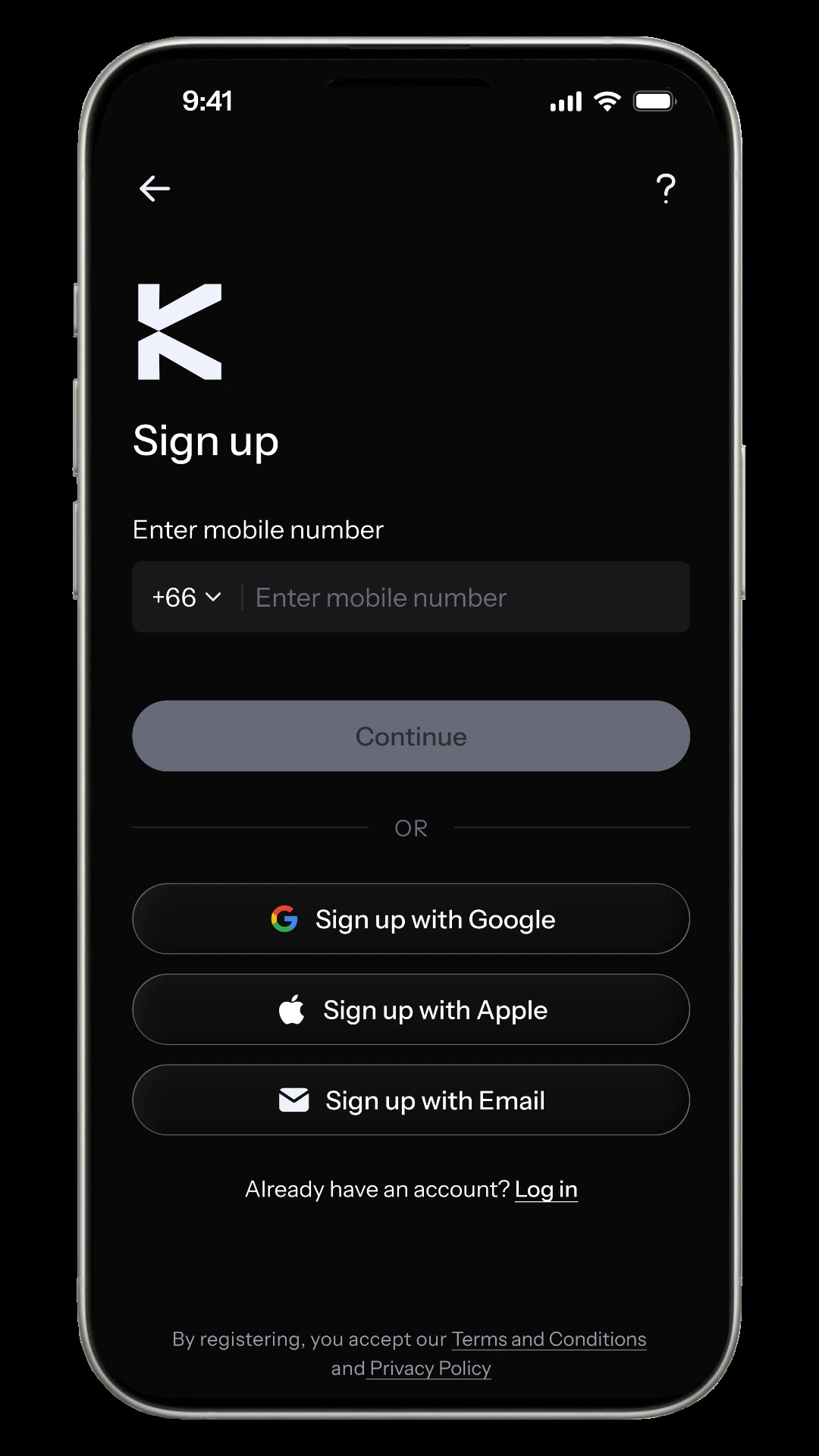
You can sign up with a phone number, Google, Apple or email. Then set a 6-digit PIN, enter the emailed code and choose your country of residence. This is the step that decides whether you can go further, as covered in the availability section above. Start your KAST sign-up here.
Step 2: Complete Level 2 identity verification
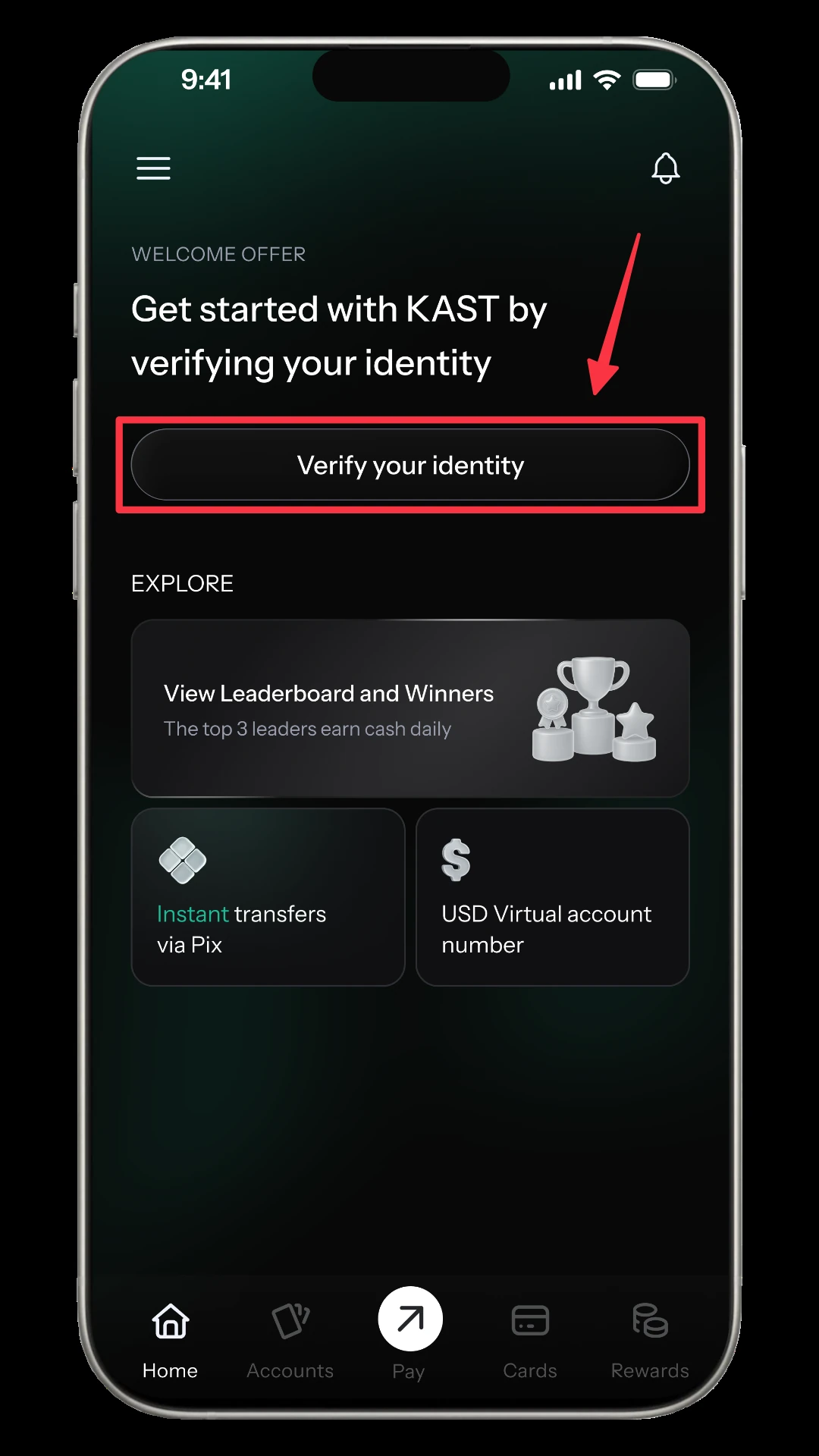
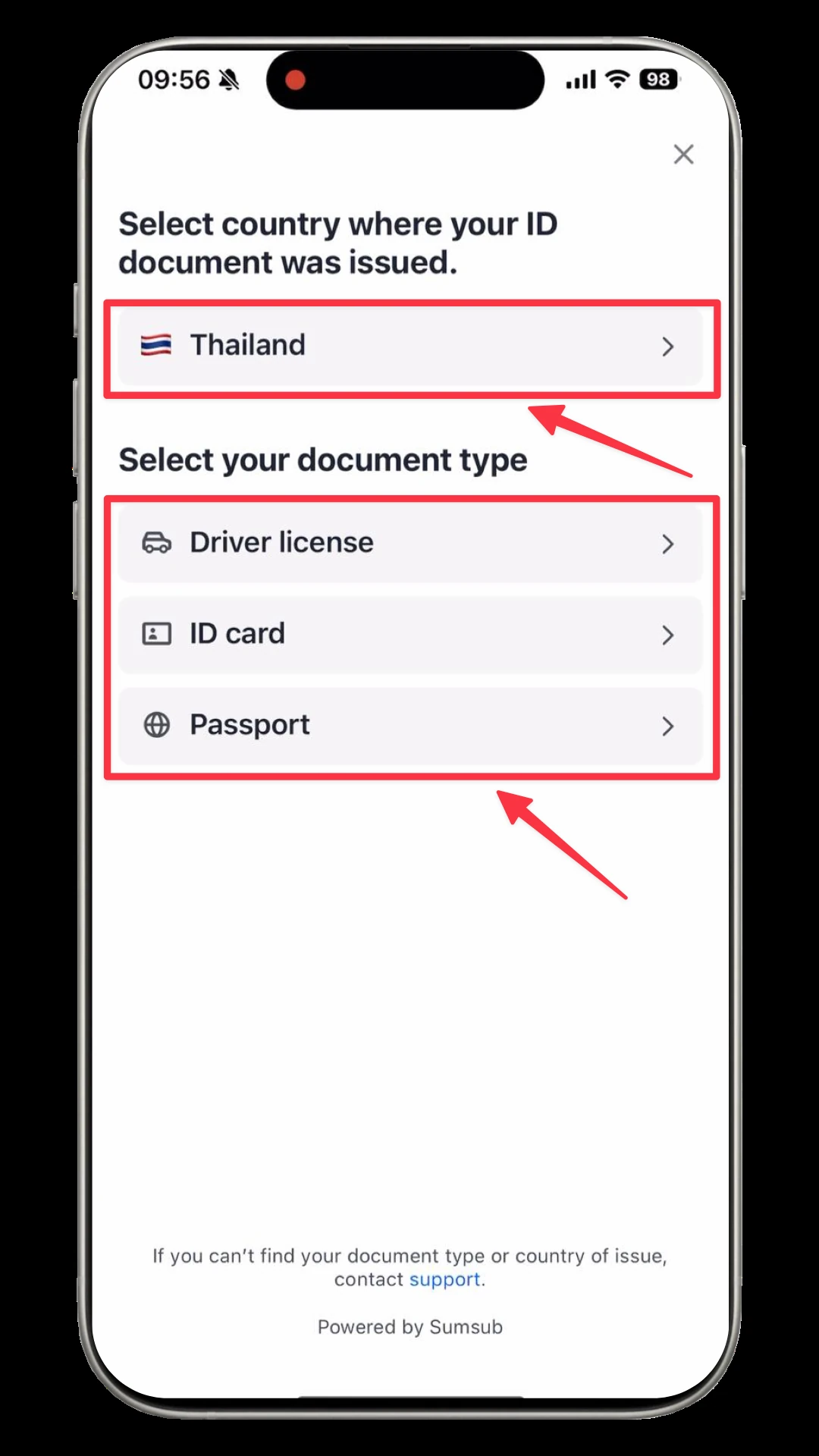
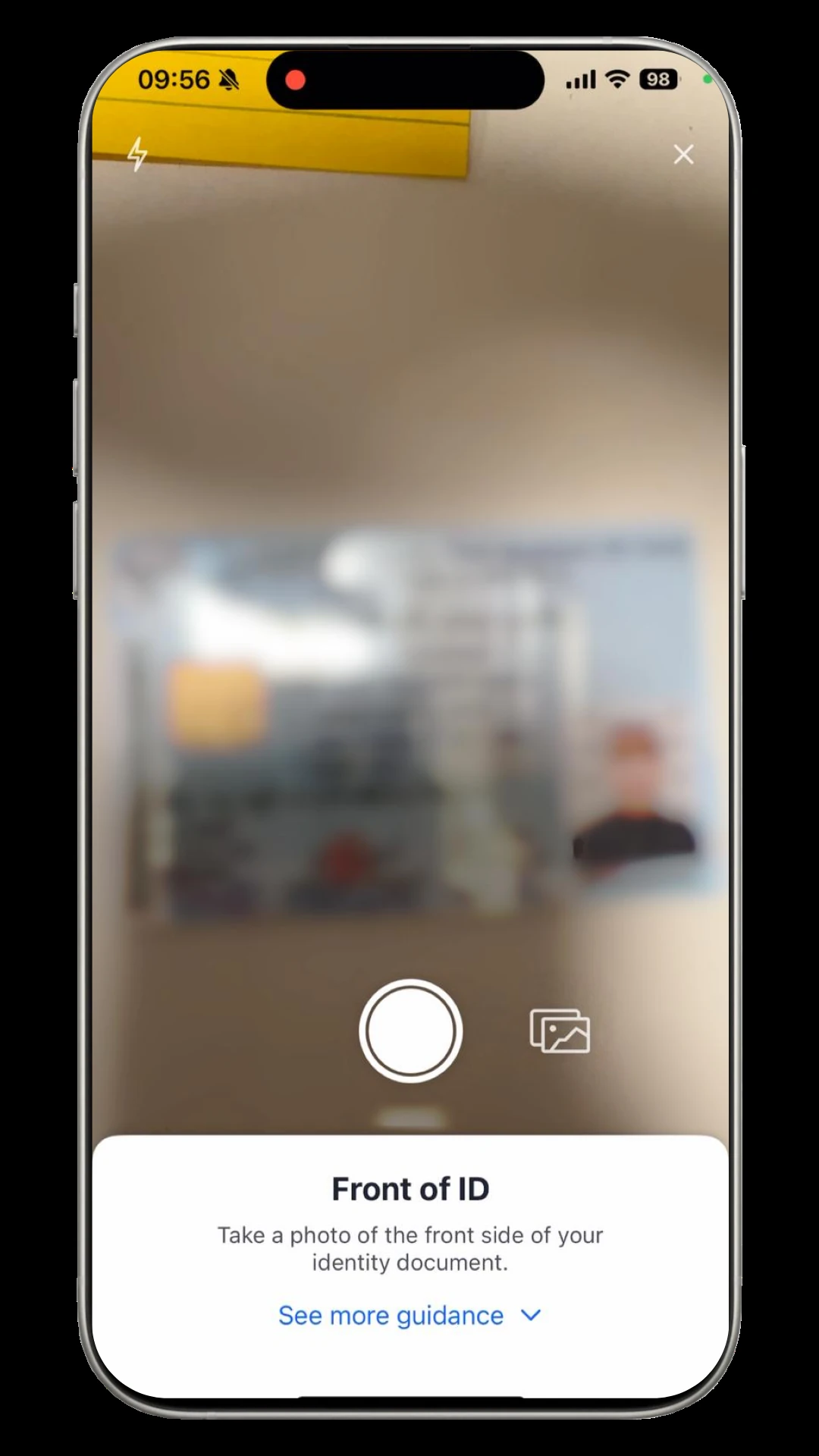
On the home screen tap “Verify your identity”, accept the terms, enter your address, then choose the country that issued your document and the document type. A passport, national ID card or driver’s licence works, per the KYC guide. Photograph the document in good light with all four corners visible, then finish the face check.
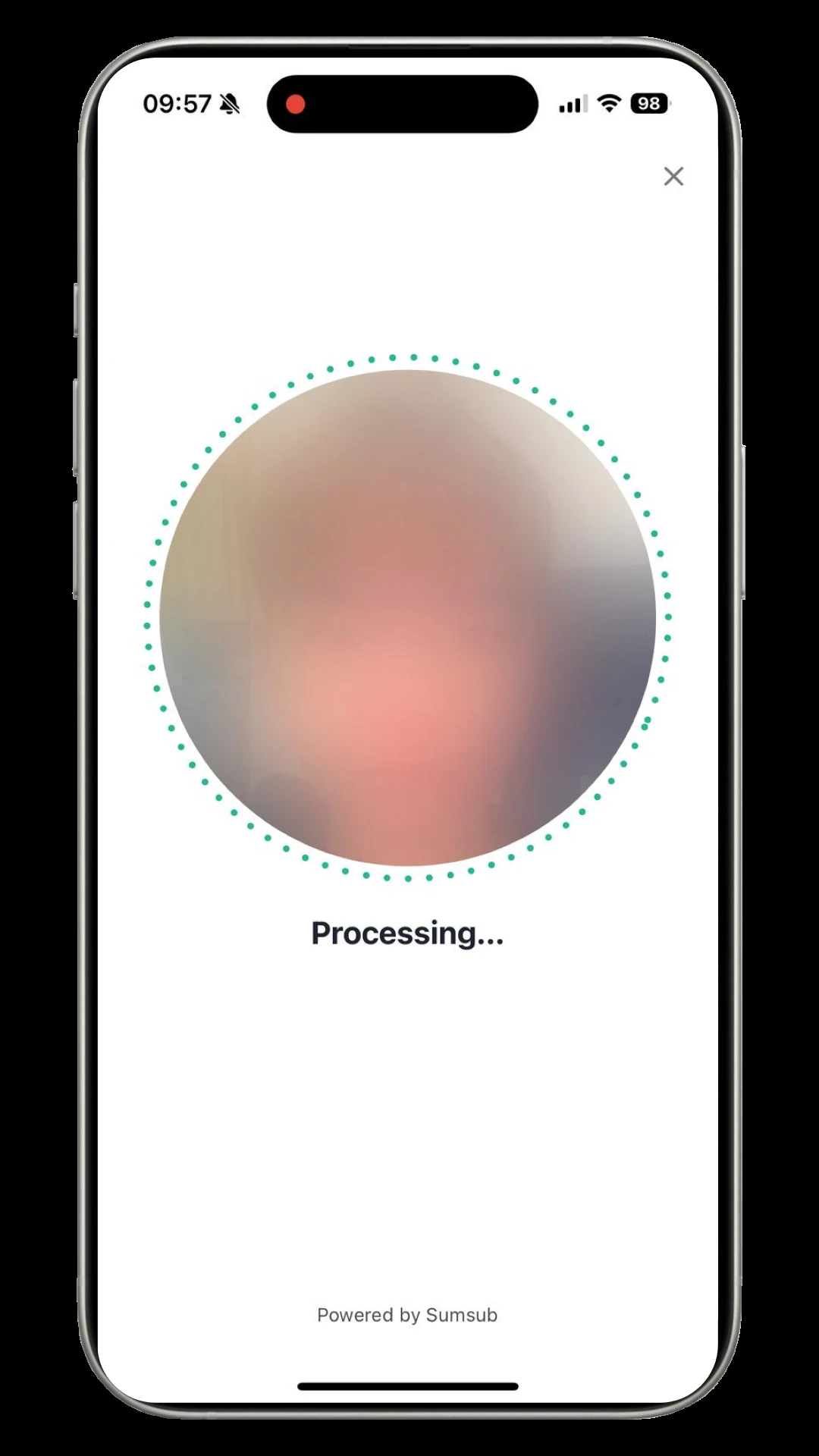
Level 2 is what unlocks cards and sending and receiving money. Level 3 adds proof of address and enhanced checks and is only needed for US dollar or euro virtual accounts and global payouts. Verification usually takes 1–3 business days, longer if KAST asks for proof of address (issued within the last 90 days) or source of funds. That is also why a card order shouldn’t wait until the day you need it.
Step 3: Order a virtual or physical card
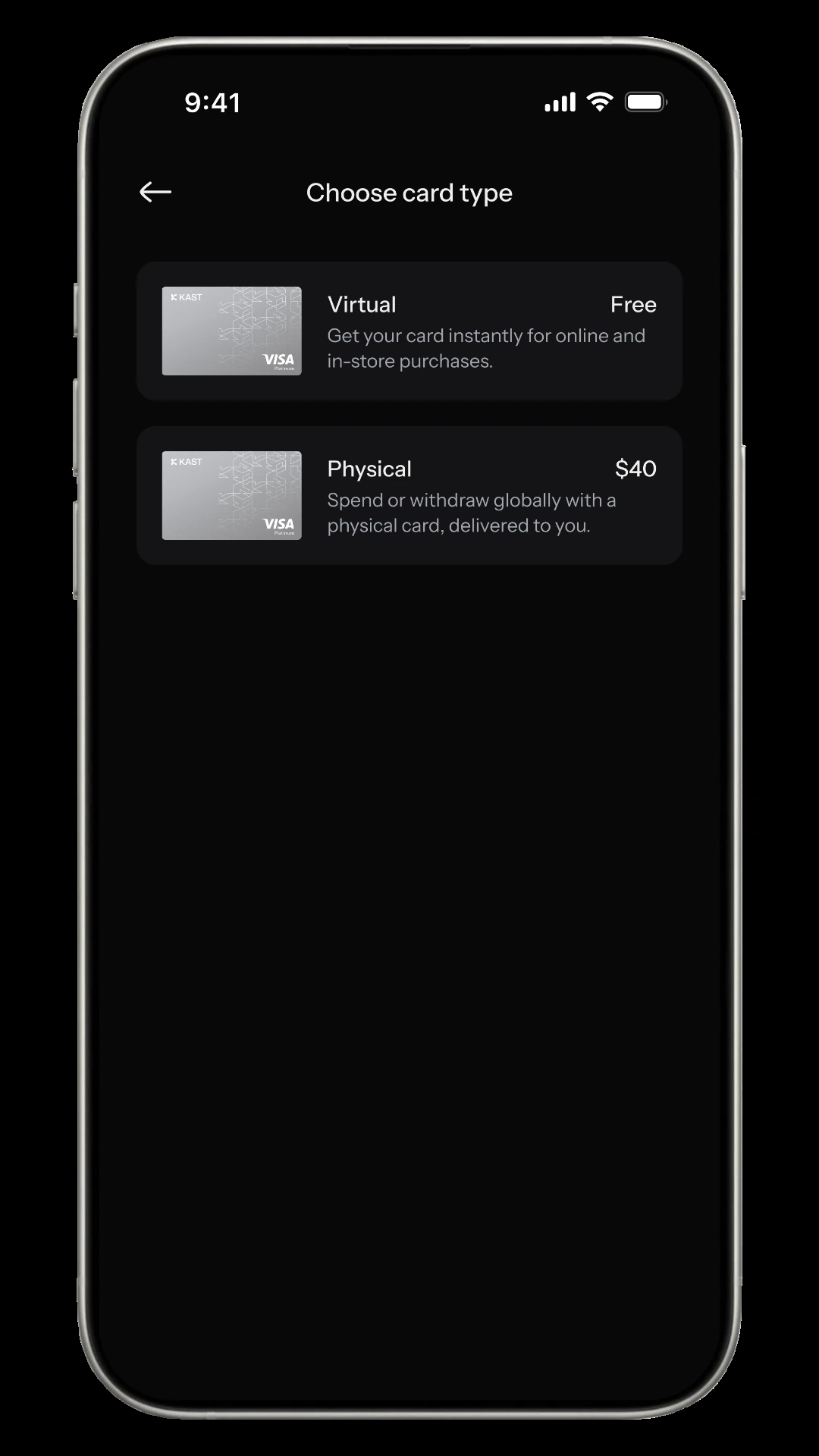
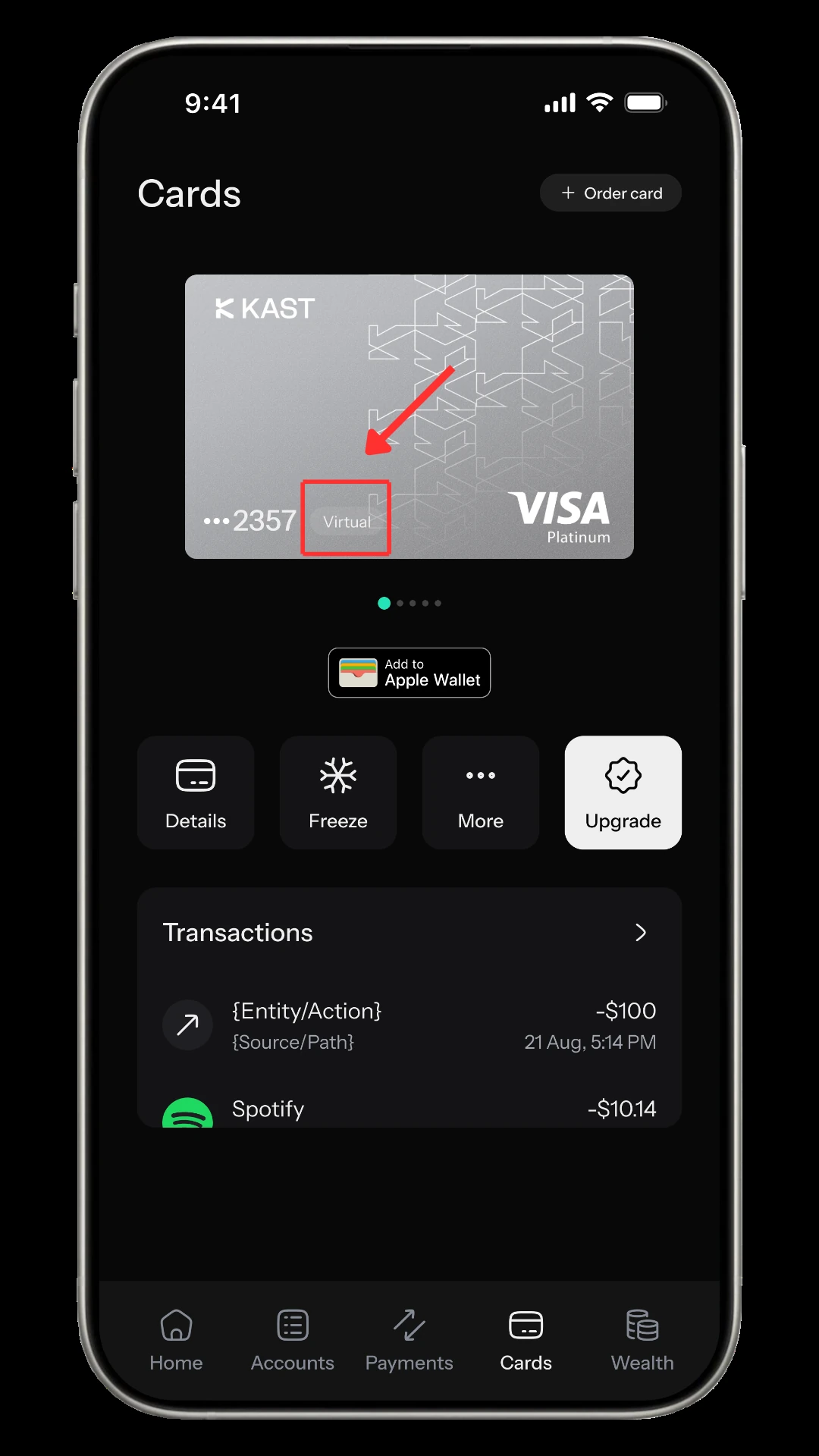
Tap the card icon, choose “Order a card”, pick the plan and then the type. Standard includes two virtual cards, but in some regions a $2 issuance fee applies even to those included cards, and the app shows the exact amount before you confirm the order. A physical card has a $0 card fee and $40 delivery. Choose “Physical + Virtual” for both. The virtual card is usable right away, shows as “Virtual” on the card page and has an Add to Apple Wallet option. KAST quotes 7–10 business days for physical delivery.
Step 4: Add stablecoins
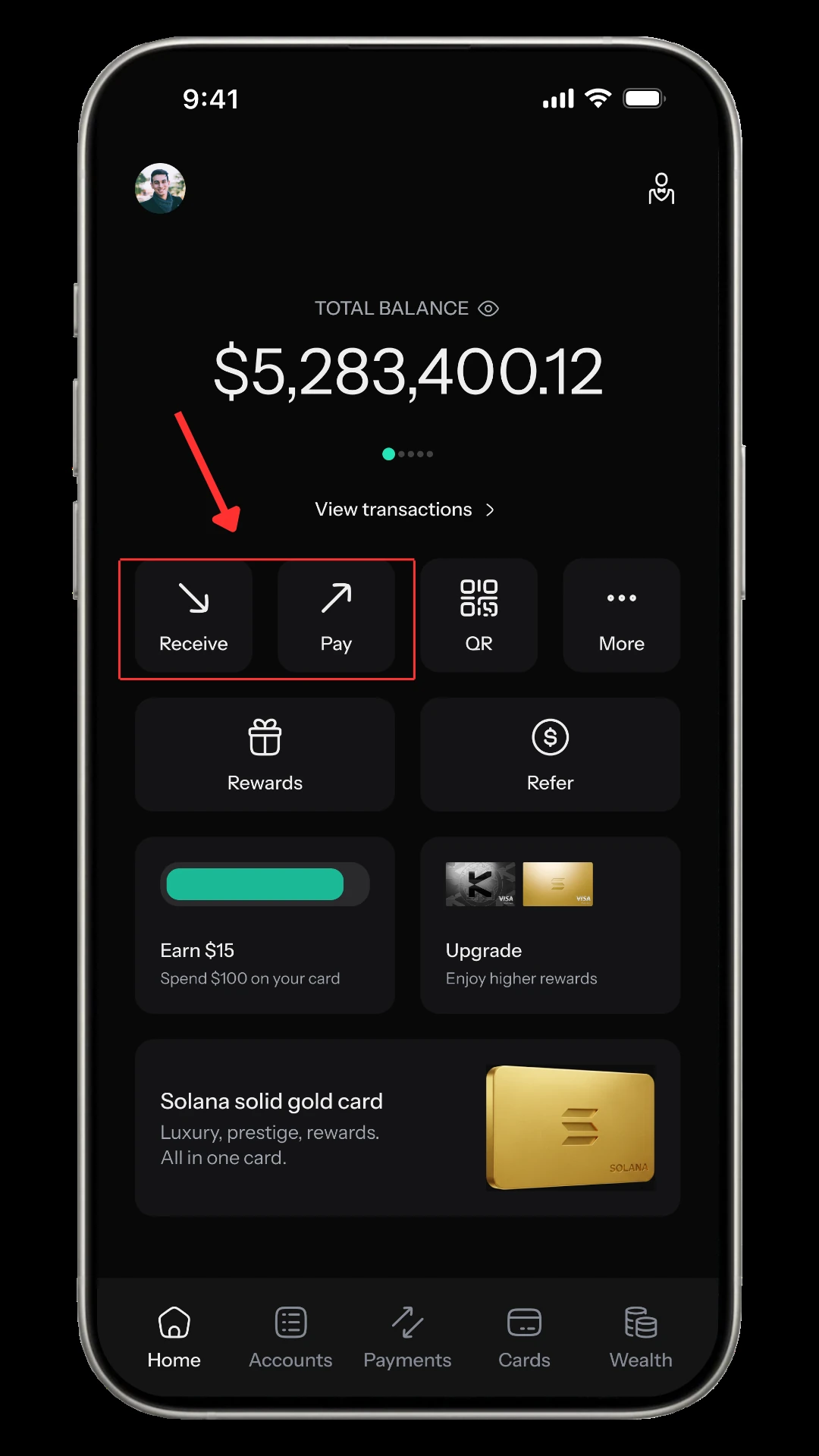
From the home screen tap Receive, choose Stablecoin, then the coin and the network. The app shows your own deposit address. KAST accepts USDT, USDC, PYUSD and RLUSD, and each coin supports a different set of networks. A wrong network can strand the funds, so send a small test amount first.
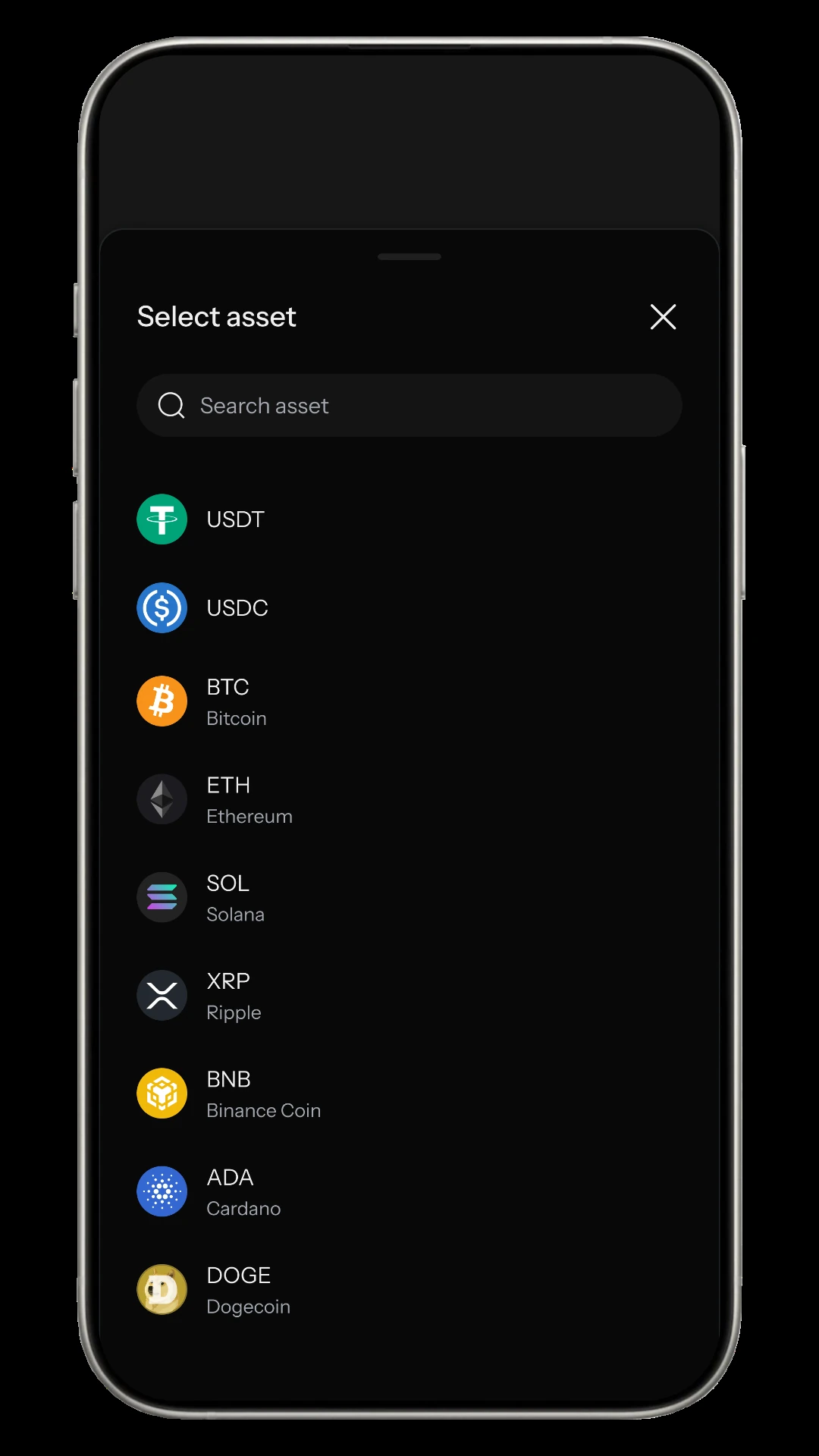
| Coin | Main networks |
|---|---|
| USDT | Ethereum, TRON, Solana, Polygon, Arbitrum, BNB Chain, TON, Avalanche C-Chain |
| USDC | Ethereum, Solana, Polygon, Arbitrum, Base, Optimism, Avalanche C-Chain, Stellar, Sonic |
KAST charges nothing for the deposit itself, but the sending wallet or exchange charges its own network fee. Other tokens are converted to stablecoins automatically, with the fee shown before you confirm. If you would rather start with a bank transfer, KAST lists USD deposits by ACH ($2), FedWire ($15) or SWIFT ($30), and euro deposits by SEPA (0.5%).
KAST Card fees: what you pay
| Fee | Amount | Note |
|---|---|---|
| Annual fee | $0 / $1,000 / $10,000 | Standard / Premium / Private |
| Physical card | $0 card fee + $40 delivery | Maximum 10 cards |
| Standard virtual card | 2 included; extra cards $2 each | In some regions $2 applies even to included cards; shown in the app before you confirm |
| Stablecoin deposit | 0% | Network fees not included |
| USD card spend | 0% | Apple Pay and Google Pay also 0% |
| Non-USD spend | 0.5%–1.75% FX | Depends on your country, the merchant’s country and the card programme; shown in the app before you confirm |
| Non-USD under $25 | $0.10 per payment | |
| Declined for low balance | $0.50 | |
| ATM withdrawal | $3 + 2% | Non-USD adds the FX fee |
| ATM limit | $500 per withdrawal incl. fees, 3 per 24 hours | Per the Help Center limits article (updated 17 Oct 2026); the card marketing page still says $250, so trust the limit your app shows |
The ATM is the most expensive thing the card does. Taking out $200 costs $3 plus $4, or $7, which is 3.5%, and non-USD withdrawals add the FX fee on top. Pay by card and use ATMs only when you need cash. There is no fixed per-transaction or daily card spending limit, though very large payments can be reviewed. You can set lower limits yourself under Limits in the app.
What KAST Card really costs: FX fee against cashback
This is the maths most reviews skip. On Standard, a payment in a currency other than USD earns 1.5% and pays 0.5%–1.75%, depending on where you live and spend.
| Monthly non-USD spend | Cashback (1.5%) | FX fee (0.5%–1.75%) | Net |
|---|---|---|---|
| $500 | $7.50 | $2.50–$8.75 | +$5.00 to −$1.25 |
| $2,000 (cashback cap) | $30.00 | $10.00–$35.00 | +$20.00 to −$5.00 |
At the top of the FX range, local-currency spending on Standard earns roughly nothing. At the bottom you keep about 1%. Look at the rate in the confirmation screen before you commit to using it as a daily card. Paying in US dollars skips the FX fee, so a $500 USD subscription budget earns the full $7.50.
The other half of the cost is getting money out. Stablecoin withdrawals cost a fixed fee plus 0.1%, and the network choice matters more than the amount.
| Network (coin) | Fee | Withdraw $200 | Withdraw $1,000 |
|---|---|---|---|
| Arbitrum (USDC) | $0.20 + 0.1% | $0.40 | $1.20 |
| Solana (USDT/USDC) | $1 + 0.1% | $1.20 | $2.00 |
| Tron (USDT) | $5 + 0.1% | $5.20 | $6.00 |
| Ethereum (USDT/USDC) | $6 + 0.1% | $6.20 | $7.00 |
Taking $200 out over Ethereum costs 3.1%; over Arbitrum, 0.2%. The minimum is $5. Bank payouts also exist: for example a payout in pounds costs $3 plus a 1% FX fee, one in Australian dollars $4 plus 1%, and a euro payout over SEPA 1% with no fixed fee. Your exchange or bank then adds its own costs, which are not on KAST’s fee page. The cheapest way to learn your real number is to run $50 through the full loop first: deposit, one card payment, one withdrawal.
Honest verdict: risks and how much to keep in KAST
Trustpilot showed KAST at 2.4 out of 5 from 229 reviews when we checked on 19 October 2026, with about a third giving five stars and most of the rest one star. Praise centres on spending stablecoins easily. The complaints are about extra document requests after approval, slow support replies, and frozen referral rewards. Those match the official picture: KAST says proof of address and source of funds may be requested, and the fee page says rewards can be changed or withdrawn.
- Expect a second review. Approval at Level 2 doesn’t rule out a later request for documents. Keep a recent proof of address and bank or exchange statements ready.
- It is not a bank. The balance is exposure to a platform. I would keep only the next month or two of planned spending in it.
- Plans and rewards change. Caps, rates and the Reserve offer can be updated, so recheck the fee page before paying for Premium or Private.
- Support can be slow. Don’t rely on it for time-sensitive money.
My view: Standard is a sensible card for USD-priced online spending and for people who already hold stablecoins. It is a weak everyday card in a non-USD currency, and I would only pay for Premium or Private if you clear the break-even spend every month.
Frequently asked questions
Which countries can use KAST Card?
KAST publishes no list. If your country appears in the sign-up dropdown you can continue to KYC; if not, KAST hasn’t launched there. Using a VPN to bypass this breaks its terms.
Is the $40 Standard fee an annual fee?
No. $40 is a one-time delivery charge for a physical card. The card itself is $0. Standard includes two virtual cards, but in some regions a $2 issuance fee applies even to those, and the app shows the amount before you confirm.
Is there a cashback limit?
Yes. 1.5% applies to the first $2,000 a month on Standard, 2% to the first $10,000 on Premium and 3% to the first $40,000 on Private. Spending above the cap earns no cashback.
What is the ATM limit?
KAST’s Help Center says $500 per withdrawal including fees, up to 3 withdrawals or $1,500 in 24 hours. The card marketing page still shows $250, so go by what the app shows.
Can I add the virtual card to Apple Pay or Google Pay?
Yes. KAST says virtual cards work wherever either is accepted, with a 0% fee, and the card page has an Add to Apple Wallet option.
Is KAST Card a bank card?
No. KAST describes itself as a fintech company, not a bank, so the balance is not a bank deposit.
Disclosure: some KAST links on this page are affiliate links; if you sign up through them we may earn a referral reward at no extra cost to you, and that doesn’t change the fees or risks described. Figures were checked against KAST’s fee page, limits article, KYC guide and country article on 27 October 2026. KAST is not a bank. This is not financial, legal or tax advice, and rates, caps and campaigns can change; check the app before you act.