
Plasma One Card Review 2026: Tiers, Fees and My Real Test
Key Takeaways
- Plasma One has three tiers: Lite (free), Core ($199/year or lock 20,000 XPL), and Platinum (lock 100,000 XPL only, no cash option) — all combining a stablecoin balance, a Visa spending card, and a variable Earn yield in one app.
- Base cashback is tiered by monthly spend, not a flat headline rate: Lite is a flat 2%; Core pays 3% on the first $1,000 that month, tapering down to 0.25%; Platinum pays 4% on the first $3,000, tapering down to 1%.
- Funding supports USDT, USDC, USDG, plus USD, EUR and GBP.
- Earn puts idle stablecoin balances into third-party DeFi lending for variable yield; it is not a bank deposit.
- The virtual card works with Apple Pay and Google Pay for everyday contactless spending.
- Cashback is paid out in XPL or Spending Credit, not cash dollars.
- Lite is the lowest-risk way to try the card; Core’s $199/year only pencils out once you count the AI cashback and perks on top of the base 3% tier.
Last updated: November 8, 2026.
What Is Plasma One?
Plasma One puts three things in one app: holding stablecoins, spending with a card, and earning variable yield on balances you’re not spending yet. The card itself runs on the Visa network. Under the terms effective November 6, 2026, Plasma One cards come from two programs: one issued by Third National with Rain as program manager, the other issued by Lead Bank with Stripe Issuing as the processing platform. UK and EEA residents may instead be issued by a Stripe entity. Which one you get is named in the Card Terms shown at application, and I found no official page that maps it to a given country. Fiat and account services are handled separately by Bridge, with the specific entity depending on where you live: Bridge Building Inc. for US residents, Bridge Building Sp. z o.o. for the EEA, and Bridge Building Limited everywhere else.
Plasma doesn’t custody your assets, and the official pages are explicit that your stablecoin balance is not a bank deposit. That’s why I treat this as a “stablecoin wallet you spend from,” not a place to park real savings — load it with what you’re planning to spend that month.
My Taiwan MRT Test: Price, Debit and Net Cashback
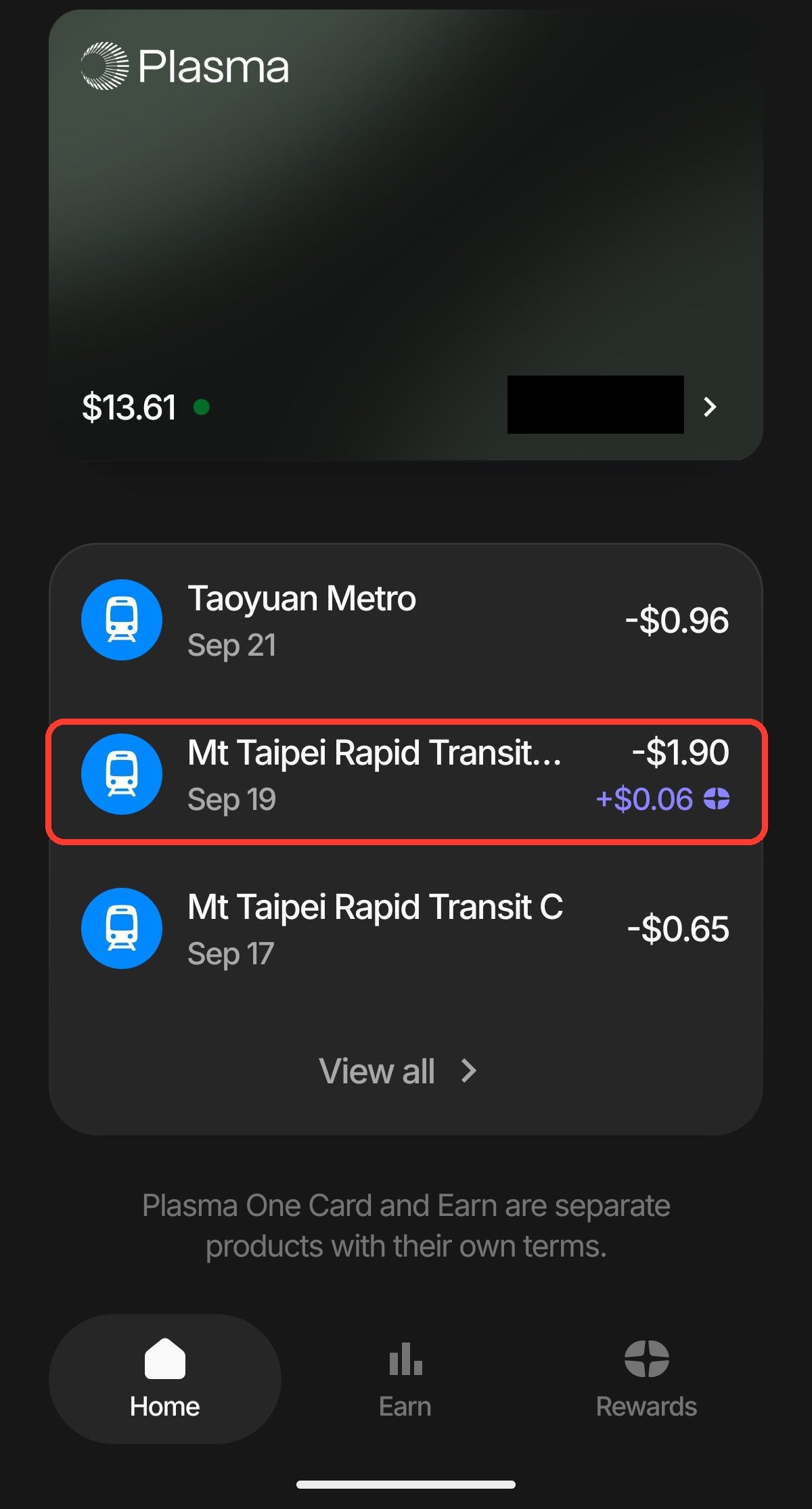
A Core virtual card worked through mobile wallet tap-to-pay on both the Taipei and Taoyuan metro systems. Here is the debit and cashback on one of those rides, from September 19:
- Price: 60 New Taiwan dollars.
- Actual debit: US$1.90.
- Same-day Visa rate: the official Visa calculator for September 19, with the bank fee set to 0%, gives US$1 = 31.761 New Taiwan dollars; 60 New Taiwan dollars converts to US$1.8891.
- Observed FX cost: about US$0.0109 (0.58%) more than the Visa benchmark.
- Net cashback: the US$0.06 cashback, after subtracting the FX difference, nets out to about US$0.0491 (2.60%, before the annual fee or funding costs).
Most crypto cards like this can be opened from Taiwan; the real comparison point is the reward asset, how long payout takes and the claim threshold — not whether you can sign up at all.
X user @COMMA_LLL (2026-09-10)
Physical-Card ATM Withdrawal Test
An ATM withdrawal in Taiwan on the Plasma One Core physical card at 9:32am on September 29, paid out in local currency, carried an FX cost of about 1.50%.
- Withdrawal amount: 15,000 New Taiwan dollars.
- App debit: US$479.20 (shown as Pending, final amount may adjust), at a displayed rate of US$1 = 31.30217 New Taiwan dollars.
- Same-day Visa rate: the official Visa calculator, with the bank fee set to 0%, gives US$1 = 31.771 New Taiwan dollars, which converts to about US$472.13.
- Observed total cost: about US$7.07 (roughly 224.66 New Taiwan dollars) more than the Visa benchmark — about 1.50%.
- Fee comparison: official docs list a 0.5% Core markup plus the usual roughly 1% Visa network fee; plugging in 1.5% on the calculator gives US$479.21, only US$0.01 off this debit. The app doesn’t itemize the fee separately.
- Withdrawal cashback: none — ATM withdrawals don’t earn cashback.
Lite, Core and Platinum: Fees and Cashback
| Item | Lite | Core | Platinum |
|---|---|---|---|
| How you get it | Free | $199/year or lock 20,000 XPL (12 months) | Lock 100,000 XPL only (12 months), no cash-purchase option |
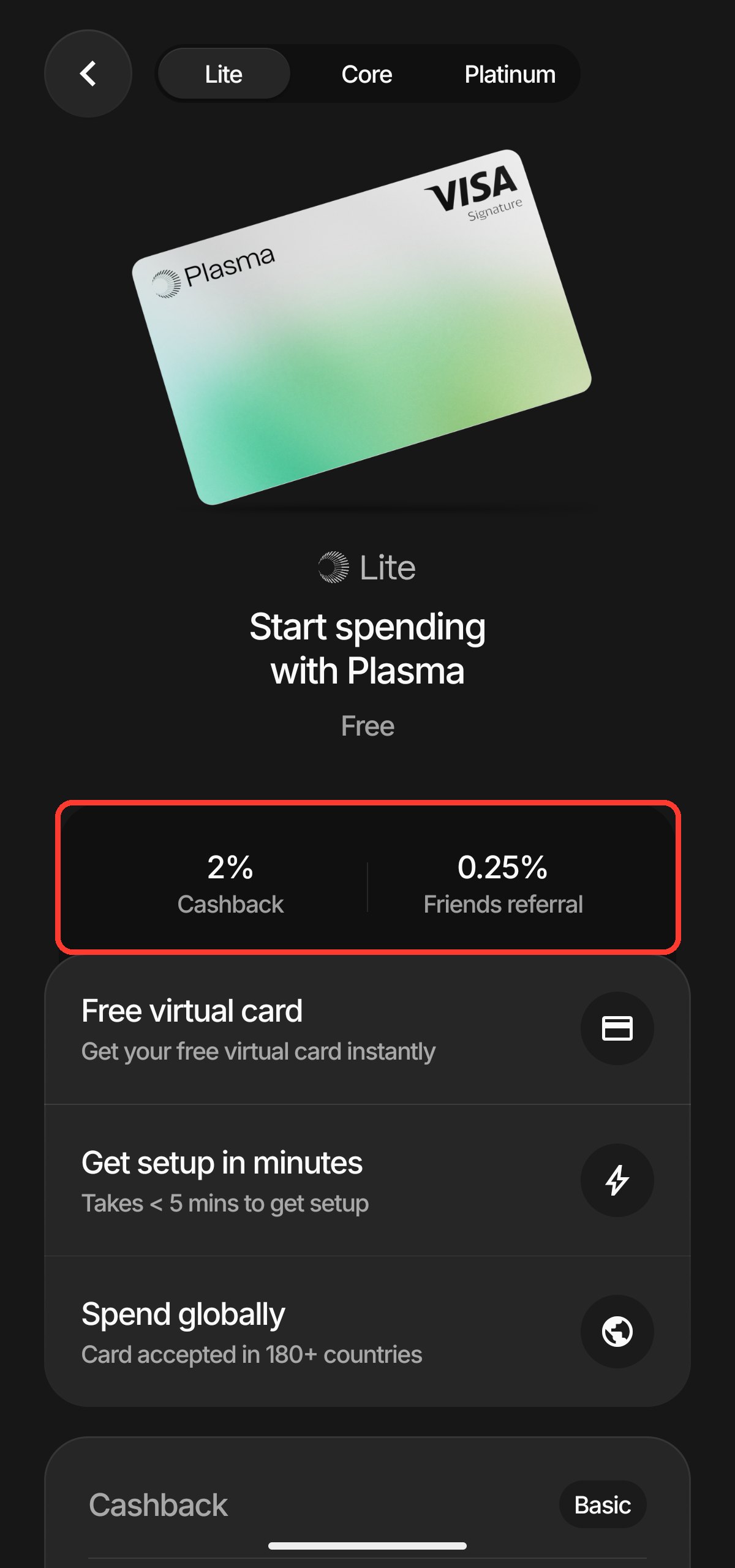
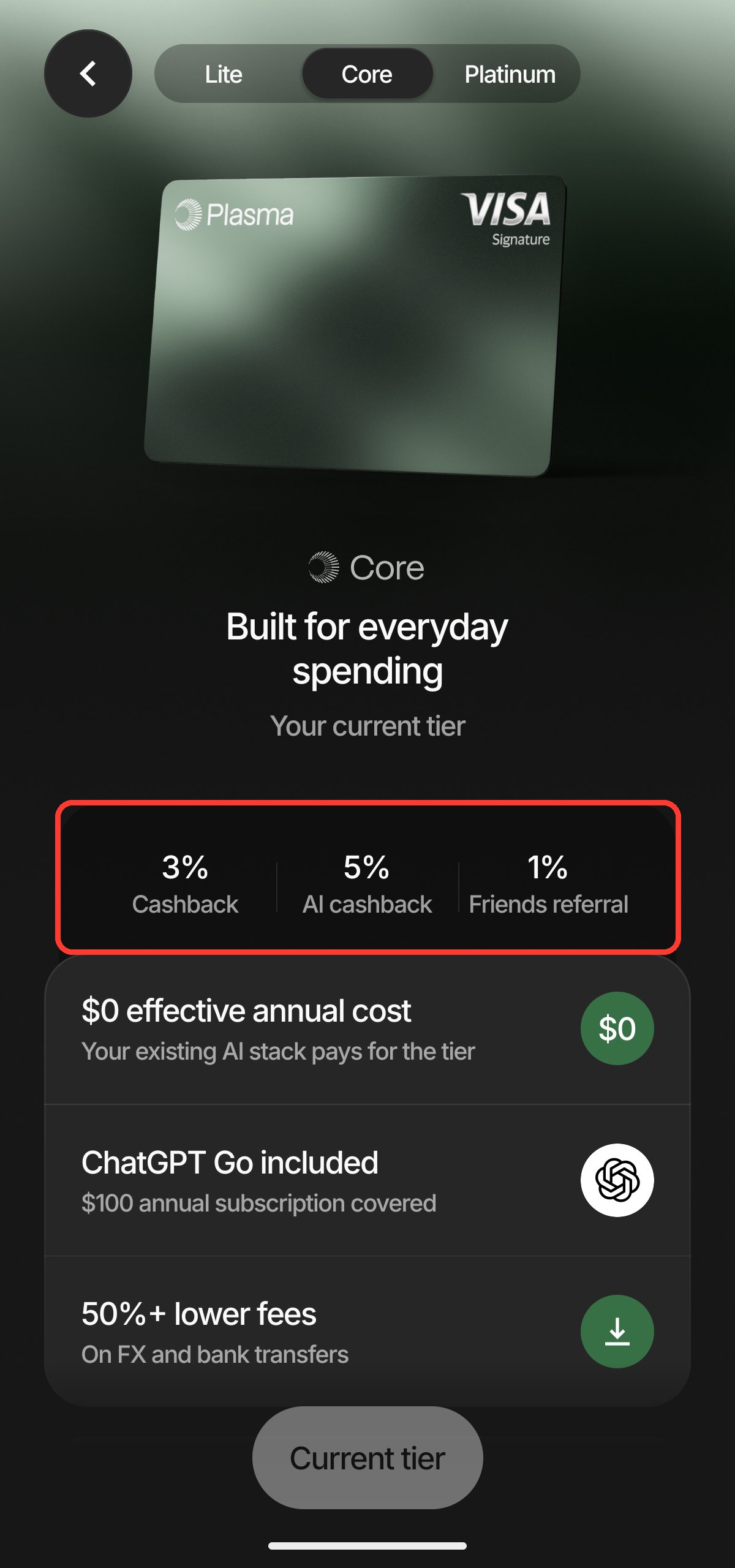
| Base cashback (tiered by monthly spend) | Flat 2% all month | First $1,000 = 3% / next $1,000 = 2% / next $1,000 = 1% / remainder 0.25% | First $3,000 = 4% / next $7,000 = 3% / next $5,000 = 2% / remainder 1% |
| AI spending cashback | None | 5% (first $500/month of qualifying AI spend, max $25 cashback) | 10% |
| Referral cashback | 0.25% (3 months) | 1% (3 months) | 1% (6 months, uncapped) |
| Fee tier (FX) | Standard fees | Reduced fees (official marketing says “lower fees,” no formula given) | No added fees — FX fee absorbed by Plasma |
| Visa tier | Not named by Plasma | Visa Signature | Visa Infinite |
| Free virtual cards | 1 | Up to 2 | Up to 3 |
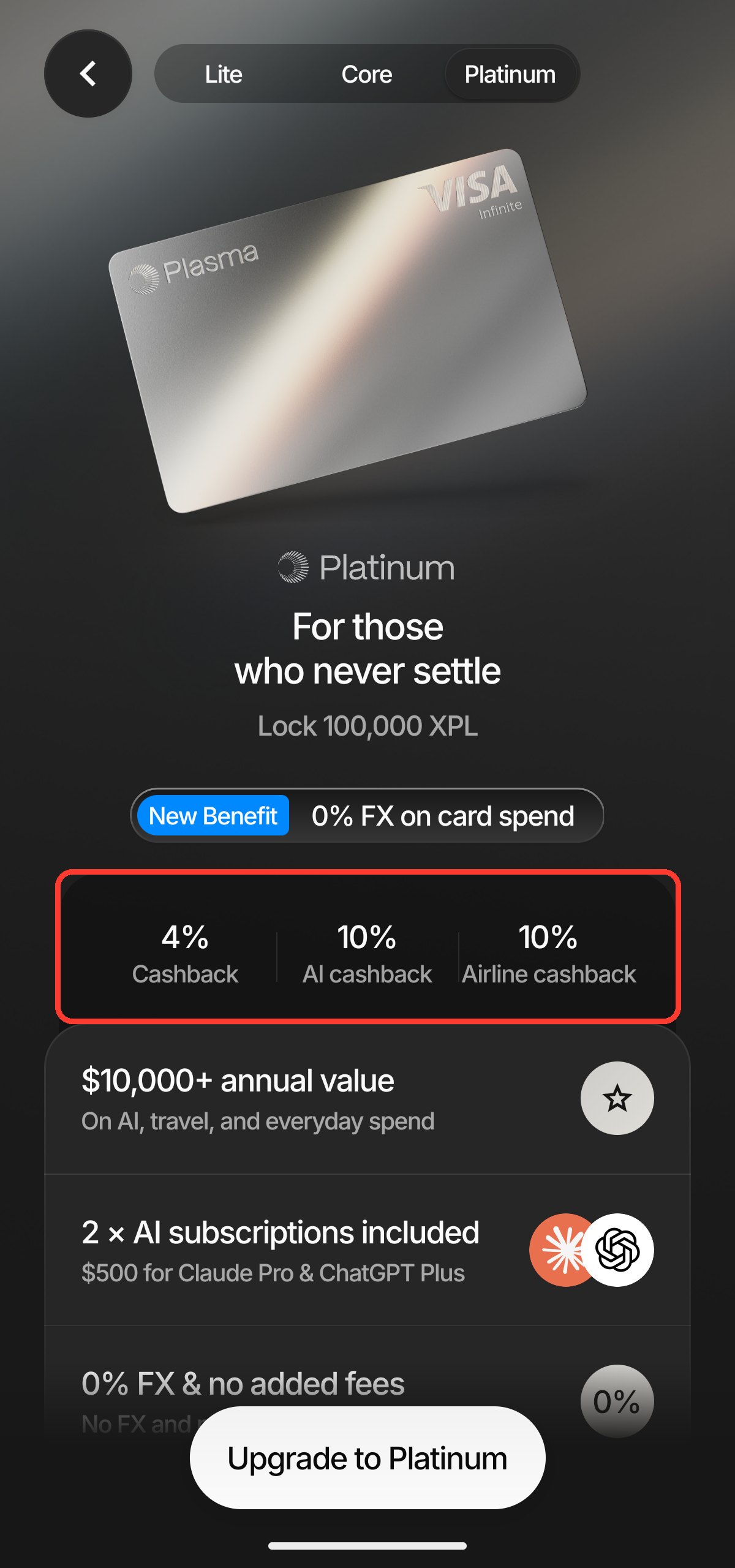
| Extra perks | None | ChatGPT Go (~$100/year value) | Claude Pro + ChatGPT Plus (~$250/year value each), airport lounge access, Visa Concierge, travel/rental-car insurance, global eSIM, 10% cashback on named airlines (capped at $600/year) |
The Lite page is worth checking first for the free plan and flat 2% base rate — if you’re just testing the card, that’s where I’d start too. Core’s screen is the one to check if you’d actually use the 5% AI cashback and the ChatGPT Go perk; those, not the base rate, are what justify its fee.
Platinum’s screen is worth a longer look specifically because of the lock: you’re committing 100,000 XPL for 12 months, so a drop in XPL’s price can erase a full year of the extra cashback before you’ve spent a dollar.
Which Tier Actually Suits You
Laying out the official tiered rates side by side reveals something most coverage skips: Core’s base cashback tops out at only US$10/month more than Lite. The first $1,000 is 3% vs. 2% (a $10 gap); the next $1,000 is 2% on both; once you’re spending past $2,000/month, Core actually drops to 1% and then 0.25%, while Lite’s flat 2% pulls ahead. That’s at most US$120/year extra, which doesn’t cover the $199 annual fee on its own — so whether Core is worth it comes down to whether you’ll use its extra perks, not the base rate.
| Tier | Good fit if | Not a great fit if |
|---|---|---|
| Lite (free) | You’re new to crypto cards, spend under $2,000/month, and just want a steady 2% base rate | You already pay for an AI subscription and want AI-spend cashback on top |
| Core ($199/year or lock 20,000 XPL) | You’re already paying for ChatGPT, have recurring AI-service spend, or travel and want lower FX fees | You’re only chasing the base rate — the first-tier 3% alone won’t cover the fee |
| Platinum (lock 100,000 XPL) | You already hold a large, long-term XPL position, spend heavily each month, and travel often enough to value the FX-fee waiver | You’d buy and lock XPL purely for the cashback — token-price swings can erase a year of rewards |
My read: most readers do fine starting on Lite, running a card for a month or two to see how cashback actually lands, before deciding whether the AI rewards and perks justify upgrading to Core. You can move between Lite and Core later — there’s no reason to pay the annual fee before confirming you’ll actually use the card regularly.
Checking Cashback (and a Past Olive Young Offer Example)
Open Rewards in the app, and “All time rewards” shows your cumulative cashback.
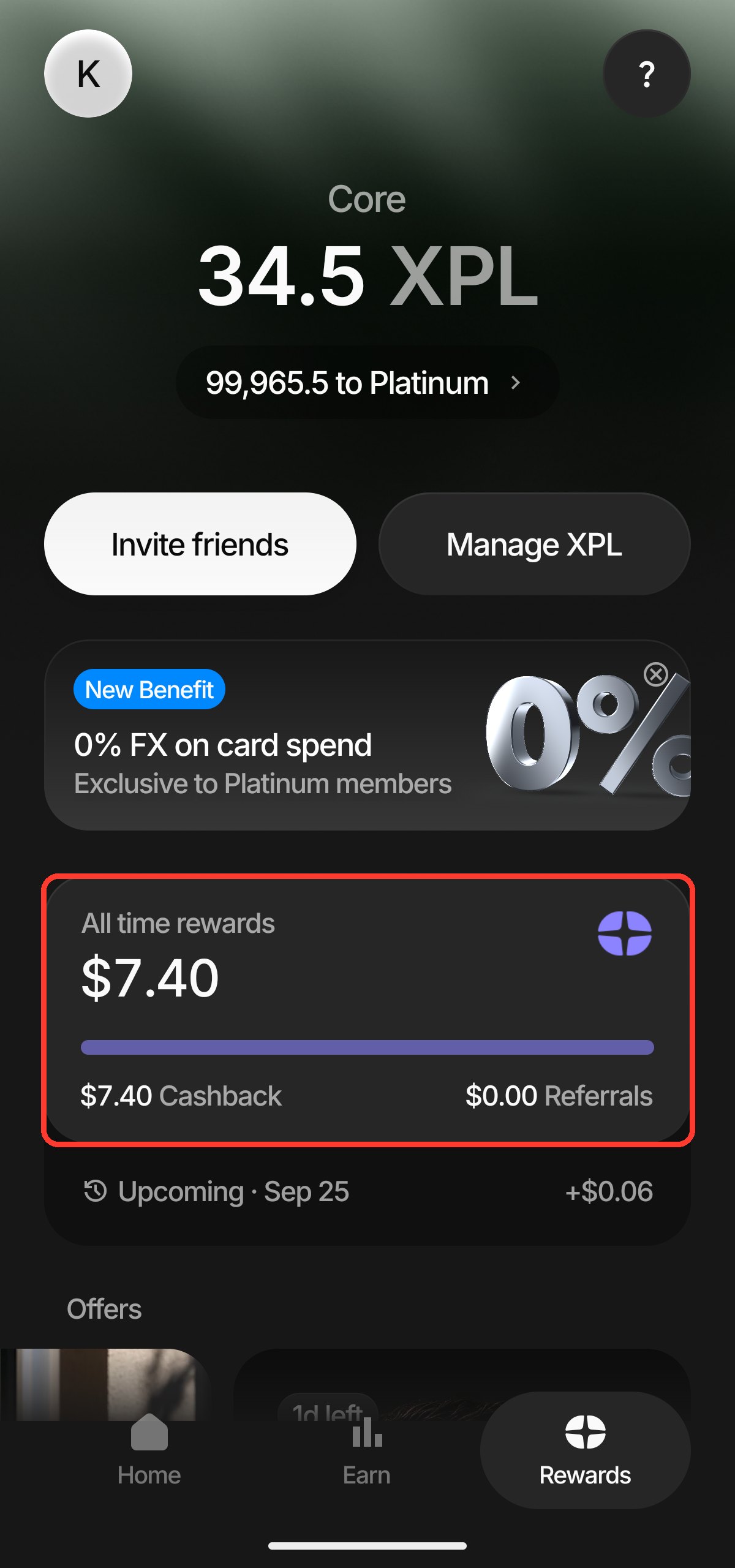
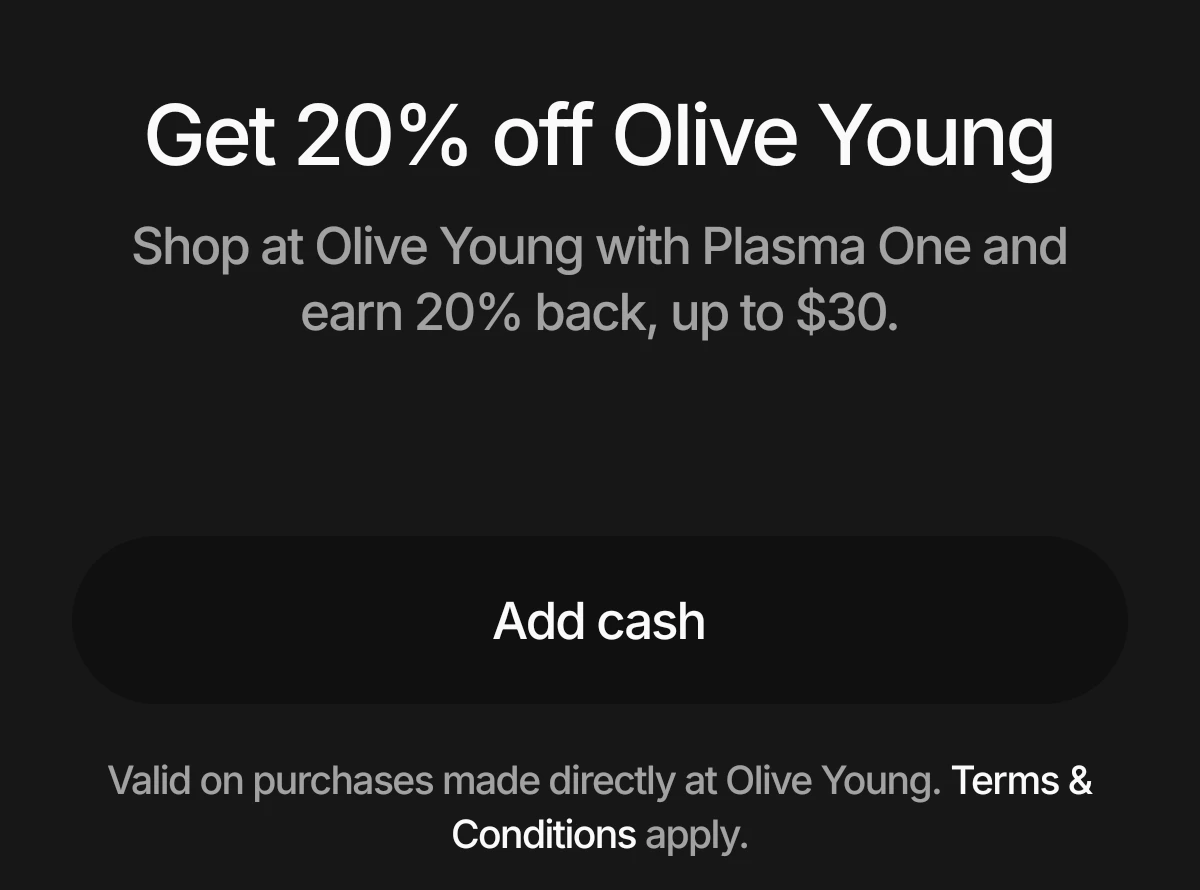
This same Rewards tab is also where Plasma surfaces limited-time Offer Boosts. On September 28 my app showed a Korea Blockchain Week tie-in offer for Olive Young — and as of this update (October 17), that specific offer has already ended: Plasma’s own terms page confirms the window closed at 23:59:59 UTC on October 4, 2026, with no renewal listed. I’m keeping it here only as a worked example of how these Boosts actually behave in the app, not as something you can still claim:
- Rate and cap: 20% cashback, capped at $30 per account, reached once you’d spent $150 — and it replaced the base cashback rate rather than stacking on top of it.
- Window: 00:00 UTC on September 28 through 23:59:59 UTC on October 4, 2026 (the in-app Offer Surface could show a locally adjusted window).
- Qualifying spend: only visible to accounts shown the offer, and only at Olive Young’s physical stores, its Korean online store, or Global Mall.
- Payout: after a 14-day hold and review, paid out in XPL — not guaranteed on day 14.
If you check your own Rewards tab and see a different Boost live right now, treat the mechanics above (cap, replace-vs-stack, hold period) as the template for how to read it, not this specific offer’s dates.
If you’d rather compare against a lighter stablecoin card that skips the XPL lock entirely, the crypto card comparison is worth a look first.
Registration and Identity Verification
Before I started, I had a clear, valid ID and proof of address ready. The rejection case further down is a reminder to check the file type and date on your address proof against the upload requirements too — getting your ID, passport and address proof into a current, legible state on the first try saves more time than fixing a rejection afterward.
- Download and open the Plasma One app, then start registration.
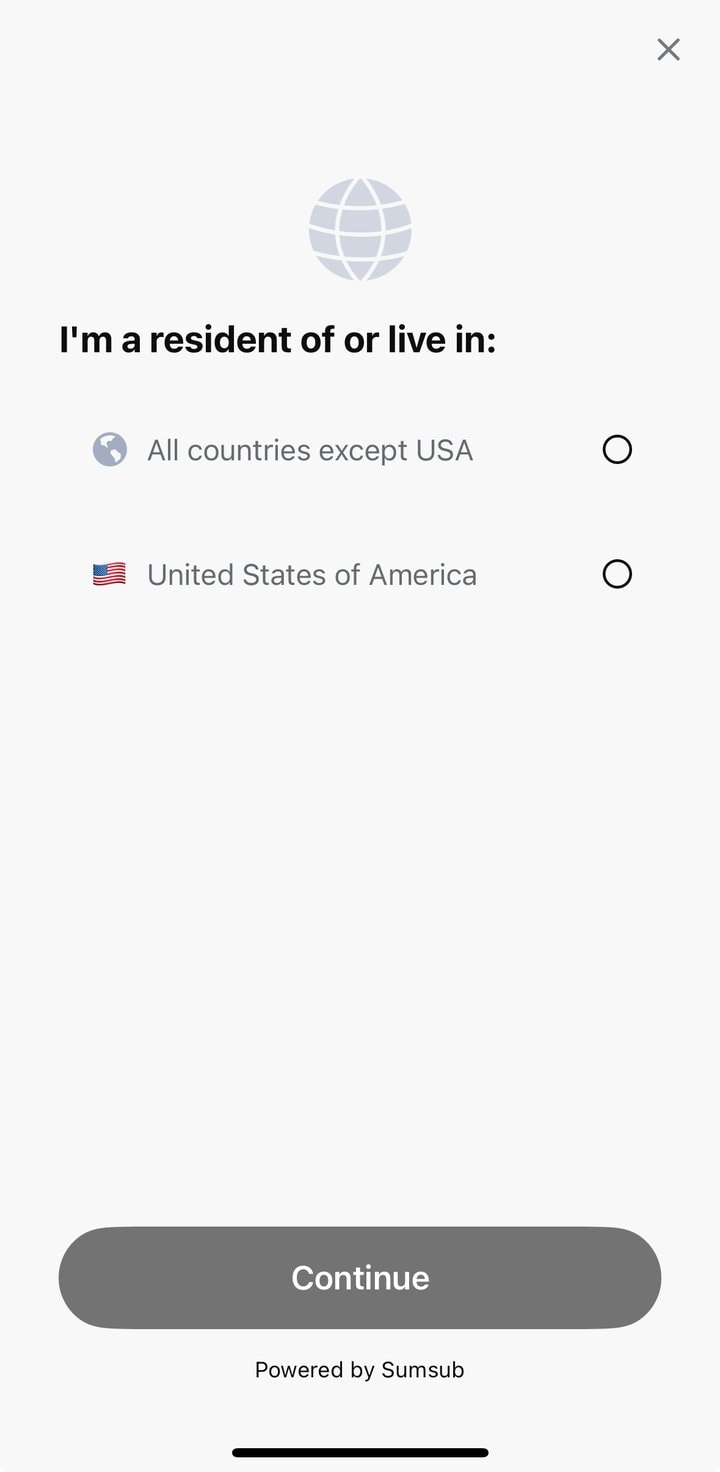
- In the app, select your country/region of residence. On my account, the residency selector grouped options under “All countries except USA” (screenshot below) — see the note on US eligibility right after this list.
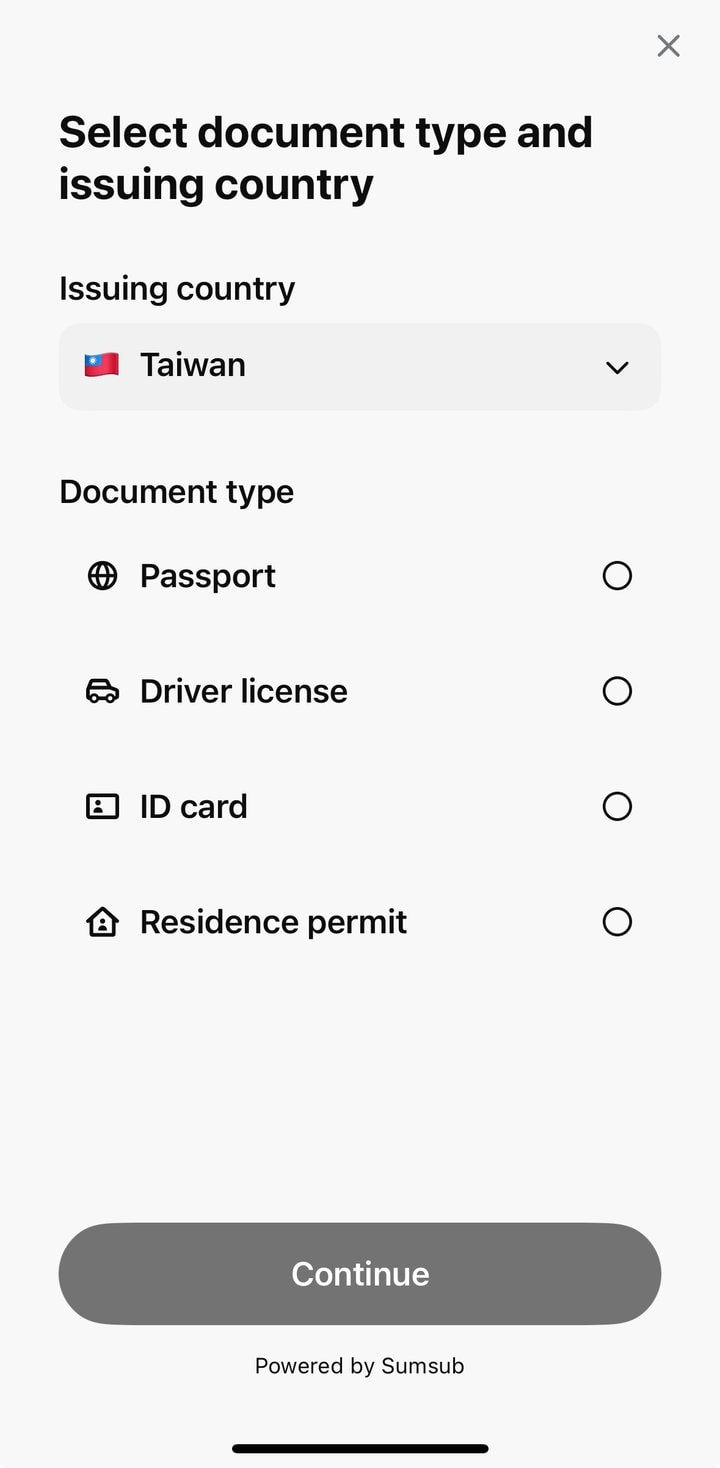
- Move into identity verification. The provider is officially named as SumSub: select your issuing country (Taiwan, in my case) and ID type.
- Photograph your document and complete address verification; I entered my actual Taiwan address.
- Once verified, your virtual card activates and you can add it to Apple Pay or Google Pay immediately.
Before you continue, pick your residence based on where you actually live — the screen I saw groups everything as “all countries except USA,” which is the non-US path shown in the screenshot below.
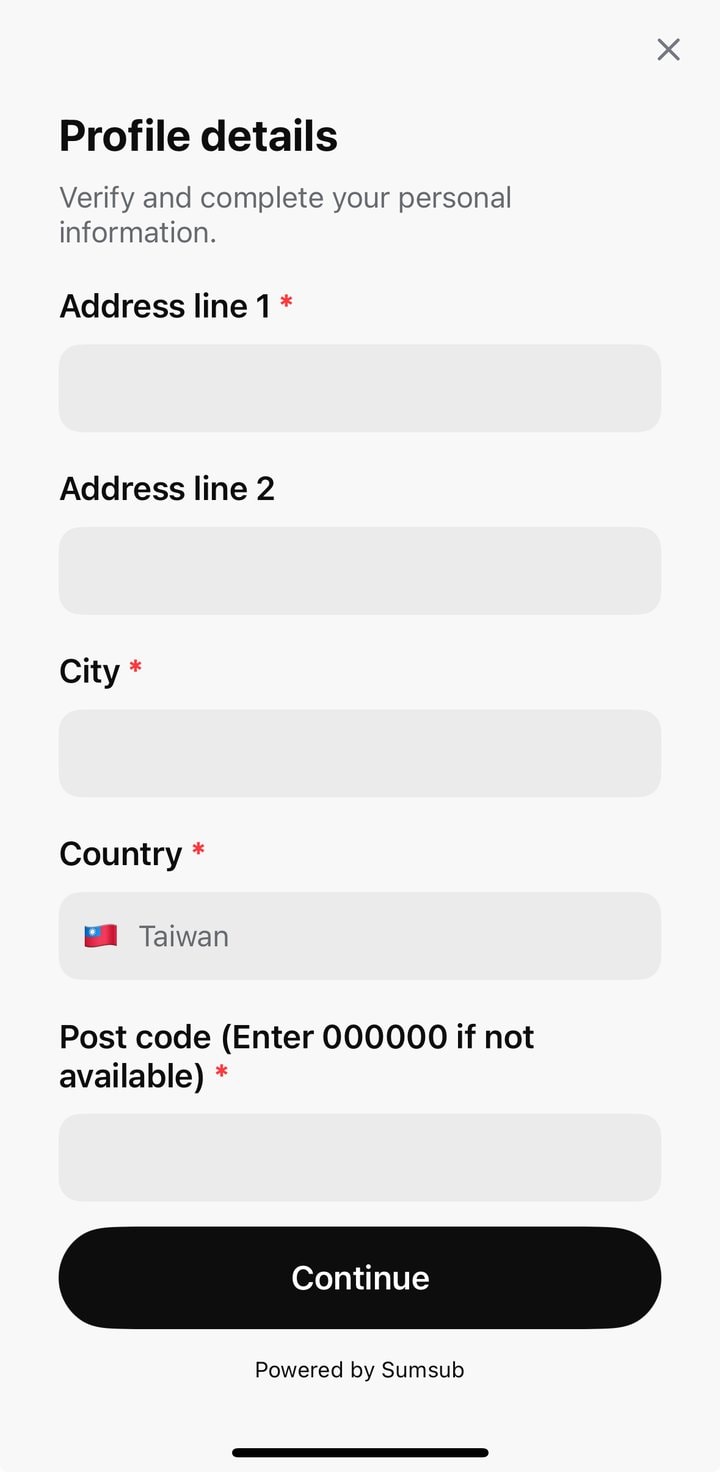
For the address step, I selected Taiwan and used my real address; it needs to match whatever proof document you submit next.
In document verification, I set the issuing country to Taiwan, then chose the document type I was submitting.
One Trustpilot user reported being permanently locked out after a single address-proof upload error, and said re-applying with a fresh passport still didn’t fix it (reported 2026-09-23). That’s not typical of most sign-ups, but it’s a good reason to get your documents right before you submit, not after.
How to Deposit Funds: Assets and Networks
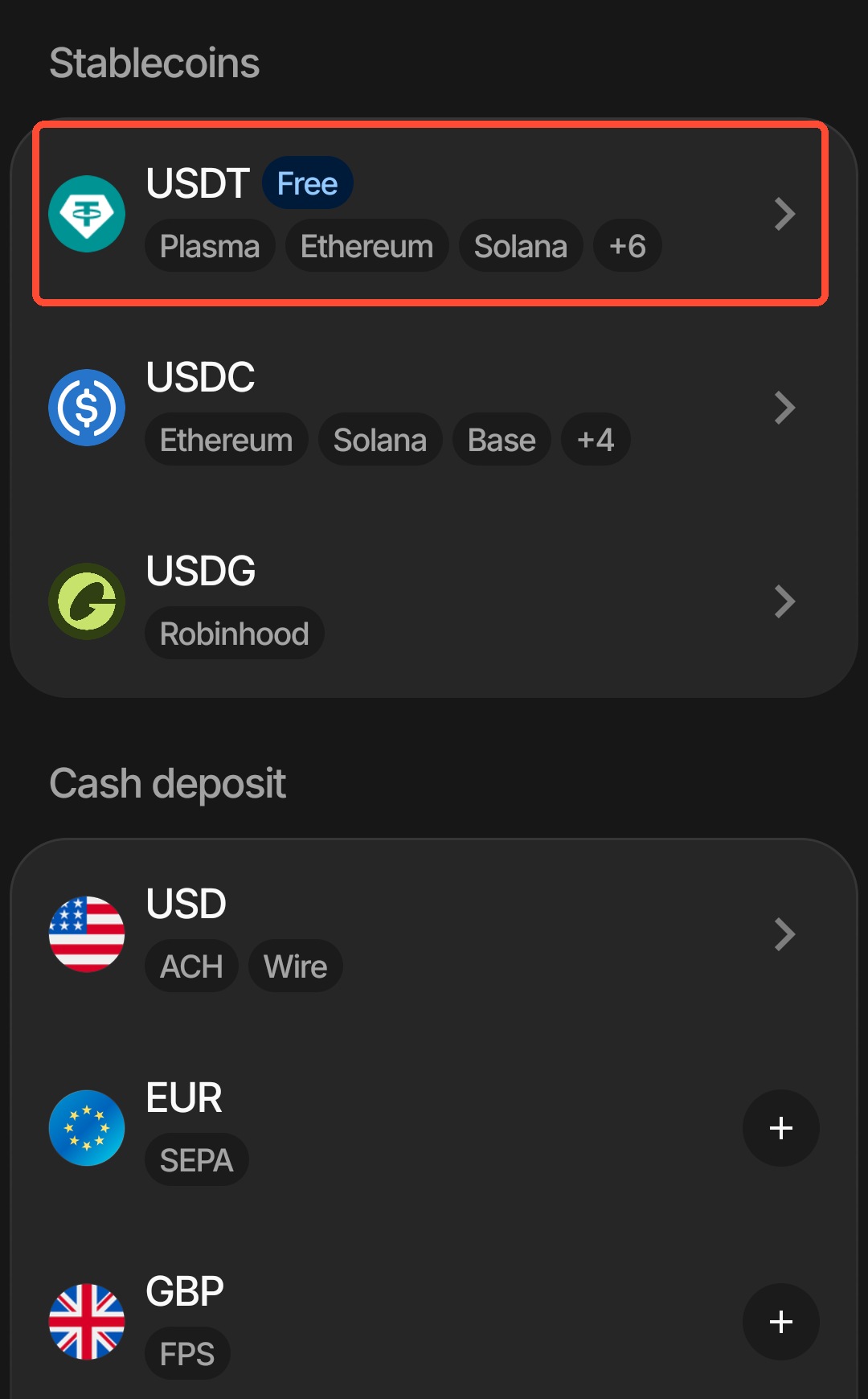
Plasma’s official zero-fee claim applies only to USDT routed over the Plasma network — other networks carry a separate third-party fee. The Add Funds screen I saw on September 28 listed USDT alongside USDC, USDG (issued by Robinhood), and fiat funding in USD, EUR and GBP. That’s what my app actually showed; the official page only says “multiple chains supported” without publishing the full list.
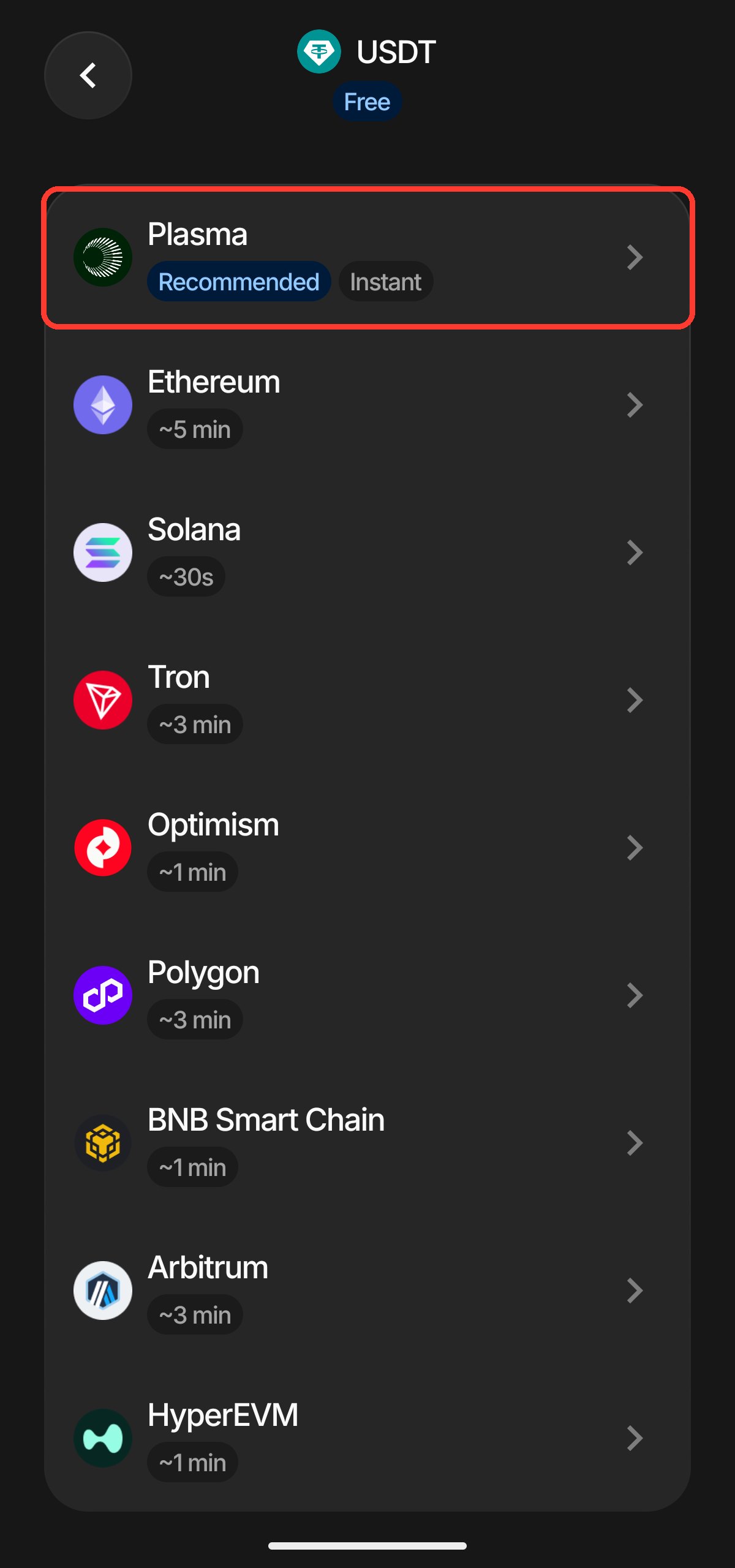
- USDT: routing over the Plasma network is the suggested path in the app — no fee, near-instant.
- USDC, USDG: also depositable directly; the settlement network depends on what the app currently displays.
- Fiat: USD, EUR and GBP can be funded through a virtual account; actual settlement speed follows whatever the official source or the app currently shows.
If your USDT sits on MEXC: since November 7, users have reported on X that USDT sent from MEXC to Plasma One is refused. The terms and Help Center carry no such notice. I would send a small test first and move the rest only after it lands, or route through another wallet or exchange.
From the home screen, tap Add funds and pick the currency you’re sending. The screenshot below is from my own September 28 app session — the highlighted box is the USDT entry, with USDC, USDG and fiat rails listed below it.
After selecting USDT, double-check the deposit network. My app marked Plasma as Recommended / Instant; whatever you’re sending from needs to match that same network — don’t just match the token name and hit send.
Getting paid through Deel (October 2026): Plasma’s official X post with payroll platform Deel sums it up as “Get paid with Deel, spend with Plasma.” Deel said the same day that workers can choose to receive their pay in stablecoins in the Deel app, arriving within minutes. If you are a remote worker paid through Deel, you can move that stablecoin pay into Plasma One and spend it with the card; the coins and countries on offer are shown in the Deel app.
Virtual Card, Mobile Wallet, Limits and Physical Card
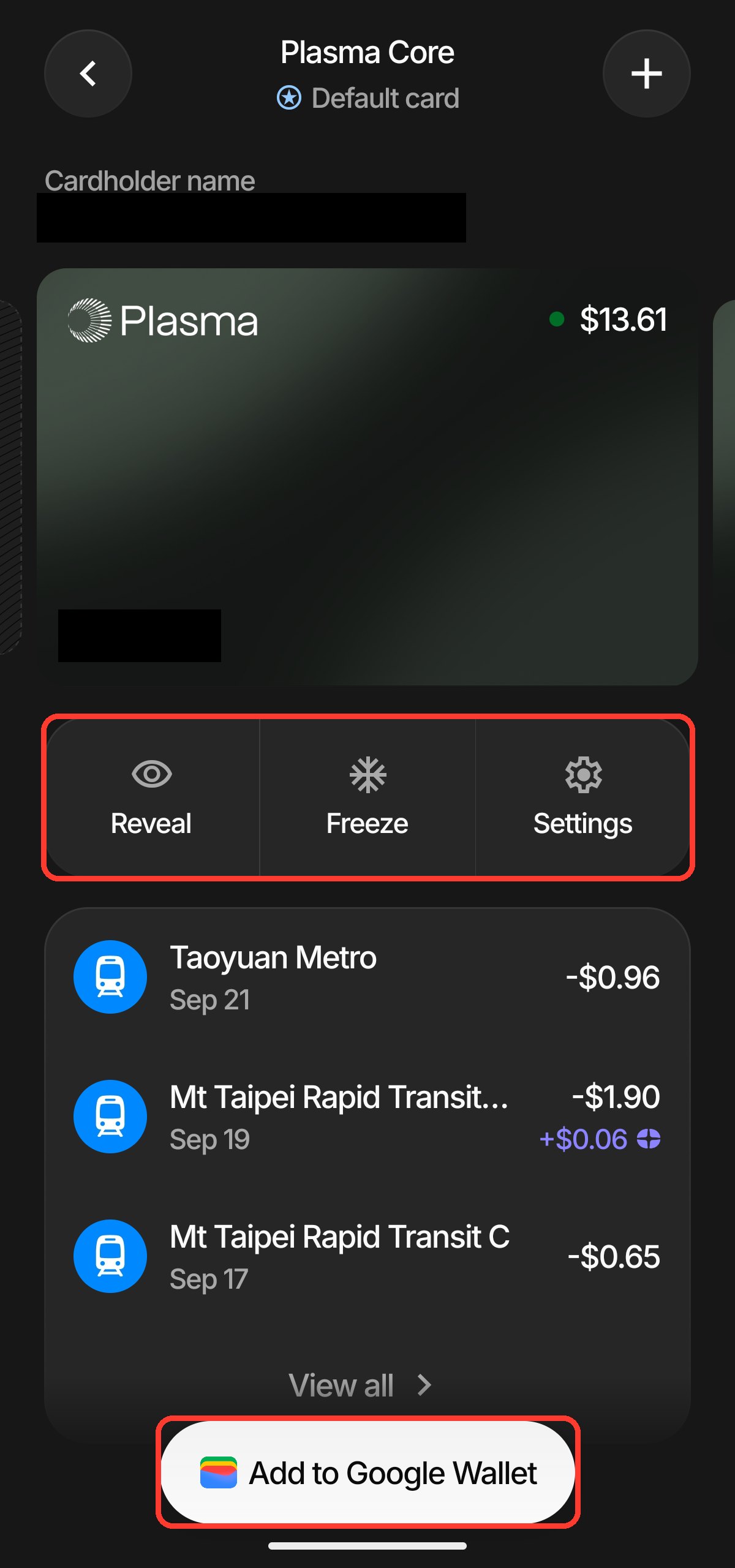
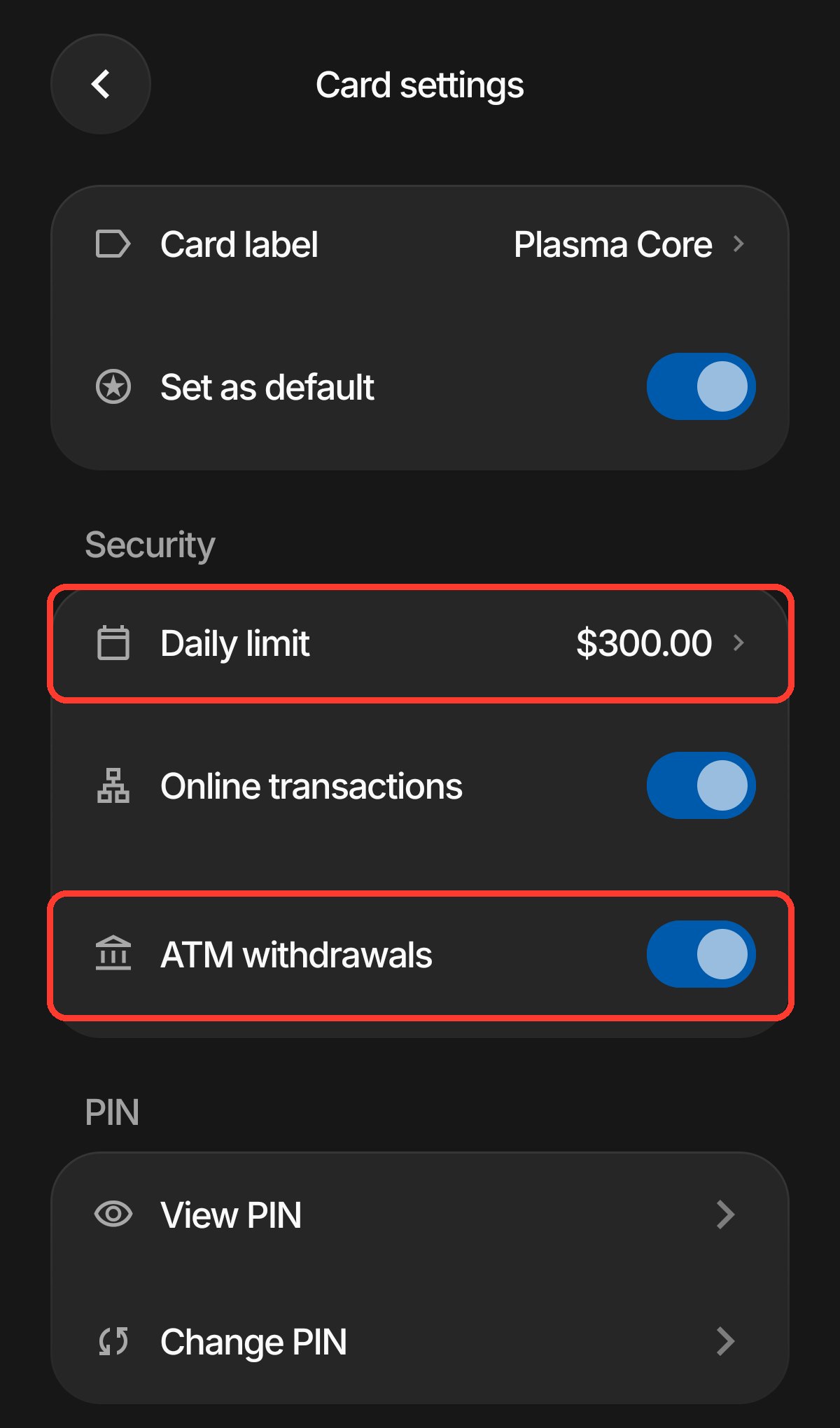
Once your virtual card is issued, adding it to Apple Wallet or Google Wallet is almost the same flow either way, and the card’s own settings let you Reveal the full number or Freeze the card. My account currently shows a US$300 daily limit and a separate ATM-withdrawal toggle — that’s what my app displays; Plasma doesn’t publish one universal limit, so check what your own account actually shows.
On the virtual card screen you’ll see Freeze, Settings, and Add to Google Wallet. For everyday tap-to-pay, use the wallet entry point — there’s no need to screenshot or save the full card number.
To check your spending limit or the ATM toggle, go into Card settings — Plasma groups these under a Security settings section. The screenshot below is my account’s setup from September 24, where US$300 was the daily limit at the time.
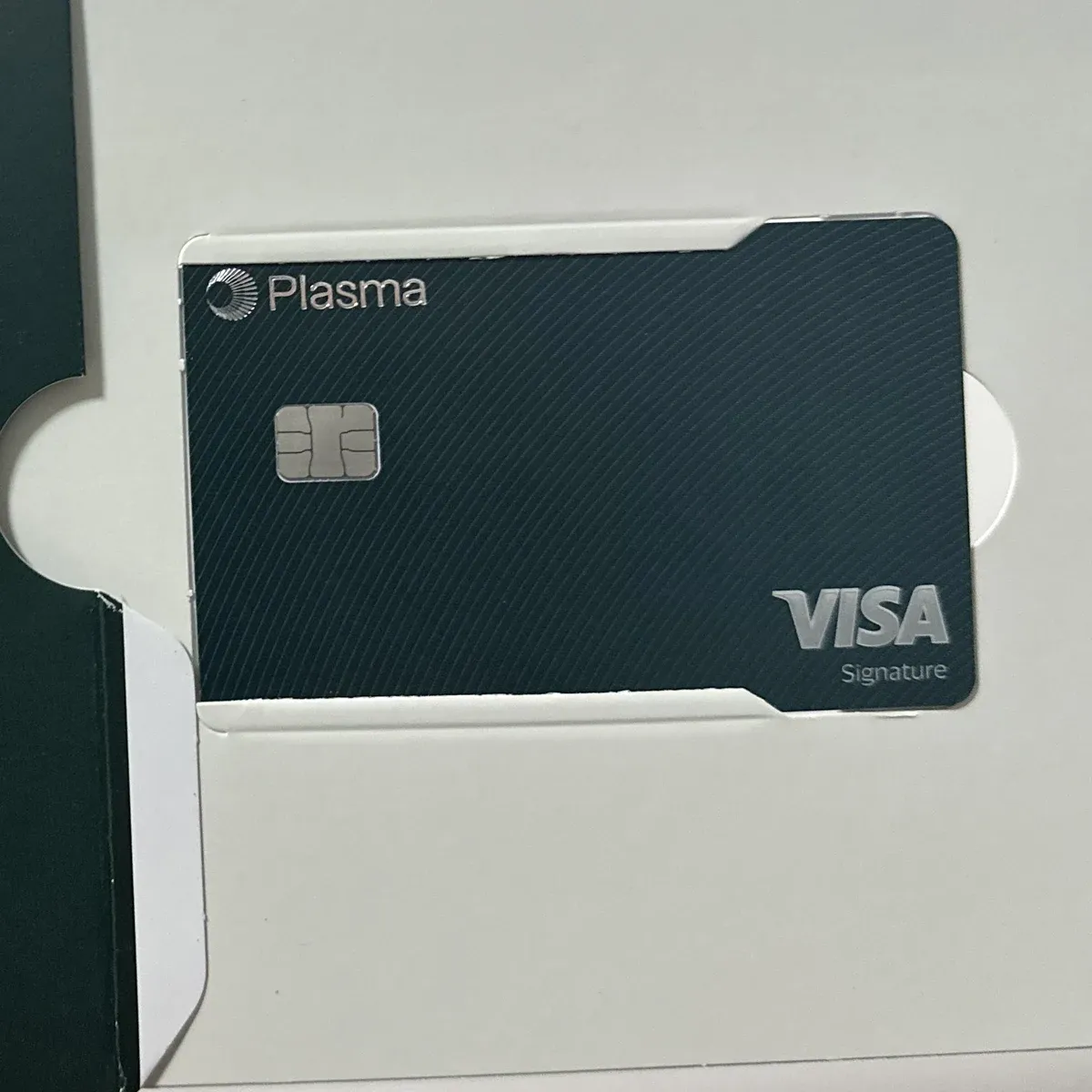
My Core physical card has already arrived — a dark green Visa Signature card. Here’s my own photo of it.
Earn: Moving Money Between Savings and Spending
Earn puts your stablecoins into a DeFi lending protocol to generate yield. I keep whatever I’ll spend soon in Spendable, and only move money into Earn once I know I won’t need it for a while. For a different take on putting stablecoins to work, see lending idle USDT on Bitfinex.
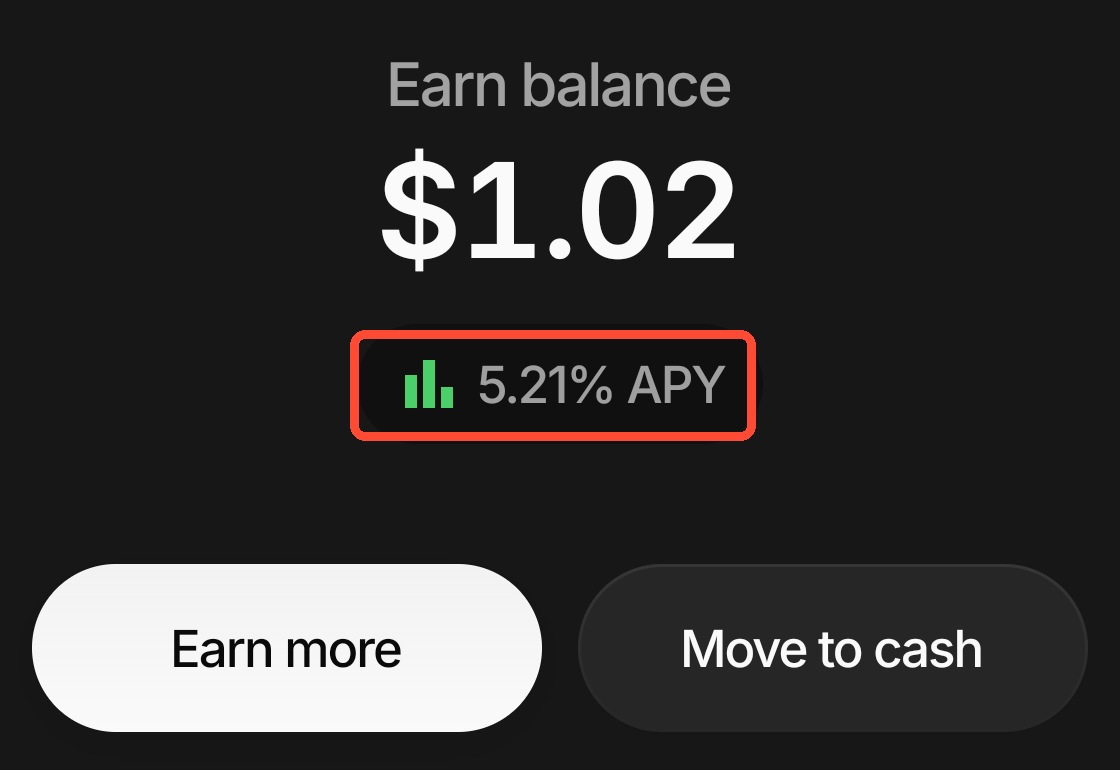
- Earn more moves balance in; Move to cash moves it back to the spendable account.
- The rate floats — the displayed estimate is not a guaranteed amount.
- Earn isn’t covered by deposit insurance; if the underlying DeFi protocol has a problem, you could lose principal.
Plasma One Compared With Other Crypto Cards
Plasma One’s tiered cashback plus optional XPL lock isn’t the only approach out there; here are a few cards that tend to come up in the same conversation.
| Card | What stands out | Best for |
|---|---|---|
| Plasma One | Stablecoin account, cashback tiered by monthly spend, optional XPL-locked upgrade | People who want idle stablecoins earning via Earn while also spending from the same account |
| ether.fi Cash | Staking-linked rewards, deeper DeFi integration | People already holding ETH positions who want staking yield tied to card spend |
| Jupiter Card | Solana-native, app UX is the selling point | Frequent Solana wallet or DeFi users |
| Bybit Card | Spends directly from your exchange balance, no extra transfer step | Existing Bybit users who want to skip a funding step |
| OKX Card | Spends stablecoins via OKX Pay; eligibility and cashback vary by region | Existing OKX users who want Pay and card spending in one place |
| Bitget Wallet Card | Applied for and managed inside Bitget Wallet; funds with USDT, USDC and other crypto | Regular Web3 wallet users who want on-chain assets usable day to day |
| MEXC Card | Converts USDT into a fiat balance for spending; cashback scales with your M-Score tier | Existing MEXC users with a USDT balance who want tier-based rewards |
| RedotPay | Not tied to a specific exchange account; more flexible KYC path | Anyone who just wants a standalone stablecoin card |
Plasma One FAQ
Do I still need an invite code for Plasma One?
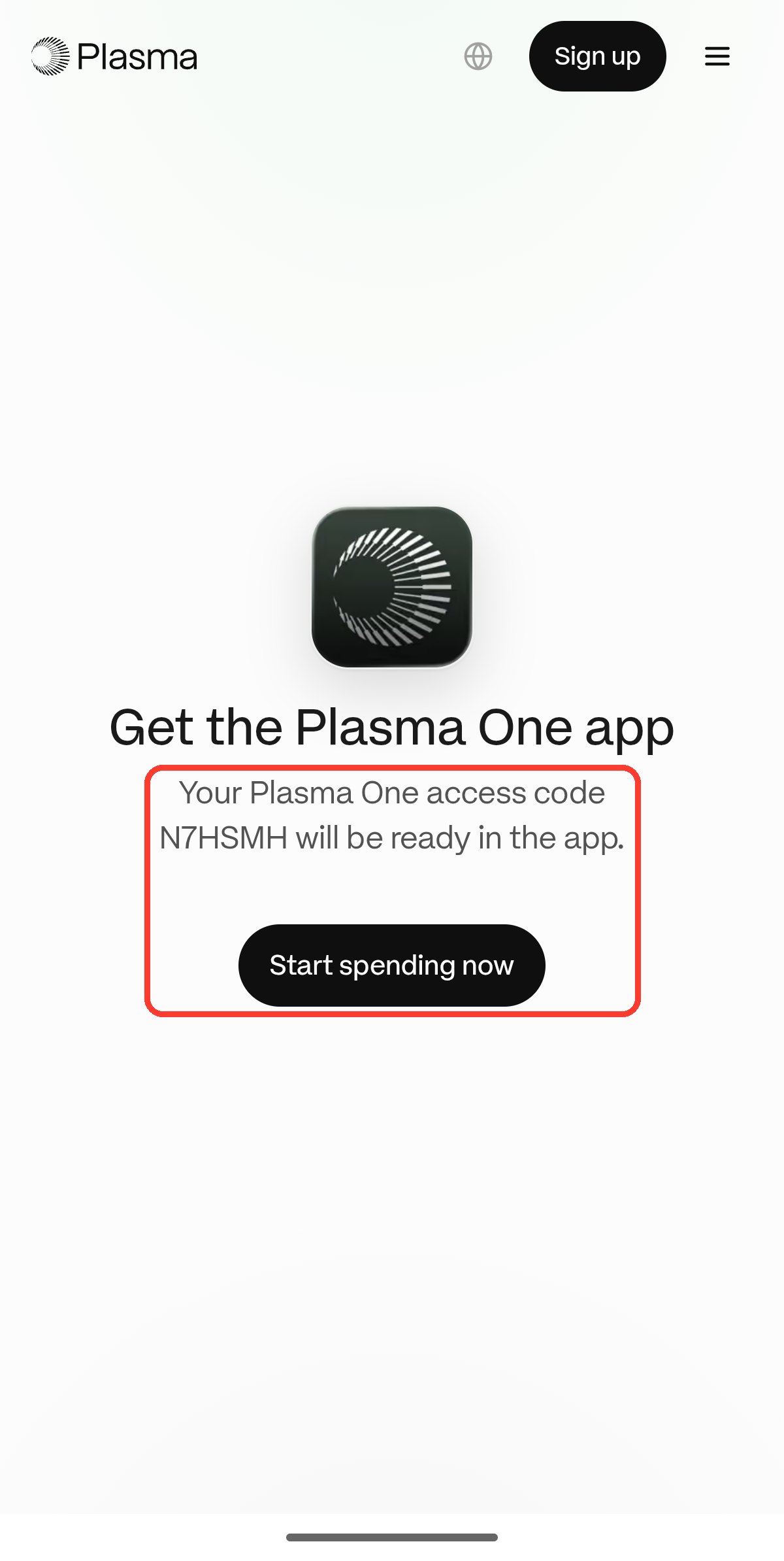
No, not anymore. Official registration is open to anyone directly through the website or app. If you download through a referral link, the access code fills in automatically — that’s part of the referral mechanic, not an extra gate to get in.
Can US residents sign up for Plasma One?
It’s not confirmed either way. I registered and completed KYC myself using a Taiwan ID and passport, and the program manager Rain’s named restriction list doesn’t name Taiwan. Plasma’s own pages state that geographic and regulatory eligibility limits apply and are subject to change, without publishing a full country list, so I can’t confirm what a US sign-up looks like from here. If you’re in the US, check what your own in-app flow actually offers.
Is the $199 Core annual fee worth it?
If you only want everyday cashback, I’d start with the free Lite tier. Whether Core’s annual fee is worth it mostly comes down to whether you’ll actually use ChatGPT Go, the AI cashback, and the other perks — not the base cashback tier alone.
When does cashback pay out, and in what currency?
Officially it’s paid in XPL or Spending Credit, at Plasma’s discretion, with a pending period of several days after each purchase before it’s confirmed — the exact number of days isn’t published. On my own account I’ve seen weekly payouts, but that’s just what I’ve observed in the app, not a fixed schedule guaranteed in the terms.
Can the physical card be delivered to Taiwan?
My own Core physical card arrived — the photo is above. During sign-up, the app lets you confirm your delivery address and shipping options.
Is the Earn yield safe?
Earn isn’t a bank deposit. Plasma’s own Lite page caps the headline rate at up to 5%/year, sourced from a third-party DeFi lending protocol — neither the principal nor the yield is guaranteed, and it isn’t covered by deposit insurance like FDIC or FSCS. I saw 5.21% APY in my app on September 28; that’s a daily variable snapshot, not a fixed future rate.
What if my KYC gets rejected?
Start by reading the app’s rejection reason and checking your document photo clarity, expiry date, and address-proof file format against the upload requirements — not every rejection is a document-quality problem. One community report described being permanently locked out after a single address-proof upload error, with a resubmission attempt also failing, so it’s worth getting your ID, passport and address proof right on the first try rather than fixing it after a rejection.
Does Plasma One work with Apple Pay or Google Pay?
Yes. Officially, iPhone supports Apple Pay and Android supports Google Pay, though actual availability still depends on each platform’s rollout in your region. On my own Android account, the virtual card screen has an Add to Google Wallet button, and once added I could tap to pay directly on the metro.
Can I withdraw cash from an ATM with Plasma One?
Yes. The app’s card settings have an ATM-withdrawal toggle, and mine defaults to on. Two things to know: official terms exclude ATM withdrawals from cashback, and the official pages don’t publish a specific ATM fee figure — check the fee shown in-app before you withdraw. For everyday spending, tapping to pay or using mobile wallet is still the better value.
Is the Olive Young cashback offer still active?
No. Plasma’s own terms page confirms that specific Boost ran from September 28 through 23:59:59 UTC on October 4, 2026, with no renewal listed as of this update. It’s covered above only as an example of how limited-time Offer Boosts work in the Rewards tab — check your own app for whatever offer is currently live.
This article contains a Plasma One referral link. If you sign up and spend through it, we may earn a referral reward; it doesn’t add to your cost.